AI Storyboard Generator
Create engaging storyboards effortlessly with customizable templates and intuitive design features.
AI Storyboard Generator: Revolutionizing Storytelling with AI
Introduction
Overview of AI Storyboard Generator
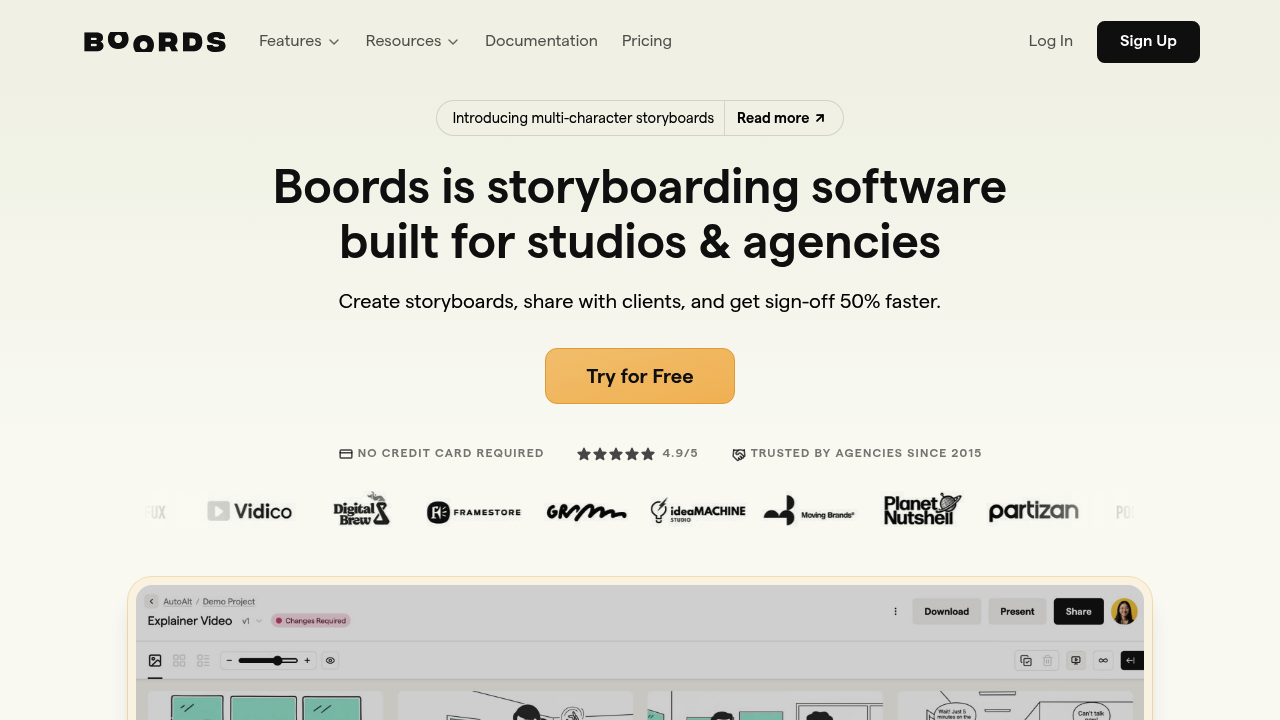
The AI Storyboard Generator is a cutting-edge tool designed to streamline the process of creating storyboards for various creative projects. It eliminates the need for drawing skills, enabling quick and easy storyboard creation. This tool is part of the Boords suite, highly regarded by video professionals for its ease of use and comprehensive set of features.
Key Benefits and Use Cases
The AI Storyboard Generator offers several key benefits:
- Increased Efficiency and Speed: It simplifies the pre-production process, making it faster and less painful.
- Enhanced Creativity and Inspiration: It provides a collaborative and intuitive platform for storyboard creation, making it an indispensable tool for creative professionals.
- Consistency and Professionalism: It ensures that projects remain organized and teams stay in sync with its emphasis on version control and collaborative features.
Who Uses
The AI Storyboard Generator is used by professionals in various creative industries, including:
- Film and Animation: For rapid development of storyboard scripts and visuals.
- Advertising: To bring narratives to life with efficiency and precision.
- Other Creative Industries: Such as video production and animation.
What Makes AI Storyboard Generator Unique
What sets the AI Storyboard Generator apart is its ability to merge AI-generated visuals with human creativity. It allows users to edit the generated storyboards by a team of skilled artists, adding emotional depth and impact to the narrative.
Core Features
Essential Functions Overview
The AI Storyboard Generator offers several essential functions:
- AI Story Import Wizard: Allows users to import AI-generated storyboards.
- Virtual Actors: Provides access to a variety of virtual actors for use in storyboards.
- Styles: Offers various styles to customize the look of the storyboards.
- AI Credits: Provides credits for generating AI images and storyboards.
- PDF and JPG Exporting: Enables users to export storyboards in PDF and JPG formats.
Common Settings Explained
Common settings include:
- Storyboard Frames: Users can create unlimited storyboard frames.
- AI Image Generation Speed: The tool offers high-speed AI image generation, with options for 100% and 150% speed.
Tips & Troubleshooting
Tips for Best Results
To get the best results from the AI Storyboard Generator:
- Use High-Quality Prompts: Provide clear and detailed prompts to ensure accurate AI-generated visuals.
- Edit and Refine: Use the tool's editing features to refine the generated storyboards.
- Collaborate Effectively: Utilize the tool's collaborative features to ensure all team members are on the same page.
Troubleshooting Basics
Common issues and their solutions:
- Plain or Typical Visuals: Sometimes AI-generated visuals might come across as plain or typical. Editing the generated storyboards by a team of skilled artists can add the missing personal touch.
- Technical Issues: If you encounter any technical issues, refer to the tool's support resources or contact customer support for assistance.
Best Practices
Common Mistakes to Avoid
Avoid these common mistakes:
- Insufficient Prompting: Failing to provide clear and detailed prompts can lead to inaccurate AI-generated visuals.
- Lack of Editing: Not editing the generated storyboards can result in a lack of personal touch and emotional depth.
Performance Optimization
To optimize performance:
- Use High-Speed AI Image Generation: Opt for the 150% speed option for faster image generation.
- Regularly Update the Tool: Ensure you are using the latest version of the tool to access new features and improvements.
Pros and Cons
Pros
Pros of using the AI Storyboard Generator include:
- Increased Efficiency and Speed: Simplifies the pre-production process, making it faster and less painful.
- Enhanced Creativity and Inspiration: Provides a collaborative and intuitive platform for storyboard creation.
- Consistency and Professionalism: Ensures that projects remain organized and teams stay in sync.
Cons
Cons of using the AI Storyboard Generator include:
- Potential Lack of Human Touch: AI-generated visuals might come across as plain or typical, lacking the emotional connection of human-created visuals.
- Technical Issues: Users may encounter technical issues, such as slow image generation or errors in the AI import wizard.
Summary
The AI Storyboard Generator is a powerful tool that revolutionizes the storytelling process by merging AI-generated visuals with human creativity. It offers a range of features, including AI story import wizard, virtual actors, and styles, making it an indispensable asset for creative professionals. While it has its pros and cons, it remains a top choice for those seeking to enhance their storytelling and pre-production processes.
Pricing Plans
The AI Storyboard Generator offers various pricing plans:
- Free Plan: $0, includes 1 storyboard, 6 storyboard frames, 200 AI credits, and basic features.
- Indie Plan: $15/month, includes unlimited storyboards, unlimited storyboard frames, PDF and JPG exporting, AI story import wizard, all virtual actors, all styles, and unlimited AI credits.
- Boords Plans:
- Individual: $25/month (1 user, 100 storyboards, 1,200 AI credits/year)
- Group: $39/month (5 users, 200 storyboards, 3,000 AI credits/year)
- Agency: $99/month (10 users, 500 storyboards, 9,600 AI credits/year)
- Powerhouse: $127/month (30 users, unlimited storyboards, 12,000 AI credits/year).
Disclaimer: Pricing plans are subject to change and may vary based on the official pricing page. For the most up-to-date pricing information, please visit the official pricing page.
Note: The pricing information provided is accurate as of the current date (December 9, 2024) and may be subject to change. Always refer to the official pricing page for the most current information.
Reviews
No reviews yetSimilar tools in category
Adobe Premiere Pro
Professional video editing software that allows users to create and refine high-quality videos with advanced features and effects.
Dezgo
Generate high-quality images/videos from text in any style, realistic, anime, cartoon, illustrations, logos. Fast & easy to use, make your dreams come true!