Instories
Instories is an AI text-to-video tool for turning scripts into social, marketing, and training videos with templates, voiceovers, and avatars.
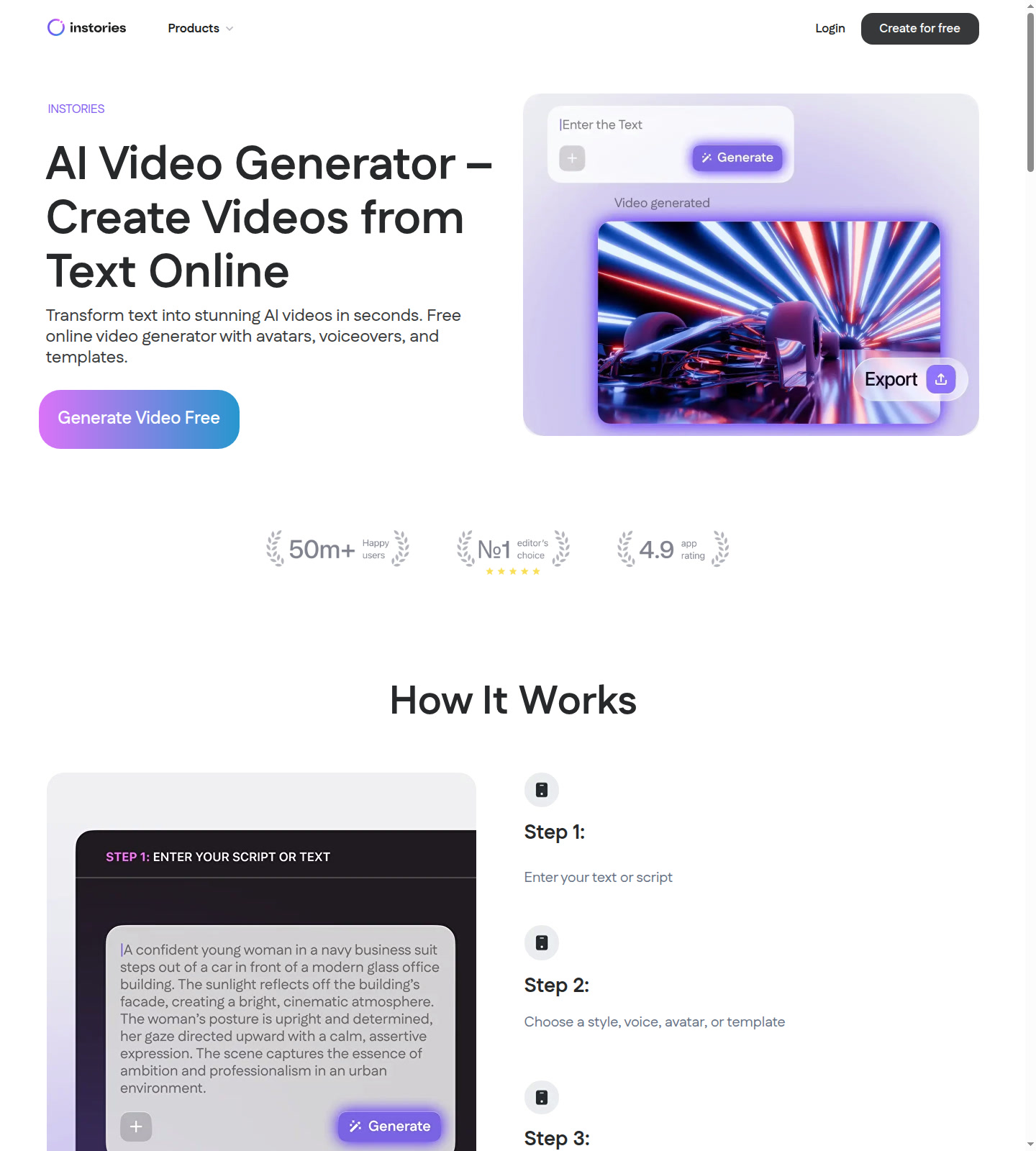
Instories: AI Text to Video Tool for Social, Marketing, and Training Clips (2026)
Instories is a browser-based AI text-to-video tool, backed by a broader video app ecosystem, that turns scripts into template-driven videos with avatars, voiceovers, and high-resolution exports rather than relying on complex manual editing. It is best for creators, marketers, and small teams who want a fast path from text to explainer, promo, or social content without opening a traditional timeline editor first. If you need granular scene control, deeply documented export limits, or enterprise API workflows, Instories is better treated as a quick production tool than a fully transparent studio stack.
Instories: Key Specs at a Glance
| Company | Instories |
|---|---|
| Access type | Web tool plus companion mobile editing app for iOS and Android |
| Primary use case | Turning scripts into AI-generated videos for marketing, training, social media, and lightweight explainers |
| Best for | Creators and small teams who want fast template-based video output without advanced editing knowledge |
| Input types | Text or script input |
| Output formats | Not publicly documented |
| Output resolution | 1080p or 4K |
| Max video duration | Not publicly documented |
| Built-in extras | Templates, voiceovers, AI avatars, and multi-language support |
| Watermark policy | Not publicly documented |
| API availability | Not publicly documented |
| Pricing model | Official site currently presents the product as free to use |
What Instories Actually Does Well
Low-friction text-to-video setup
The official AI video generator page makes the workflow explicit: enter text, choose a style, voice, avatar, or template, then generate the video online. That is helpful for teams who care more about speed and consistency than about frame-level creative experimentation.
Good fit for business and social formats
Instories does not present itself as a cinematic research lab. Its official examples center on product demos, internal communication, tutorials, e-learning, ads, YouTube, TikTok, and Reels. That kind of positioning makes it practical for everyday creator and marketing use rather than only AI showcase content.
Resolution promise is stronger than many free tools
The official AI generator page claims 1080p or 4K export, while the mobile app page also promises HD or 4K. For a tool that is openly marketed as free and beginner-friendly, that is an unusually strong public claim, even if the exact plan logic behind those exports is not fully documented.
Best-Fit Workflows
- Marketing teams: turn short scripts into promos, product videos, and social explainers quickly.
- Educators and trainers: create lightweight lessons, onboarding clips, and narrated explainers without a full production stack.
- Content creators: produce YouTube, TikTok, and Reels-style videos from text prompts with templates and avatars.
- Small businesses: make internal and external video content without hiring dedicated editors for every short-form asset.
Pricing and Value
The official site currently leans hard into free positioning. The AI video generator page says “Generate Video Free” and “Start Creating for Free”, while the video editor app page says “100% Free to Use” and explicitly mentions no hidden costs or subscriptions. Based on the visible official copy, Instories currently fits the Free tag better than a freemium or paid classification.
The main risk is not the price. It is the missing detail around limits. The public pages do not clearly publish exact duration caps, export quotas, watermark rules, or whether all AI avatar and voiceover features stay free under every usage scenario. For a solo creator, that may be acceptable because there is little financial barrier to testing. For a team trying to standardize production, those undocumented limits are the real cost because they create planning uncertainty.
Check the official pages before rollout, because free-positioned tools can change plan logic or export limits quickly.
Known Limitations
- Core usage limits are not clearly published: maximum duration, project quotas, and rendering caps are not prominently documented on the visible pages.
- Watermark rules are unclear: the official copy stresses free usage, but does not clearly explain watermark behavior for all outputs.
- Template-led workflows can feel basic: community discussion suggests the tool is fast and easy, but some users find it too lightweight for more advanced editing needs.
- It is more about speed than deep control: users wanting detailed timeline edits, advanced compositing, or technical finishing will still need another tool.
- Free positioning can change: when a product markets itself as free, the long-term risk is not current price but whether premium gating appears later around quality, exports, or AI assets.
How It Compares
Compared with fully generative video labs, Instories looks more practical and more constrained. It offers a clearer business and creator workflow with templates, avatars, and voiceovers, but it does not publish the same kind of deep technical model detail that prompt-native AI studios often highlight.
Compared with classic mobile editors, Instories shifts more of the work upstream. The selling point is not trimming clips by hand; it is getting from text to a ready-to-share structure quickly. That makes it useful for volume content, especially when speed matters more than originality in every frame.
What Users Are Saying
External discussions describe Instories as easy to use, strong on templates, and convenient for automated social content, while some users still see it as basic next to heavier editors. That aligns with the official positioning: fast creation for short-form and business content, not a deep post-production workstation.
- YouTube: Instories App Review - The Truth About Its All-Access AI Features
- YouTube: Instories App Review (2026)
FAQ
Is Instories free?
Officially, yes right now. The public pages say “Generate Video Free,” “Start Creating for Free,” and on the app page “100% Free to Use” with no hidden costs or subscriptions.
What resolution can Instories export?
1080p or 4K. Both the AI video generator page and the mobile app page mention HD/1080p and 4K exports.
What can I create with Instories?
Mostly business and social content. The official use cases highlight promos, product demos, internal videos, tutorials, e-learning, YouTube, TikTok, and Reels.
Does Instories support avatars and voiceovers?
Yes. The official AI video generator page lists AI avatars, characters, and a voiceover generator with multiple languages.
Should advanced editors use Instories as their main tool?
Usually not. It is better as a fast text-to-video system for templates and explainers than as a full replacement for deeper post-production software.
Sources
Reviews
No reviews yetSimilar tools in category
Adobe Premiere Pro
AI Storyboard Generator
Create engaging storyboards effortlessly with customizable templates and intuitive design features.

Dezgo
Generate high-quality images/videos from text in any style, realistic, anime, cartoon, illustrations, logos. Fast & easy to use, make your dreams come true!