Morph Studio
AI creative platform with 10+ top-tier text-to-video and image-to-video models (Kling, Hailuo, Runway, Luma, Veo, Sora, WAN), AI video style transfer in 8 styles, and a borderless canvas for multi-scene storytelling.
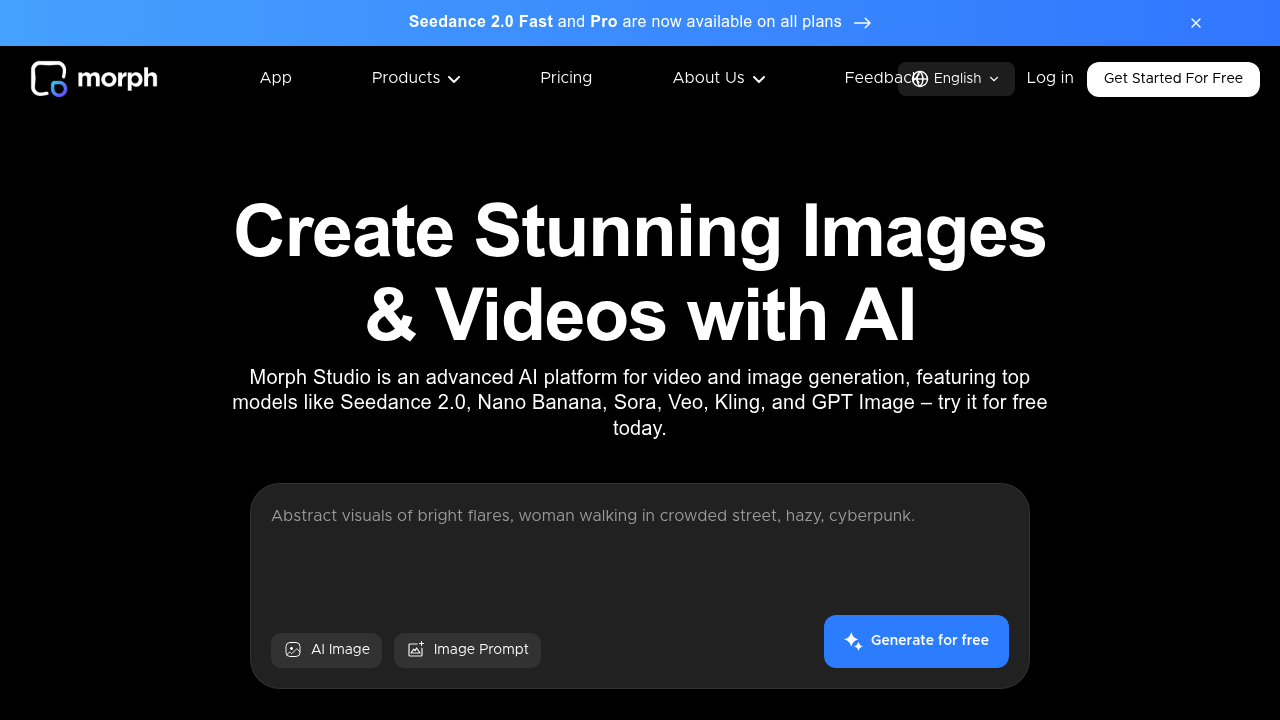
Introduction to Morph Studio
Morph Studio is an AI-powered creative platform that combines cutting-edge text-to-video and image-to-video generation with video style transfer, AI image creation, and a borderless canvas for visual storytelling. It integrates multiple top-tier AI models — including Kling, Hailuo, Runway, Luma, Veo, Flux, Sora, Wan, and Morph's own proprietary model — into a single unified workspace, enabling creators to generate cinematic video content from text or image prompts with unprecedented flexibility.
Morph Studio operates on a freemium credit-based pricing model. The free plan includes 75 credits/month (approximately 3–5 short video generations). Paid plans start at $7/month (Basic) for 3,000 credits (~75 videos), $24.50/month (Pro) for 12,000 credits (~300 videos), and $49/month (Premier) for 30,000 credits (~750 videos). All paid plans include commercial use rights. Prices are subject to change. Check official pricing here.
The platform targets independent filmmakers, content creators, social media marketers, storytellers, and visual artists seeking to leverage multiple AI video models through one interface. Its unique value: access to 10+ top-tier AI video models, a canvas-based workflow, and AI video style transfer — all under one subscription.
Getting Started with Morph Studio
Morph Studio is a web-based platform accessible at morphstudio.com. No downloads or special hardware are required. A modern browser (Chrome, Firefox, Edge) is sufficient. Sign up with email or Google account, claim your free 75 monthly credits, and begin generating immediately.
The interface features a Borderless Canvas where you can arrange multiple generated assets spatially, link scenes, and compose multi-scene narratives. First-time users can start directly from the text input field — type a prompt, select your preferred AI model, and generate.
Core Features
Multi-Model AI Video Generation
Morph Studio's defining strength is access to 10+ top-tier AI video models simultaneously: Morph, WAN, Hailuo, Kling, Runway, Luma, Veo, Sora, Hunyuan, Seedance, and more. Each model has distinct visual styles, motion quality characteristics, and generation speeds. Users can generate the same prompt across multiple models and compare results to select the best output — dramatically improving creative control versus single-model platforms.
Text-to-Video & Image-to-Video Generation
Input a text prompt and receive a generated video clip. Supported output includes cinematic short clips with natural motion, camera movement, and lighting. Image-to-video allows you to animate a still image with motion effects — ideal for bringing artwork or photos to life. Generation speed varies by model and credit tier, typically delivering clips within 30–120 seconds.
AI Video Style Transfer
Transform any uploaded video into a new visual style with AI-powered style transfer. Up to 8 distinct artistic styles are supported, ranging from anime and oil painting to photorealism and sketching. The process preserves motion and subject structure while applying the new visual aesthetic — excellent for repurposing footage or creating unique content.
AI Image Generation
Beyond video, Morph Studio offers full-featured AI image generation powered by Flux, GPT Image, Imagen, Seedream, and Morph's own model. Supports both prompt-based and reference-image-based creation. Useful for concept art, storyboarding, and generating video source assets.
Borderless Canvas
The interactive canvas allows multi-asset composition — arrange multiple generated images and video clips spatially, annotate with text, and build out full scene sequences for complex storytelling projects.
First Project Tutorial
- Navigate to morphstudio.com and sign up for free
- From the main interface, locate the Text-to-Video panel
- Type a detailed prompt — e.g., "Aerial shot of a misty mountain range at golden hour, slow dolly movement"
- Select your preferred AI model (start with Morph or WAN for general cinematic quality)
- Click Generate — your video will appear in 30–90 seconds
- To try style transfer, upload an existing video clip, select Video Style Transfer, choose an artistic style
- Download your generated video clip to use in your editing software
Best Practices
- Use descriptive prompts with camera movement terms (dolly, pan, zoom, aerial) for more cinematic results
- Test across multiple models using the same prompt to identify which model suits your aesthetic
- Combine style transfer with generated footage for unique hybrid visual styles
- Use the canvas to plan multi-scene narratives before generating all clips
- Start with shorter clips to conserve credits during experimentation
Pros & Cons
Pros
- Access to 10+ AI video models in one subscription
- Generous free tier (75 credits/month)
- AI Video Style Transfer with 8 artistic styles
- Borderless canvas for multi-scene composition
- Competitive pricing vs. subscribing to each AI model individually
Cons
- Credit system can be depleted quickly on high-quality models
- Output quality varies significantly between models
- Free tier credits may not be sufficient for professional production volumes
- No timeline-based video editor — assembly must be done in external tools
What Users Are Saying
Morph Studio has an active presence across AI video communities, with users sharing generated outputs and tutorials:
- r/aivideo — Summer beach party generated entirely with Morph Studio
- r/tutorials — Complete Morph Studio AI video workflow tutorial
- r/YoutubeSelfPromotion — Full Morph Studio video workflow
Summary
Morph Studio is a powerful choice for creators who want to leverage the best AI video generation models without managing multiple subscriptions. By combining text-to-video, image-to-video, style transfer, and a multi-model selection system in one platform, it provides both flexibility and creative breadth. Its credit-based freemium model lowers the barrier to entry, while paid tiers offer sufficient capacity for regular content production.
Reviews
No reviews yetSimilar tools in category
Adobe Premiere Pro
AI Storyboard Generator
Create engaging storyboards effortlessly with customizable templates and intuitive design features.

Dezgo
Generate high-quality images/videos from text in any style, realistic, anime, cartoon, illustrations, logos. Fast & easy to use, make your dreams come true!