Steve AI
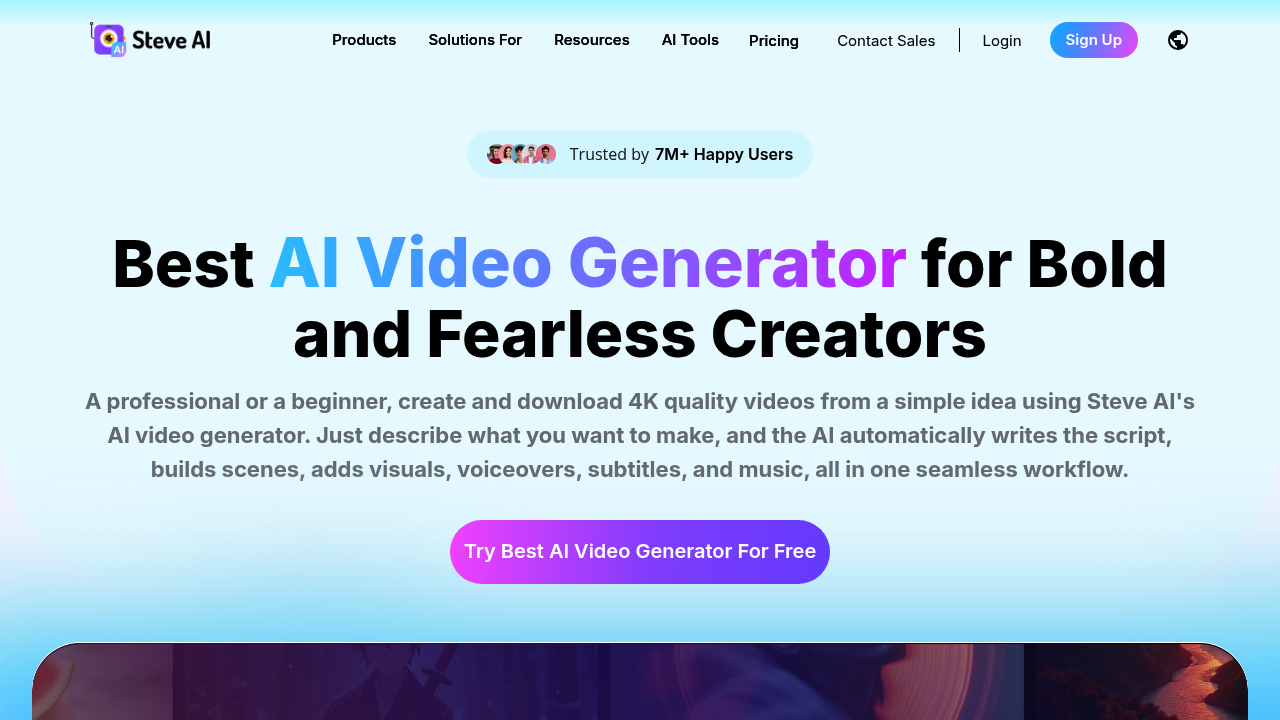
Free AI Video Generator. Turn your text, scripts, or audio into professional-quality videos with Steve AI's generative AI.
The Complete Beginner's Guide to Steve AI: Text To Video
Introduction
Steve AI is a patented artificial intelligence video generator that allows users to seamlessly transform text, scripts, or audio into professional-quality videos. For content creators, marketers, and educators, it eliminates the steep learning curve associated with traditional video editing software. By automating the entire production process—from scriptwriting to adding visuals, voiceovers, and music—it dramatically reduces production time and costs. What sets Steve AI apart is its proprietary AI Visual IQ and the ability to generate both animated and live-action videos, including dynamic talking head avatars, without needing any prior video editing experience.
The platform caters to a wide target audience, ranging from solopreneurs and small businesses to enterprise marketing teams and educators. Whether you are creating engaging YouTube shorts, comprehensive L&D training modules, or high-converting promotional ads, Steve AI provides the necessary tools. Its versatility makes it an invaluable asset for anyone looking to scale their video content output without expanding their production budget.
Steve AI offers a tiered pricing structure to accommodate different user needs. It includes a robust Free plan offering 1200 seconds of AI video generation. The paid plans start at $15/month for the Basic plan (billed annually), scaling up to $45/month for the Starter plan and $60/month for the Pro plan. An Enterprise custom plan is also available. Prices are subject to change. Official Pricing.
Getting Started
Steve AI is a cloud-based web application, meaning it requires no heavy local installation or high-end hardware; a modern web browser and a stable internet connection are all you need. The platform is designed to be accessible from any operating system, including Windows, macOS, and Linux. Additionally, there is a dedicated iOS app for creators who prefer to work on the go, ensuring flexibility in your creative workflow.
Upon logging in, users are greeted by an intuitive and clutter-free workspace designed for rapid content creation. The dashboard prominently features the various generation options: Text to Video, Script to Video, Audio to Video, and Image to Video. The interface guides you step-by-step, prompting you to input your text or media, select your desired video style (animation or live-action), and customize the AI-generated output before finalizing the render.
Core Features
- Generative AI Text-to-Video Engine: This is the heart of the platform. You simply input a prompt, blog post, or script, and the AI automatically synthesizes a complete video. It selects relevant stock footage or animations, generates a coherent script if needed, and applies appropriate background music and transitions.
- Multi-Voice AI Voiceovers: Steve AI includes a vast library of highly realistic AI voices. You can select different accents, languages, and emotional tones to perfectly match the context of your video. The Pro plans offer up to 100% human-like voice quality, making the narration indistinguishable from a professional voice actor.
- AI Talking Head Avatars & UGC Studio: For users who don't want to be on camera, the platform provides diverse AI avatars and virtual presenters. These digital clones can deliver your script with natural lip-syncing and expressions, perfect for creating testimonial videos, news updates, or personalized outreach content.
- Extensive Asset Library & Customization: Depending on the tier, users gain access to millions of premium stock assets, including images, videos, and music tracks. Furthermore, the built-in AI Video Editor allows for granular control over text animations, motion effects, and color schemes, ensuring the final product aligns perfectly with your brand identity.
First Project Tutorial
To create your first video, start by selecting the 'Text to Video' option from the main dashboard. Paste your script or simply type a detailed prompt describing the video you want to make. The more context you provide, the better the AI can tailor the visuals and script to your needs.
Next, choose your preferred visual style, such as 2D animation or live-action stock footage. Select a suitable AI voice for the narration, paying attention to the pacing and tone. Steve AI will then generate a storyboard, pairing your text with automatically selected visuals.
Review the generated storyboard carefully. You can easily swap out specific images or video clips if they don't perfectly match the scene. Adjust the text placement, change the background music, and fine-tune the voiceover timing. Once you are satisfied with the preview, click 'Download' to render the final video.
Best Practices & Optimization
For the best results, ensure your initial text prompts are clear, concise, and structured. Break down long paragraphs into shorter sentences to help the AI better match visuals to specific concepts. When using the AI voiceovers, utilize punctuation effectively (commas and periods) to control the pacing and natural pauses in the narration.
Avoid relying solely on the AI's first draft. While Steve AI is powerful, the best videos come from users who take the time to review and manually tweak the generated storyboard. Always preview your video to ensure the transitions are smooth and the selected media accurately reflects the tone of your message.
Pros and Cons
- Pros:
- Incredibly user-friendly interface, ideal for beginners with zero editing experience.
- Rapid video generation significantly reduces production time from hours to minutes.
- Versatile output options, supporting both animated and live-action formats.
- Cost-effective alternative to hiring professional video editors or voice actors.
- Cons:
- The Free plan has noticeable limitations, including watermarks and lower resolution exports.
- Highly specific or niche visual requests might require manual media replacement.
- Premium human-like voices and higher resolutions are locked behind the more expensive tiers.
What Users Are Saying: Real Reviews & Feedback
Summary of Community Sentiment: Community feedback generally highlights Steve AI as a powerful tool for rapid content creation, particularly praising its ease of use and the quality of its text-to-video capabilities. Users appreciate the ability to generate videos without prior editing knowledge, though some note limitations in the free version.
Top Community Discussions:
- Steve AI 2.0 Launch Discussion - Community Review
- SaaS Community Feedback on Steve AI 2.0 - Community Review
Key User Insights: Users love the seamless integration of AI features, noting that it makes video creation incredibly accessible. The main frustrations often revolve around the limitations of the free tier and the need for paid plans to access the highest quality voices and resolutions.
Have you tried Steve AI? Share your experience in the review section below to help other creators make the right choice!
Summary
Steve AI establishes strong topical authority in the AI video generation space by offering a comprehensive, patented solution that bridges the gap between text and professional video output. Its ability to seamlessly integrate scriptwriting, voiceovers, and dynamic visuals makes it a standout tool for creators and businesses alike. While the best features require a paid subscription, the sheer time-saving potential and quality of the generated videos make it a highly valuable asset for modern digital storytelling.
Reviews
No reviews yetSimilar tools in category
Adobe Premiere Pro
Professional video editing software that allows users to create and refine high-quality videos with advanced features and effects.
AI Storyboard Generator
Create engaging storyboards effortlessly with customizable templates and intuitive design features.

Dezgo
Generate high-quality images/videos from text in any style, realistic, anime, cartoon, illustrations, logos. Fast & easy to use, make your dreams come true!