Syllaby
AI faceless-video and avatar platform that helps teams turn topic research, scripts, voice clones, editing, and social scheduling into one browser workflow.
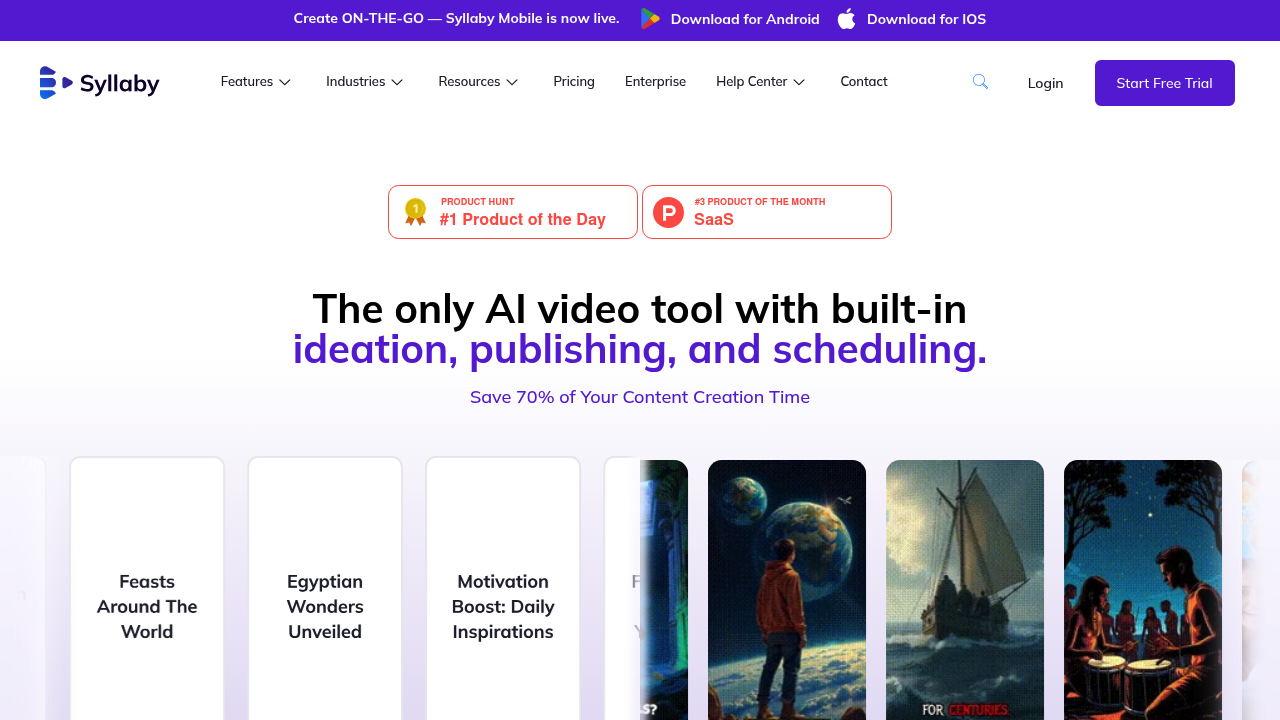
Syllaby: AI Text To Video for Turning topic ideas and scripts into faceless social videos and ai-avatar clips (2026)
Syllaby is an AI text to video tool by Syllaby built for turning topic ideas and scripts into faceless social videos and AI-avatar clips. Its clearest differentiator is that aI faceless-video and avatar platform that helps teams turn topic research, scripts, voice clones, editing, and social scheduling into one browser workflow.
It is a strong fit for marketers, local businesses, agencies, and creators who want one system for ideation, scripting, editing, and publishing. The product promise is practical rather than vague, with the public materials focused on concrete workflow outcomes instead of generic AI-video hype.
It is a weaker choice for buyers who need deeply documented export specs, exact frame-level control, or a public automation interface that is clearly documented today.
Syllaby: Key Specs at a Glance
| Feature | Syllaby |
|---|---|
| Primary use case | turning topic ideas and scripts into faceless social videos and AI-avatar clips |
| Best for | marketers, local businesses, agencies, and creators who want one system for ideation, scripting, editing, and publishing |
| Access type | Browser-based web app with iOS app distribution also visible on the official site |
| Input types | Topic prompts, scripts, voice clones, stock-style visual generation inputs, and social-post planning inputs |
| Output formats | Not publicly documented |
| Output resolution | Not publicly documented |
| Max video duration | Not publicly documented |
| Generation speed | Not publicly documented |
| Watermark (free tier) | Not publicly documented on the reviewed public pricing page |
| Language support | Not publicly documented |
| API availability | Not publicly documented |
| Integrations | Social scheduling is part of the public product story; detailed third-party integration list is not publicly documented |
| Collaboration | Not publicly documented |
| Pricing model | Paid subscription with monthly or annual billing and usage credits |
| Free plan | No public free plan was confirmed on the reviewed official pricing page |
| Paid plans | Basic starts at $29/month for 500 credits, Standard starts at $78/month for 1,500 credits, and Premium starts at $153/month for 5,000 credits; annual billing lowers the effective monthly rate |
What Syllaby Does Well
It covers the full path from idea discovery to publishing
Syllaby does not stop at text-to-video generation. The official site positions it as a workflow that starts with finding ideas, moves through script generation and video creation, then continues into editing and social scheduling. That makes it more practical for marketing teams than a tool that only renders isolated clips.
Faceless videos and AI avatars are both first-class use cases
The homepage and feature navigation give heavy prominence to faceless-video workflows, short-form and long-form variants, and avatar-style output. That focus matters for businesses that need repeatable social content without filming a new talking-head session every time.
The pricing page is unusually explicit about credits and voice-clone limits
Many AI video tools hide behind vague usage caps. Syllaby publishes plan structure, monthly credit buckets, and voice-clone allowances, which makes it easier to estimate whether the product fits a small content team or a heavier agency-style publishing cadence.
Built-in editing and scheduling reduce tool sprawl
Syllaby's public messaging keeps emphasizing its video editor and social-media scheduling alongside generation. For busy marketers, that is meaningful because the real cost of AI video work often comes from handoffs between separate research, editing, and publishing systems.
Known Limitations
- Key export details such as final resolution, watermark behavior, and downloadable format options are not publicly documented, which makes procurement harder for teams with strict delivery specs.
- There is no clearly stated public free tier on the reviewed pricing page, so testing the workflow may require a paid commitment sooner than with freemium rivals.
- The credit model can become expensive if a team burns through many script iterations and frequent video refreshes, especially at the lower plans.
- Syllaby is optimized for templated social-video throughput, not for frame-accurate post-production or a deep cinematic editing workflow.
- The reviewed public materials do not describe a public API, so engineering teams should not assume that the workflow can be automated programmatically.
Best For: Who Should Use Syllaby
- Marketing teams producing recurring faceless videos for TikTok, Reels, Shorts, and niche social campaigns.
- Local businesses that want idea research, script help, and video creation inside one browser workflow instead of stitching multiple tools together.
- Agencies that need repeatable short-form video output with limited time for manual editing.
- Creators who care more about consistent content throughput than about custom cinematic finishing.
Who Should Look Elsewhere
- Choose a different tool if you need a fully documented export spec, public API, or studio-grade finishing controls.
- Look elsewhere if your workflow depends on long-form editing precision rather than templated short-form output.
- Pick another option if a no-cost evaluation path is a hard requirement before purchase.
Pricing & Cost at Scale
Plan Overview
- Free plan: No public free plan was confirmed on the reviewed official pricing page
- Paid options: Basic starts at $29/month for 500 credits, Standard starts at $78/month for 1,500 credits, and Premium starts at $153/month for 5,000 credits; annual billing lowers the effective monthly rate
Cost at Scale
For a solo creator, the Basic plan is the realistic floor because the public pricing page does not advertise a no-cost entry tier. That raises the initial commitment compared with freemium competitors.
For small marketing teams, the Standard plan is the more practical baseline because 1,500 monthly credits and more voice-clone headroom leave room for iteration across multiple campaigns.
For agencies or higher-volume operators, the Premium plan makes more sense operationally, but the credit model still needs monitoring because heavy script testing and bulk output can eat into the allowance quickly.
Annual billing lowers the effective monthly price, but the value only holds if the team is publishing continuously enough to consume the credits.
Prices can change. Check the official pricing source before you publish or budget around this tool.
Technical Details & Integrations
- Workflow fit: end-to-end browser-based social-video production rather than a modular API stack.
- Core public modules: idea research, script generation, faceless video creation, avatar output, online video editor, and social scheduling.
- Plan controls: voice-clone allowances increase by plan, which matters for branded spokesperson workflows.
- Output spec risk: resolution, file-format, and duration limits are not clearly published on the reviewed official pages.
Getting Started
- Start with one repeatable content theme instead of trying to automate every channel at once.
- Use the idea and script layers first, then test whether the video output quality is good enough before scaling a posting cadence.
- Reserve voice-clone usage for the content types where brand consistency matters most.
- Track how many credits one finished publishable asset really consumes, not just how many the headline plan includes.
Pro tip: Treat Syllaby as a content-operations tool, not just a video renderer. It becomes more valuable when the team standardizes a repeatable topic-to-script-to-publish workflow.
What Users Are Saying
No compliant external community links could be verified with acceptable HTTP status codes during this run, so the public discussion footprint should be treated as unverified rather than strong proof.
Community links: No compliant external discussion or review URLs were verified during this run.
What users praise: Search results suggest users like the all-in-one workflow and the speed of turning ideas into faceless videos, but those third-party pages could not be revalidated cleanly in this run.
Common frustrations: Without verified external review pages, buyers still lack a strong independent signal on export quality, credit burn rate, and long-run consistency.
Have you tried Syllaby? Share your experience in the review section below to help other video creators make the right choice.
FAQ
Is Syllaby free?
No public free plan was confirmed on the reviewed official pricing page. The visible plans start at $29 per month.
What does Syllaby actually help with?
Syllaby is positioned as an end-to-end workflow for finding ideas, writing scripts, generating faceless videos or AI-avatar clips, editing them, and scheduling them to social channels.
Does Syllaby publish exact export specs?
Not publicly documented. The reviewed official pages do not publish a clear export-format or resolution table.
Who is Syllaby best for?
It is strongest for marketers, agencies, and creators who want repeatable short-form content production rather than frame-by-frame post-production control.
Does Syllaby have an API?
Not publicly documented on the reviewed public materials.
Why would a team skip Syllaby?
Teams that need a clear free tier, a public API, or detailed export guarantees may prefer a tool with stronger technical documentation.
Sources
Reviews
No reviews yetSimilar tools in category
Adobe Premiere Pro
AI Storyboard Generator
Create engaging storyboards effortlessly with customizable templates and intuitive design features.

Dezgo
Generate high-quality images/videos from text in any style, realistic, anime, cartoon, illustrations, logos. Fast & easy to use, make your dreams come true!