
Choppity
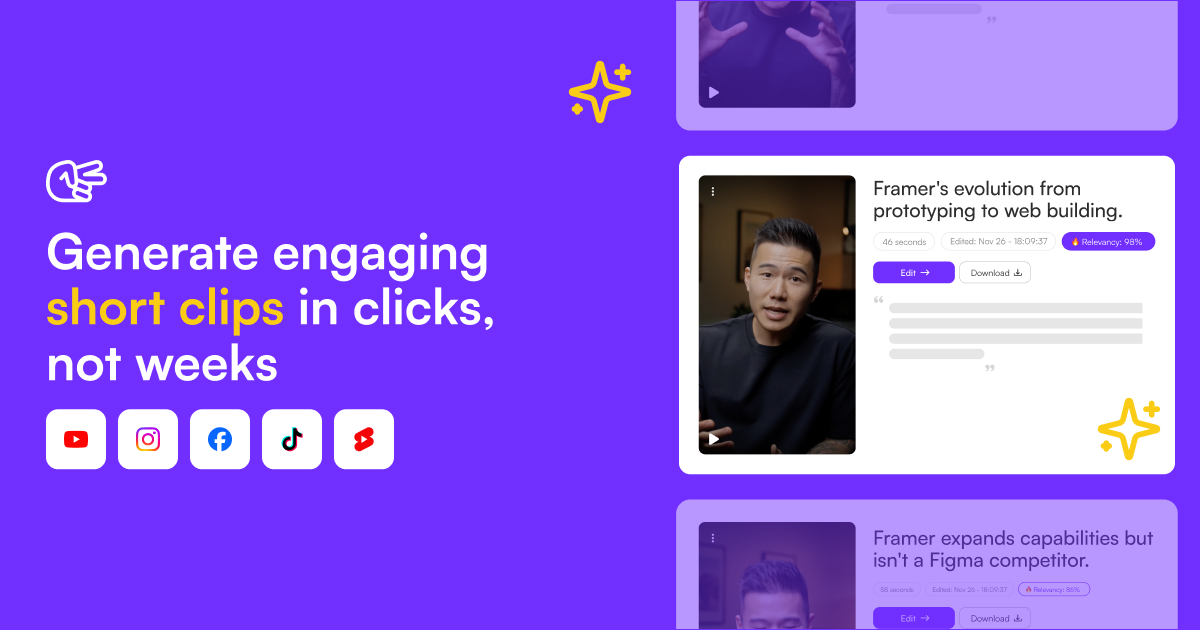
Turn podcasts and long videos into 30+ viral short clips instantly. AI-powered editing with captions, framing, and tracking. Trusted by 90,000+ creators.
Choppity: The Ultimate AI-Powered Video Editing Tool for Social Media
Introduction
Overview of Choppity
Choppity is an AI-based video editing tool designed to transform longer videos and podcasts into shorter, engaging clips for social media platforms like TikTok and LinkedIn. It automates repetitive tasks, such as adding animated subtitles and centering faces, making it a cost-effective and efficient solution for content creators.
Key Benefits and Use Cases
Choppity offers several key benefits and use cases:
- Create Engaging Social Media Content: Repurpose longer videos into shorter clips that can be easily shared on social media.
- Automate Repetitive Tasks: Use AI to automate tasks like adding subtitles, centering faces, and suggesting viral clips.
- Cost-Effective: Choppity is significantly cheaper than traditional video editing software or outsourcing services.
Who Uses Choppity
Choppity is used by various user groups, including:
- Content Creators: Podcasters, YouTubers, and social media influencers.
- Marketing Agencies: Professionals looking to streamline their video editing workflow.
- Educational Institutions: Universities and schools using Choppity for educational content.
What Makes Choppity Unique
Choppity stands out due to its advanced AI capabilities and user-friendly interface:
- AI-Powered Editing: Custom AI models analyze videos to identify the most engaging clips.
- Magic Clips™: Automatically generates viral clips with AI-generated titles, vibes, and categories.
- Customizable Animated Captions: Adds word-perfect animated captions that can be customized in terms of animation style, font, color, shadow, size, caption position, and highlighting individual words.
Core Features
Essential Functions Overview
Choppity offers a variety of essential functions:
- Video Editing: Quickly edit and customize video clips.
- Automated Subtitles: Adds animated subtitles automatically.
- Face Centering: Centers faces in the video for improved engagement.
- Speed Up: Speeds up video editing by 10 times compared to traditional software.
- Custom Fonts: Upload custom fonts to match your brand.
Common Settings Explained
- Upload Your Video: Upload the video you want to edit.
- Review Magic Clips™: Choppity’s AI will automatically generate Magic Clips™, which are short, engaging segments from your video.
- Enhance Your Clips:
- Add background VFX, text, images, and other visual elements.
- Use Magic Follow™ to track moving subjects.
- Apply Magic Reframe™ to adjust video dimensions.
- Edit and Fine-Tune:
- Use the timeline editor to make precise adjustments.
- Add music, sound effects, and transitions.
- Export and Share:
- Once you are satisfied with your edits, export your clips.
- Share them directly on social media platforms or download them for later use.
Tips & Troubleshooting
Tips for Best Results
- Choose the Right Plan: Select a plan that fits your needs, whether it's the Basic, Pro, Business, or Enterprise plan.
- Customize Captions: Tailor your captions to match your brand and audience.
- Experiment with Magic Clips™: Review and select the most engaging clips generated by Choppity’s AI.
- Use Background VFX: Add visual elements to enhance engagement.
Troubleshooting Basics
- Check for Updates: Ensure you have the latest version of Choppity.
- Contact Support: If you encounter any issues, reach out to Choppity’s support team.
- Clear Cache: Clear your browser cache if you experience any glitches.
Best Practices
Common Mistakes to Avoid
- Over-Editing: Avoid over-editing as it can make the video look unprofessional.
- Inconsistent Branding: Ensure consistent branding across all your social media clips.
- Ignoring Captions: Don’t ignore captions; they are crucial for accessibility and engagement.
Performance Optimization
- Optimize Video Size: Ensure your video size is optimized for social media platforms.
- Use High-Quality Assets: Use high-quality assets like images and music to enhance the video.
- Keep it Simple: Keep your edits simple and focused on the main message.
Pros and Cons
Pros
- Cost-Effective: Choppity is significantly cheaper than traditional video editing software or outsourcing services.
- Efficient: Automates repetitive tasks, saving time and effort.
- User-Friendly: Easy to use, even for those without extensive video editing experience.
- Customizable: Offers extensive customization options for captions, fonts, and visual elements.
Cons
- Limited Advanced Features in Basic Plan: The Basic plan has limited features compared to the Pro and Business plans.
- Potential for Technical Issues: Like any AI tool, there is a potential for technical issues or glitches.
- Dependence on AI Accuracy: The accuracy of AI-generated clips and captions can vary.
Summary
Choppity is an innovative AI-powered video editing tool designed to streamline the process of creating engaging social media clips. With its advanced AI capabilities, customizable features, and user-friendly interface, Choppity is an essential tool for content creators, marketing agencies, and educational institutions. While it offers many benefits, it also has some limitations, particularly in the Basic plan. Always check the official pricing page for the latest information, as pricing might be changed.
Pricing Plans
Choppity operates on a freemium pricing model with the following plans:
- Basic Plan: Free forever with limited features.
- Pro Plan: $9.99 per month, includes features such as custom fonts, Magic Follow™, and background VFX.
- Business Plan: $29.99 per month, offering all Pro features plus Magic Reframe™, transcript-based editing, and profanity censoring.
- Enterprise Plan: Custom pricing for large teams and organizations, offering priority support and tailored features.
Disclaimer: Pricing plans are subject to change, so always verify the latest information on the official Choppity website.