Clips AI
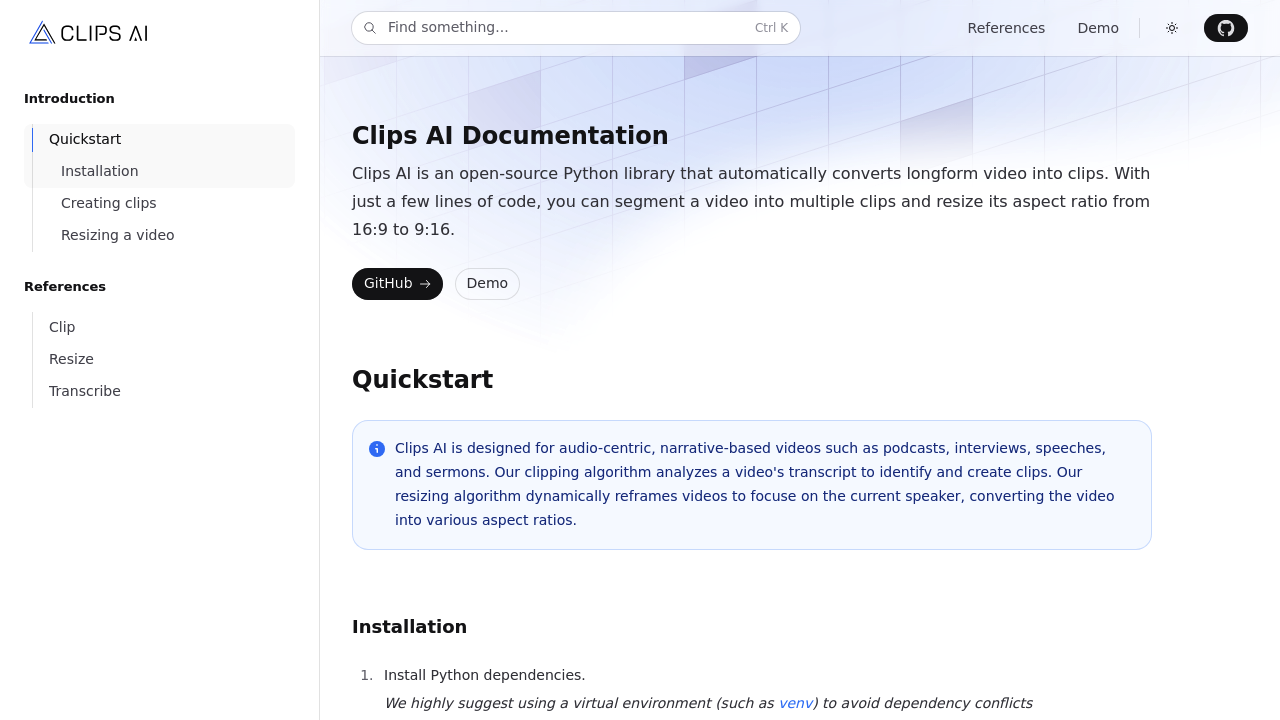
Clips AI is a python library that allows developers to automatically convert long videos into clips.
Clips AI: A Comprehensive Guide to Its Features, Benefits, and Pricing
Introduction
Overview of Clips AI
Clips AI is an open-source Python library designed to automate the conversion of longform videos into shareable clips. It employs advanced Natural Language Processing (NLP) with TextTiling and BERT Embeddings for precise content segmentation.
Key Benefits and Use Cases
- Automated Conversion: Easily convert longform videos into shareable clips.
- Advanced NLP: Utilizes TextTiling and BERT Embeddings for precise content segmentation.
- Dynamic Resizing: Dynamically reframes videos to focus on the current speaker, enhancing viewer engagement.
- Multiple Aspect Ratios: Supports various social media platforms.
- Efficient Processing: Uses tools like WhisperX for accurate transcription.
- Narrative-Based Content: Ideal for a wide array of creators, particularly useful for those looking to streamline their video editing workflow and increase content visibility without extensive manual effort.
Who Uses
Clips AI is particularly beneficial for content creators, video editors, and anyone looking to streamline their video editing process. It is especially useful for those working with narrative-based content, such as vloggers, educators, and marketers.
What Makes Clips AI Unique
Clips AI stands out due to its advanced NLP capabilities, dynamic resizing, and support for multiple aspect ratios. These features make it a versatile tool in the content creation arsenal, allowing users to create engaging and shareable clips with ease.
Pricing Plans
Clips AI is free to use, but it is still in alpha testing and not available to everyone yet. However, for those who can access it, the pricing is not explicitly listed on the official site. For a similar AI tool, Fliki offers various pricing plans:
- Free: $0, ideal for beginners. Includes 5 minutes of credits per month, 300 voices, 80+ languages, and 100+ dialects. Contains Fliki Watermark.
- Standard: $28/month (or $14/month if you pay annually), includes 2160 minutes of credits per year, 1000 voices, and full HD videos up to 15 minutes long. No watermark, commercial rights, and priority customer support.
- Premium: $88/month (or $44/month if you pay annually), includes 7200 minutes of credits per year, 2000+ voices, and videos up to 30 minutes long. Multiple brand kits, voice cloning, and priority support.
- Enterprise: Custom pricing, billed yearly. Includes custom credits, bulk discounts, higher quotas, invoiced billing, API Access, personalized avatars, and state-of-the-art AI models.
Please note that pricing might be changed, and it is always best to check the official pricing page for the most up-to-date information: Fliki Pricing.
Core Features
Essential Functions Overview
- Automated Conversion: Converts longform videos into shareable clips.
- Advanced NLP: Uses TextTiling and BERT Embeddings for precise content segmentation.
- Dynamic Resizing: Dynamically reframes videos to focus on the current speaker.
- Multiple Aspect Ratios: Supports various social media platforms.
- Efficient Processing: Uses tools like WhisperX for accurate transcription.
Common Settings Explained
- Transcription: The first step involves transcribing the video using WhisperX, an open-source wrapper on Whisper with additional functionality for detecting start and stop times for each word.
- Clip Finding: After transcription, the ClipFinder can identify specific clips based on the transcription.
Tips & Troubleshooting
Tips for Best Results
- Optimize Transcription: Ensure that the transcription tool is set up correctly to capture all relevant audio.
- Adjust Clip Length: Experiment with different clip lengths to find the most engaging format for your audience.
- Use Multiple Aspect Ratios: Tailor your clips to various social media platforms for maximum reach.
Troubleshooting Basics
- Check Dependencies: Ensure all necessary Python dependencies are installed.
- Verify Transcription Accuracy: Double-check the transcription for accuracy before proceeding with clip creation.
- Resizing Issues: If resizing issues occur, adjust the dynamic resizing settings to better focus on the current speaker.
Best Practices
Common Mistakes to Avoid
- Incorrect Transcription Settings: Ensure that transcription settings are correctly configured to avoid missing critical audio.
- Insufficient Credits: Be mindful of credit usage, especially if using a paid plan, to avoid running out of credits prematurely.
- Inconsistent Aspect Ratios: Ensure that clips are optimized for the intended social media platform to avoid formatting issues.
Performance Optimization
- Optimize Code Efficiency: Ensure that the code is optimized for efficient processing to avoid delays.
- Regularly Update Dependencies: Keep all dependencies up-to-date to leverage the latest features and bug fixes.
- Monitor Resource Usage: Monitor resource usage to avoid overloading the system.
Pros and Cons
Pros
- Efficient Processing: Clips AI processes videos efficiently using advanced NLP and dynamic resizing.
- Versatile Tool: Supports multiple aspect ratios, making it versatile for various social media platforms.
- Easy to Use: Designed to streamline the video editing process, making it accessible to users without extensive technical skills.
- Open-Source: Available as an open-source library, allowing developers to customize and extend its functionality.
Cons
- Limited Availability: Still in alpha testing and not available to everyone yet.
- Complex Setup: Requires some technical knowledge to set up and use effectively.
- Dependence on Transcription Accuracy: The accuracy of transcription directly affects the quality of the final clips.
Summary
Clips AI is a powerful tool for automating video clip creation, leveraging advanced NLP and dynamic resizing. Its versatility and efficiency make it an ideal choice for content creators and video editors. While it has some limitations, such as limited availability and complex setup, its benefits far outweigh the drawbacks. Always check the official pricing page for the most up-to-date information: Fliki Pricing.