Deepshot AI
AI lip-sync for translating, reshooting, testing, and reimagining video content.
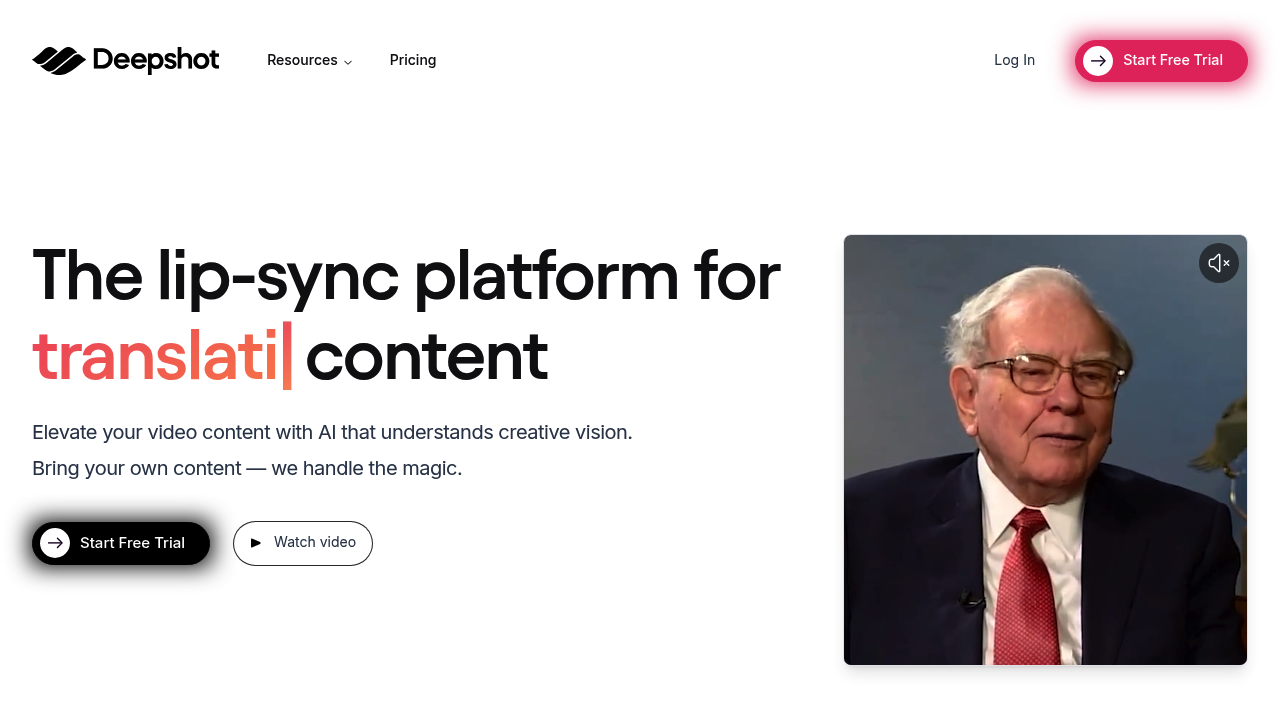
Deepshot AI: Revolutionizing Video Production with AI
Introduction
Overview of Deepshot AI
Deepshot AI is an innovative AI-powered video and audio generation tool designed to streamline video production. It offers cutting-edge features for dialogue replacement, reshooting, and translation, making it a game-changer for content creators.
Key Benefits and Use Cases
Deepshot AI enhances content creation efficiency by eliminating the need for expensive and time-consuming reshoots. It supports various use cases, including video translation, content correction, AI-powered lip syncing, custom dialogue generation, and professional video creation. This versatility makes it ideal for educators, marketers, video editors, and filmmakers.
Who Uses Deepshot AI
Deepshot AI is utilized by a wide range of professionals, including:
- Marketing Managers
- Social Media Managers
- Video Editors
- Advertising Managers
- Campaign Managers
- Public Relations Specialists
- Film Directors
- Brand Managers
- Content Creators
- Video Producers
- YouTubers
- Online Course Creators
- Content Marketers
- Communications Managers
- Digital Marketers
What Makes Deepshot AI Unique
Deepshot AI stands out with its advanced AI technology, which includes customizable profiles, AI-powered lip syncing, powerful shot editing, and translation capabilities. These features ensure that newly generated dialogue matches lip movements with remarkable accuracy, enhancing the realism of edits.
Core Features
Essential Functions Overview
Deepshot AI offers several essential functions:
- Customizable Profiles: Create unique profiles replicating the voice and appearance of specific speakers for unparalleled personalization.
- AI-Powered Lip Sync: Advanced AI ensures that newly generated dialogue matches lip movements with remarkable accuracy.
- Powerful Shot Editing: Easily arrange and combine multiple profiles with text-based dialogue input to craft captivating sequences and narratives.
- Translation Capabilities: Expand audience reach by effortlessly translating videos into various languages, breaking down linguistic barriers.
Common Settings Explained
To get the most out of Deepshot AI, users need to understand the common settings:
- Profile Management: Users can create and manage multiple user profiles for different video generation projects.
- Dialogue Input: Users can input text-based dialogue to generate custom dialogue for their videos.
- Video Editing: Users can easily arrange and combine multiple profiles to craft professional-looking sequences and narratives.
Tips & Troubleshooting
Tips for Best Results
To achieve the best results with Deepshot AI:
- Familiarize Yourself with the Interface: The intuitive interface makes it approachable even for those without extensive video editing experience.
- Use High-Quality Audio: Ensure that the audio input is high-quality to achieve better lip syncing results.
- Experiment with Profiles: Try out different profiles to find the best match for your content.
Troubleshooting Basics
Common issues and their solutions:
- Lip Syncing Issues: Check the audio quality and ensure that the dialogue input matches the lip movements.
- Profile Issues: If profiles are not syncing correctly, try re-saving the profiles or restarting the application.
Best Practices
Common Mistakes to Avoid
Avoid these common mistakes:
- Poor Audio Quality: Low-quality audio can lead to poor lip syncing results.
- Insufficient Credits: Make sure you have enough credits to generate the desired content, especially if you are using the higher-tier plans.
Performance Optimization
To optimize performance:
- Regularly Update the Application: Ensure that you are using the latest version of Deepshot AI to avoid bugs and technical issues.
- Manage Profiles Efficiently: Keep your profiles organized to avoid confusion and ensure smooth workflow.
Pros and Cons
Pros
- Time Saving: Deepshot AI eliminates the need for reshoots, significantly reducing video production time.
- Multilingual Support: Breaks language barriers by enabling easy dialogue translation, expanding the reach of content.
- User-Friendly Interface: With intuitive user profiles and shot editing tools, even beginners can create professional content.
Cons
- High-Cost Plans: While it is currently discounted, the regular pricing can be a barrier for some users.
- Heavy Resource Dependence: Deepshot AI requires substantial computational resources for optimal performance.
- Limited Offline Usage: Mainly cloud-based, causing inconvenience for users needing offline capabilities.
Summary
Deepshot AI is a powerful tool that revolutionizes video production by offering advanced AI features for dialogue replacement, reshooting, and translation. Its customizable profiles, AI-powered lip syncing, and powerful shot editing capabilities make it a versatile solution for various content creators. With its user-friendly interface and time-saving features, Deepshot AI is an essential tool for anyone looking to enhance their video production workflow. However, it is crucial to consider the pricing plans, which include the Tester Plan ($5/month), Starter Plan ($15/month), Creator Plan ($30/month), and Pro Plan ($60/month). For the most up-to-date pricing information, please visit the Deepshot AI Pricing Plans.
Disclaimer: Pricing plans are subject to change, so it's always best to check the official site for the latest information.