
Flowjin: Revolutionizing Video Content Creation with AI
Introduction
Overview of Flowjin
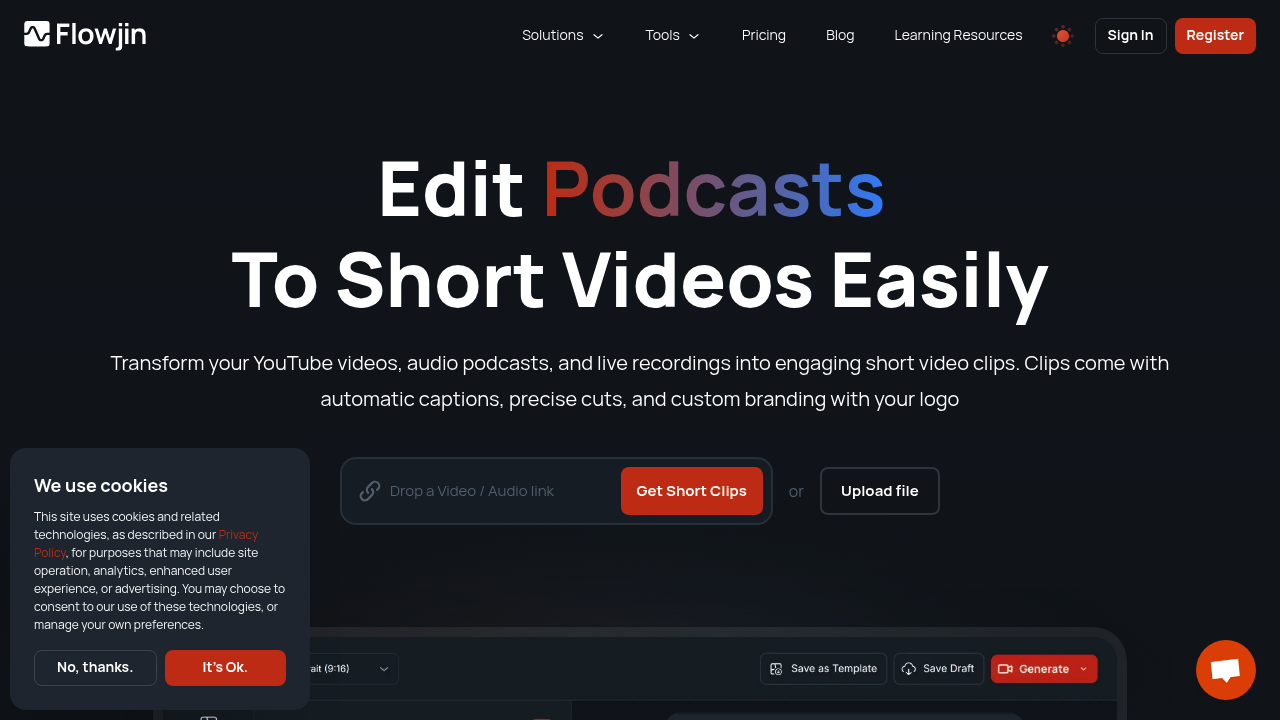
Flowjin is an AI-powered video editing tool designed for non-editors to create engaging social media content. It allows users to repurpose long-form audio and video content into short clips, making it easier to share on platforms like YouTube Shorts, TikTok, Instagram, and LinkedIn.
Key Benefits and Use Cases
Flowjin offers several key benefits, including AI-powered highlights, auto-clipping, and enhanced social video marketing capabilities. It transforms long-form content into structured, topic-based chapters and suggests the most engaging moments for creating short clips. This feature is particularly useful for podcasters, YouTubers, and social media marketers who want to expand their reach without spending hours editing.
Who Uses Flowjin
Flowjin is used by a variety of professionals, including marketing managers, social media managers, video editors, advertising managers, content strategists, public relations specialists, marketing coordinators, brand managers, content creators, podcasters, video producers, YouTubers, affiliate marketing managers, influencer marketing managers, digital marketing specialists, and content marketers.
What Makes Flowjin Unique
Flowjin stands out with its AI-powered content curation system. It analyzes long-form videos, selects engaging moments, and generates short clips with captions and custom branding. This feature is a game-changer for content creators who want to maintain a consistent presence across multiple social platforms.
Core Features
Essential Functions Overview
Flowjin offers several essential functions:
- AI-Powered Highlights: Transforms long-form content into structured, topic-based chapters and suggests the most engaging moments for creating short clips.
- AI Audio/Video Auto-Clipping: Automatically edits podcasts, zoom recordings, and educational videos into short clips, making them ready for sharing across major social platforms.
- AI-Enhanced Social Video Marketing: Generates titles, descriptions, and keywords for clips, doubling as hashtags, ensuring content is primed for effortless publishing and reaching a broader audience.
- Speaker-Spot Video Resizer: Precision resizing and framing keep the speaker in focus while generating short clips.
- Auto-Captions: Provides automatic caption generation for enhanced accessibility and engagement.
Common Settings Explained
- Customizable Branded Templates: Allows users to personalize their content with branded templates to maintain a consistent visual identity across platforms.
- AI Speaker Detection: Identifies and highlights speakers with cutting-edge AI speaker detection.
Tips & Troubleshooting
Tips for Best Results
- Use AI-Powered Highlights: Focus on the most engaging moments suggested by Flowjin’s AI to create compelling short clips.
- Customize Branded Templates: Use personalized templates to maintain a consistent visual identity across all social media platforms.
- Auto-Captioning: Enable auto-captioning for enhanced accessibility and engagement.
Troubleshooting Basics
- Check Media Processing Limits: Ensure you are within the media processing limits provided by your plan to avoid any issues.
- Review Clip Generation Settings: Double-check the settings for clip generation to ensure they align with your content strategy.
Best Practices
Common Mistakes to Avoid
- Inconsistent Branding: Avoid using inconsistent branding across different social media platforms.
- Poor Captioning: Ensure that captions are accurate and readable for better engagement.
Performance Optimization
- Optimize Clip Length: Adjust the length of your clips based on the platform you are using to maximize engagement.
- Use Trendy Captions: Utilize trendy captions and hashtags generated by Flowjin to boost discoverability.
Pros and Cons
Pros
- Time-Efficient: Flowjin saves time for content creators by making the clip creation process fast and simple.
- Increases User Reach and Engagement: By providing easy-to-share video content on popular networking sites, it increases user reach and engagement online.
- AI-Generated Titles: The tool offers features like customizable video configuration and AI-generated titles to boost the discoverability of audio content and help it reach a wider audience.
- Customizable Branded Templates: Allows users to personalize their content with branded templates to maintain a consistent visual identity across platforms.
Cons
- Limited User Feedback: There is limited user feedback available online, which might make it difficult for new users to get started.
- Pricing May Not Be Suitable for All Content Creators: The pricing plans might not be suitable for all content creators, especially those on a tight budget.
- Potential Learning Curve: There might be a potential learning curve for new users who are not familiar with AI-powered tools.
- May Not Capture All Nuances of Long-Form Content: Flowjin’s AI might not capture all nuances of long-form content, which could result in some details being missed.
Summary
Flowjin is an AI-powered video editing tool designed to simplify the process of creating engaging social media content. With its AI-powered highlights, auto-clipping, and enhanced social video marketing capabilities, Flowjin is a game-changer for content creators. It offers customizable branded templates, AI speaker detection, and auto-captioning, making it a versatile tool for various professionals. While it has its pros and cons, Flowjin remains a powerful platform for automating tasks, streamlining workflows, and driving growth.
Pricing Plans
Flowjin offers several pricing plans:
- Starter: $29 per month.
- Creator: $49 per month.
- Growth: $149 per month.
- Pro: $229 per month.
Please note that these prices are subject to change and it's always a good idea to check the official website for the most accurate and up-to-date information.
Disclaimer: Pricing plans are subject to change and may not reflect the current pricing at the time of reading. Always check the official website for the most accurate and up-to-date information.