Media.io: The Ultimate AI-Powered Media Processing Tool
Introduction
Overview of Media.io
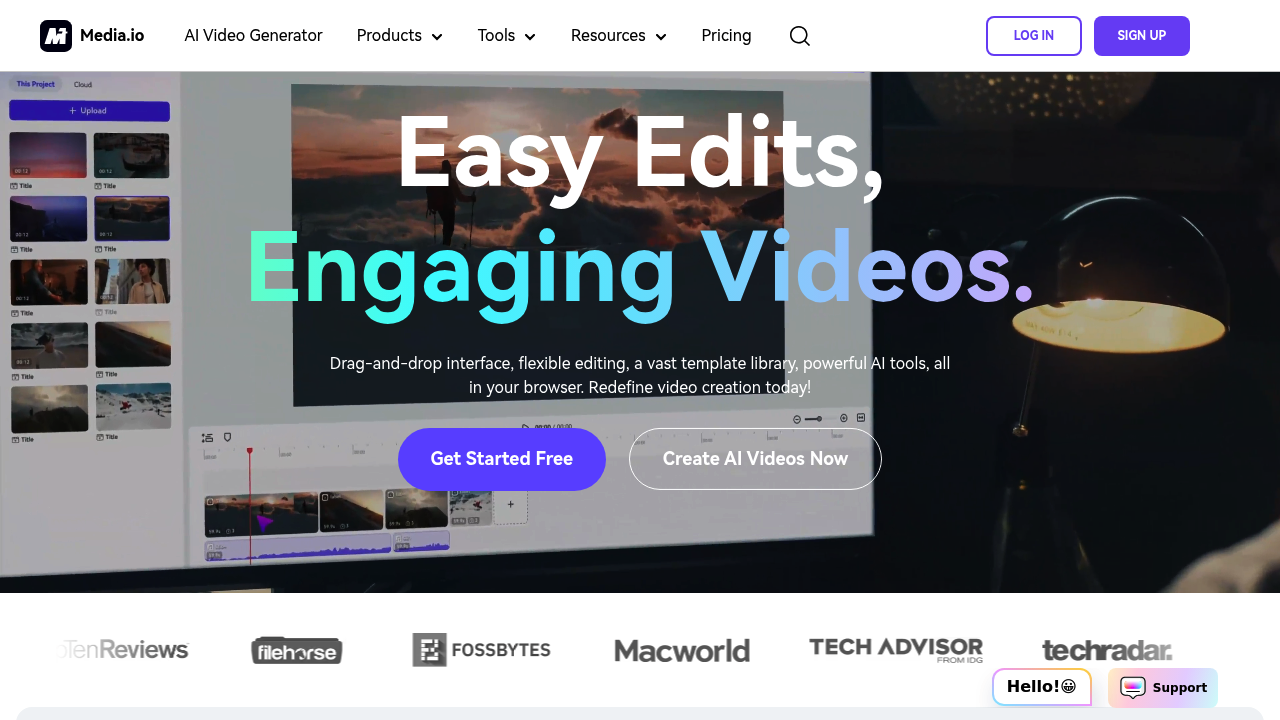
Media.io is an all-in-one online media processing tool that leverages AI technology to edit video, audio, and images. Developed by Wondershare, this browser-based platform offers a comprehensive suite of AI-powered features, including object removal, background removal, auto subtitle generation, and video enhancement up to 8K resolution.
Key Benefits and Use Cases
Media.io is ideal for content creators, marketers, and anyone looking to enhance their media content quickly and efficiently. Its AI capabilities make it perfect for tasks such as music generation, vocal removal, noise reduction, and image enhancement. The tool is also useful for automatically transcribing audio into text with high accuracy in multiple languages.
Who Uses Media.io
Media.io is used by a wide range of professionals and hobbyists, including:
- Content Creators: For editing videos, creating subtitles, and enhancing images.
- Marketers: For creating engaging content and optimizing media for marketing campaigns.
- Educators: For creating educational materials and enhancing multimedia presentations.
What Makes Media.io Unique
Media.io stands out due to its advanced AI features and user-friendly interface. It offers customization options for editing and customizing subtitles, effects, and other elements to match video themes. The tool also provides fast processing speeds, making it efficient for large-scale media processing tasks.
Pricing Plans
Media.io offers several pricing plans to suit different needs:
-
Free Plan: $0 per month
- Limited features: 10 mins auto subtitles & transcription, 2,000 characters text-to-speech, 30 mins max export length, Watermark included, 5 uses of AI audio editor, 100MB/upload for converter, 500MB/upload for compressor, 3 HD exports for AI background remover, Normal processing speed.
-
Basic Plan: $9.99 per month or $47.4 per year ($3.95 per month)
- 2 hrs/mo auto subtitles & transcription, 100,000 characters text-to-speech, 2 hrs max export length, No watermark, Unlimited AI audio editor use, 1.5GB/upload for converter and compressor, 80 HD exports for AI background remover, 10X faster processing speed.
-
Pro Plan: $19.99 per month or $79.99 per year ($6.66 per month)
- 6 hrs/mo auto subtitles & transcription, 200,000 characters text-to-speech, 2 hrs max export length, No watermark, Unlimited AI audio editor use, 2GB/upload for converter and compressor, 160 HD exports for AI background remover, 10X faster processing speed.
Pricing Plans Link: Media.io Pricing Plans
Disclaimer: Pricing might be changed, so always check the official site for the latest information.
Core Features
Essential Functions Overview
Media.io offers a variety of essential functions:
- AI Video Editing Tools: Includes AI-powered object removal, background removal, auto subtitle generation, and video enhancement up to 8K resolution.
- AI Audio Editing Tools: Offers AI music generation, song cover creation, vocal removal, and noise reduction capabilities.
- AI Image Editing Tools: Provides image enhancement, AI portrait generation, watermark removal, and background removal for photos.
- AI-powered Transcription: Automatically transcribes audio into text with high accuracy in multiple languages.
- Customization Options: Allows users to edit and customize subtitles, effects, and other elements to match video themes.
Common Settings Explained
- Auto Subtitles & Transcription: Generates subtitles and transcribes audio automatically.
- Text to Speech: Converts text into speech with specified character limits.
- Max Upload Size: Limits the maximum file size that can be uploaded.
- Max Export Length: Sets the maximum duration for exported videos.
- No Watermark: Removes the watermark from exported videos.
Tips & Troubleshooting
Tips for Best Results
- Use High-Quality Source Files: Ensure that your source files are high-quality to get the best results from Media.io’s AI tools.
- Optimize File Size: Optimize your file size before uploading to reduce processing time.
- Use AI Tools Wisely: Use AI tools strategically to avoid over-processing your media, which can lead to poor quality.
Troubleshooting Basics
- Check File Format Compatibility: Ensure that your files are compatible with Media.io’s supported formats.
- Check Processing Speed: If processing is slow, check the plan you are using and consider upgrading if necessary.
- Clear Cache: Clear your browser cache if you encounter any issues with the interface.
Best Practices
Common Mistakes to Avoid
- Over-Processing Media: Avoid over-processing your media, as it can lead to poor quality.
- Incorrect File Format: Ensure that your files are in the correct format to avoid compatibility issues.
- Insufficient Storage: Ensure you have sufficient storage space to handle large files.
Performance Optimization
- Use Cloud Storage: Use cloud storage services to handle large files efficiently.
- Optimize for Speed: Optimize your workflow for speed by using the right tools and settings.
- Regular Updates: Regularly update your browser and plugins to ensure compatibility and performance.
Pros and Cons
Pros
- Advanced AI Features: Offers advanced AI features for video, audio, and image editing.
- User-Friendly Interface: Provides a user-friendly interface that is easy to navigate.
- Fast Processing Speeds: Offers fast processing speeds, especially with the Pro plan.
- Customization Options: Allows for extensive customization of media content.
- Affordable Pricing: Offers competitive pricing plans that cater to different needs.
Cons
- Limited Free Plan Features: The free plan has limited features, which may not be sufficient for heavy users.
- Dependence on AI: The tool’s performance can be affected by the accuracy of its AI algorithms.
- Storage Limitations: The free plan has storage limitations, which may not be suitable for large files.
Summary
Media.io is a powerful AI-powered media processing tool that offers a wide range of features for editing video, audio, and images. Its advanced AI capabilities, user-friendly interface, and competitive pricing plans make it an ideal choice for content creators, marketers, and educators. While it has its limitations, Media.io is a versatile tool that can significantly enhance your media content. Always check the official site for the latest pricing information, as it may change over time.