
Motionshift
Seamlessly automate and optimize your video editing process with advanced AI technology.
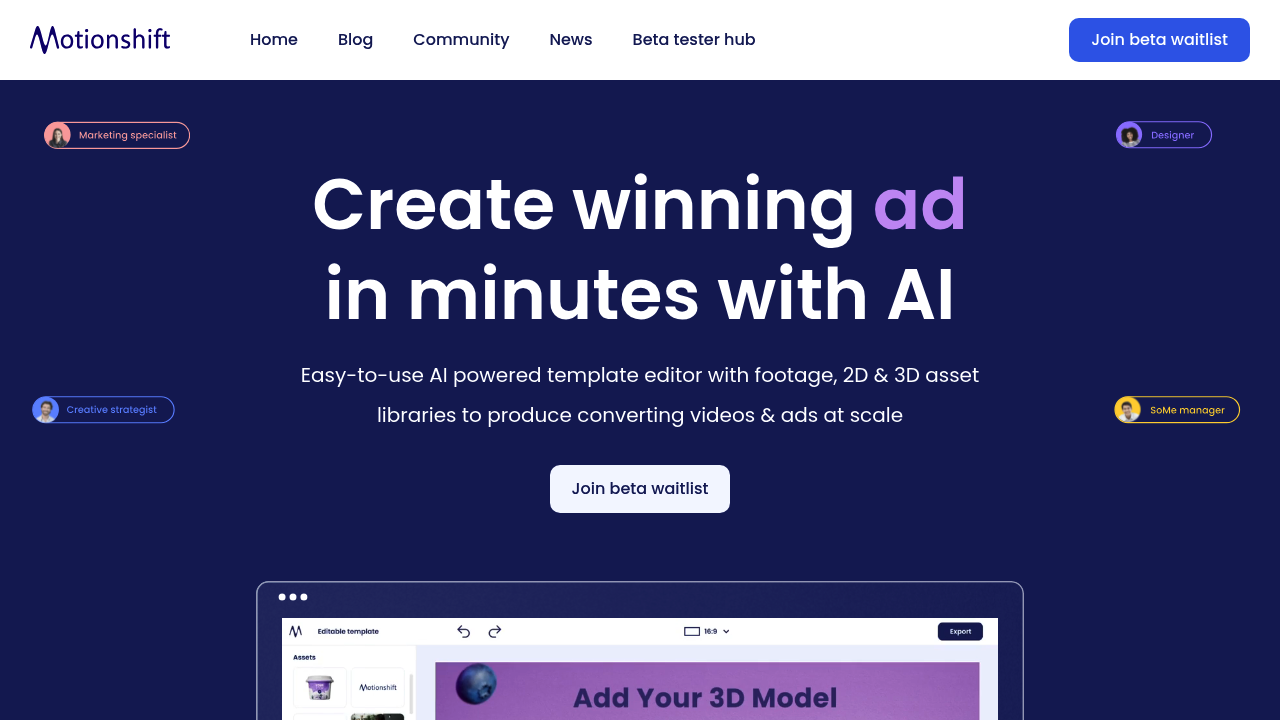
Motionshift: Revolutionizing Video Creation with AI
Introduction
Overview of Motionshift
Motionshift is an AI-powered platform designed to simplify the creation of professional 2D and 3D videos and ads. It is ideal for users who want to produce high-quality marketing content without extensive design experience.
Key Benefits and Use Cases
Motionshift offers several key benefits, including:
- Easy-to-Use Template Editor: Allows users to edit videos and animations without needing complex skills, making it perfect for non-designers.
- AI-Powered Libraries: Provides over 100,000 free high-quality videos, 1,000+ 3D models, and 100+ animated text libraries, ensuring a wealth of resources for diverse content creation.
- Personalized Video Creation: Enables users to transform website URLs into compelling video ads in seconds, extracting data and visual assets with just one click.
- Engaging Content Creation: Drives more traffic and engages audiences with unique video experiences, capturing attention and keeping viewers intrigued.
Who Uses Motionshift
Motionshift is suitable for a wide range of users, including:
- Content Creators: Perfect for individuals and small teams looking to create professional videos quickly.
- Marketing Teams: Ideal for teams needing to produce high-converting, on-brand videos instantly.
- Business Owners: Useful for entrepreneurs and small business owners who want to enhance their marketing efforts without extensive design knowledge.
What Makes Motionshift Unique
Motionshift stands out due to its:
- Intuitive Interface: The platform's user-friendly interface makes it easy to use, even for those without extensive design experience.
- AI-Powered Features: The AI algorithms analyze visual and audio elements to offer contextually relevant suggestions, ensuring videos stand out.
- Dynamic Resource Library: The vast collection of videos, 3D models, and music provides endless possibilities for diverse content creation.
Pricing Plans
Motionshift offers flexible pricing plans to suit different needs. Here are the current pricing plans:
- Monthly Plan: $34 per month (visit Motionshift Pricing for details)
- Yearly Plan: $228 per year (averaging $19 per month) (visit Motionshift Pricing for details)
Disclaimer: Pricing might be changed, so please check the official site for the latest information.
Core Features
Essential Functions Overview
Motionshift's core features include:
- Easy-to-Use Template Editor: Allows users to swap objects and type in text to create high-converting, on-brand videos instantly.
- AI-Powered Libraries: Provides a vast collection of videos, 3D models, and animated text libraries.
- Personalized Video Creation: Generates ads from website URLs, extracting data and visual assets with just one click.
- Engaging Content Creation: Drives more traffic and engages audiences with unique video experiences.
Common Settings Explained
- Template Customization: Users can easily customize templates by swapping objects and adding text.
- Resource Selection: The AI-powered library allows users to select from a vast collection of videos, 3D models, and music.
- Video Generation: The platform generates ads from website URLs, making it easy to create personalized video content.
Tips & Troubleshooting
Tips for Best Results
- Use Pre-Animated Templates: Start with pre-animated templates to save time and effort.
- Utilize AI Suggestions: Leverage the AI algorithms to get contextually relevant suggestions for your videos.
- Experiment with Different Resources: Try out different videos, 3D models, and music to find the perfect combination for your content.
Troubleshooting Basics
- Check Template Compatibility: Ensure that the template you choose is compatible with your desired video style.
- Adjust AI Settings: Fine-tune the AI settings to get the best results for your specific needs.
- Seek Support: If you encounter any issues, refer to the support resources provided by Motionshift.
Best Practices
Common Mistakes to Avoid
- Overcomplicating Templates: Avoid overcomplicating templates, as this can lead to a cluttered and unprofessional look.
- Ignoring AI Suggestions: Don’t ignore the AI suggestions, as they can significantly enhance the quality of your videos.
- Not Testing Different Resources: Failing to test different resources can result in a lack of variety in your content.
Performance Optimization
- Optimize Template Size: Ensure that the template size is optimized for the best performance.
- Use High-Quality Resources: Use high-quality resources to ensure that your videos look professional.
- Regularly Update AI Algorithms: Regularly update the AI algorithms to keep up with the latest trends and improvements.
Pros and Cons
Pros
- Easy-to-Use Interface: The intuitive interface makes it easy for non-designers to create professional videos.
- Vast Resource Library: The AI-powered library offers a vast collection of videos, 3D models, and music.
- Personalized Video Creation: The ability to generate ads from website URLs saves time and effort.
- Engaging Content Creation: The platform helps drive more traffic and engage audiences with unique video experiences.
Cons
- Limited Customization for Advanced Users: While the platform is user-friendly, advanced users might find the customization options limited.
- Dependence on AI Algorithms: The effectiveness of the platform depends on the accuracy of the AI algorithms, which can sometimes be inconsistent.
- Pricing: The monthly and yearly plans might be expensive for small-scale users.
Summary
Motionshift is an AI-powered platform that simplifies the creation of professional 2D and 3D videos and ads. Its intuitive interface, vast resource library, and personalized video creation features make it an ideal tool for content creators, marketing teams, and business owners. While it offers several benefits, it also has some limitations, such as limited customization options and dependence on AI algorithms. With its flexible pricing plans, Motionshift is a valuable addition to any marketing strategy. Always check the official site for the latest pricing information, as it may change.