Submagic
Easily convert your video content into engaging subtitles.
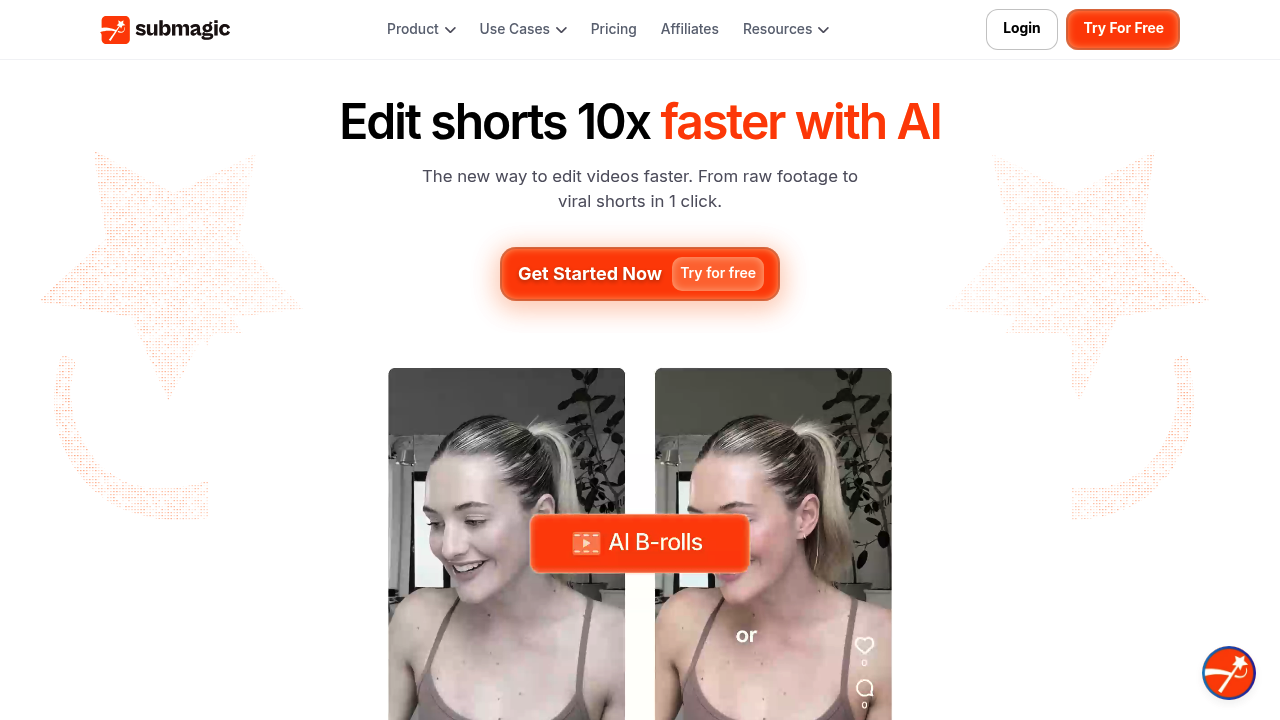
Submagic: The Ultimate AI-Powered Video Captioning Tool
Introduction
Overview of Submagic
Submagic is an innovative AI-powered tool designed for content creators to produce captivating video captions. It is tailored for platforms like Instagram, TikTok, and YouTube, enhancing engagement with accurate, easy captions.
Key Benefits and Use Cases
Submagic offers several key benefits:
- Automatic Transcription: Converts video audio into precise captions, ensuring synchronization with spoken words for clarity.
- Engagement Enhancements: Adds emojis, highlights keywords, and utilizes trendy templates to make captions more engaging and visually appealing.
- Editing Toolkit: Integrates B-rolls, sound effects, and transitions easily, streamlining the video editing process for efficiency.
- Social Media Optimization: Automatically generates descriptions and hashtags, helping creators maximize their reach and engagement on various platforms.
- Multi-Language Support: Offers AI-powered translations in multiple languages, ideal for creators aiming to reach a global audience.
Who Uses
Submagic is used by content creators, including:
- Novice Creators: Those just starting out in content creation can benefit from its user-friendly interface and automatic features.
- Professional Editors: Experienced editors can leverage its advanced features like custom templates and team collaboration.
What Makes Submagic Unique
Submagic stands out by incorporating B-rolls, sound effects, and smooth transitions effortlessly, streamlining the video editing process significantly. It also enhances social media optimization through auto-generated descriptions and hashtags.
Pricing Plans
Submagic offers various pricing plans, which can be found on their official website. Here are the current pricing plans as of December 2024:
- Starter Plan: $14 per month (billed yearly), includes 20 videos/month, no custom templates, and 2 minutes/video.
- Growth Plan: $34 per month (billed yearly), includes unlimited videos, 5 custom templates, and 5 minutes/video.
- Basic Plan: $16.00 per month, includes unlimited videos, no custom templates, and 2 minutes/video.
- Pro Plan: $40.00 per month, includes unlimited videos, up to 5 custom templates, and 5 minutes/video.
- Business Plan: $90.00 per month (billed yearly), includes unlimited videos, unlimited custom templates, and 10 minutes/video.
- Enterprise Plan: Custom pricing, includes advanced features like priority support and 60 FPS export.
- Agency+ Plan: $150/month, includes unlimited videos, unlimited custom templates, and premium support.
Please note that pricing might be changed, and it's recommended to check the pricing page of Submagic.co for the most up-to-date information.
Core Features
Essential Functions Overview
- Automatic Subtitle Generation: Submagic’s AI-driven technology automatically generates subtitles with impressive accuracy.
- Subtitle Customization Options: Allows you to customize the font, size, color, and placement of your subtitles to match your brand or aesthetic.
- Multiple Language Support: Supports multiple languages, allowing you to translate captions into different languages and make your videos accessible to non-English speakers.
Common Settings Explained
- Caption Settings: Adjust caption size, color, and font to ensure they are visually appealing and accessible.
- Template Selection: Choose from various trendy templates or create custom ones to match your brand's style.
- AI Settings: Adjust AI settings for better transcription accuracy, such as handling different accents and tones.
Tips & Troubleshooting
Tips for Best Results
- Upload High-Quality Audio: Ensure the audio quality is high to get accurate transcriptions.
- Use Trendy Templates: Utilize trendy templates to make captions more engaging and visually appealing.
- Customize Captions: Edit individual subtitles manually if needed to add specific emphasis.
Troubleshooting Basics
- Check Internet Connection: Ensure a stable internet connection for cloud-based features.
- AI Accuracy Limitations: Be aware that AI may not always capture nuanced expressions or dialects accurately in transcriptions and translations.
- Template Rigidity: Be mindful of customization options, as they can be limited, restricting unique content creation.
Best Practices
Common Mistakes to Avoid
- Overreliance on AI: Don’t rely solely on AI for captioning; manually review captions for accuracy.
- Inconsistent Branding: Ensure consistent branding across all videos by using custom templates and logos.
- Lack of Accessibility Features: Make sure to include accessibility features like adjustable caption size and color.
Performance Optimization
- Use High-Performance Hardware: Ensure you have high-performance hardware to handle advanced features efficiently.
- Regular Updates: Keep Submagic updated to leverage the latest features and improvements.
- Team Collaboration: Use real-time collaboration features to speed up content creation and improve teamwork.
Pros and Cons
Pros
- Real-Time Collaboration: Allows multiple users to work on the same project simultaneously, enhancing teamwork and speeding up content creation.
- Accessibility Features: Includes options for adjusting caption size, color, and font, making content accessible and enjoyable for all viewers.
- Cloud-Based Platform: Enables users to access and edit their projects from any device, anywhere, providing flexibility and convenience in content management.
- Advanced Analytics: Offers detailed insights into viewer engagement and caption performance, helping creators optimize their content strategy effectively.
- Custom Branding Options: Allows users to add logos and custom graphics to their videos, maintaining brand consistency and recognition across media outputs.
Cons
- Learning Curve: The extensive features and AI tools require time to learn, potentially overwhelming new users unfamiliar with advanced editing software.
- Internet Dependency: Requires a stable internet connection to access cloud-based features, limiting usability in low-connectivity areas.
- AI Accuracy Limitations: While AI enhances efficiency, it may not always capture nuanced expressions or dialects accurately in transcriptions and translations.
- Template Rigidity: Despite a variety of trendy templates, customization options can be limited, restricting creators who wish to have unique, standout content.
- Resource Intensity: The advanced features may demand high computational power, possibly excluding users with older or less powerful hardware.
Summary
Submagic is a powerful AI-powered video captioning tool designed to enhance engagement and accessibility of video content. Its key features include automatic transcription, engagement enhancements, and social media optimization. With various pricing plans to suit different needs, Submagic is a versatile tool for both novice and professional content creators. By understanding its core features, tips, and best practices, creators can leverage Submagic to produce high-quality, engaging videos that reach a global audience. Always check the official website for the most up-to-date pricing information.