ChatCut
Prompt-based AI video editor for browser and ChatGPT workflows that turns natural-language instructions into cuts, captions, music, motion graphics, and generated video assets.
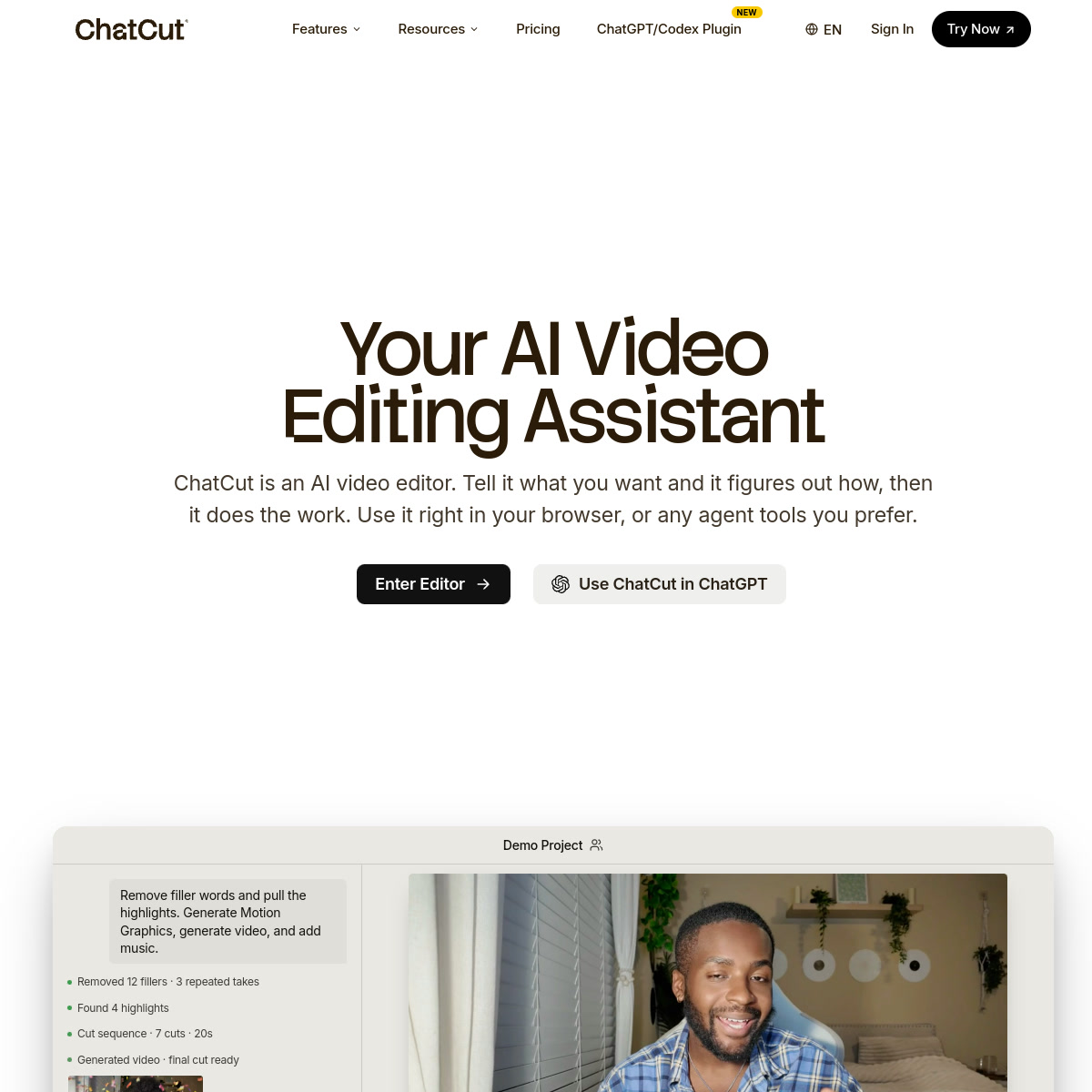
ChatCut: AI Video Editing for prompt-based creator edits and fast social video production (2026)
ChatCut is an AI video editing tool by ChatCut built for turning rough creator footage or creative prompts into edited social videos without a traditional timeline-first workflow. Its clearest differentiator is it combines prompt-driven editing, image generation, captions, music, motion graphics, and browser-based editing in one workflow instead of forcing users to jump between separate tools.
It is strongest for creators and small teams that want an AI editor to assemble the first cut, captions, motion graphics, and supporting assets from one prompt. The workflow and pricing are most compelling when the buyer values speed from prompt to first draft more than raw manual control.
It is a weaker choice for teams that need frame-accurate finishing, deeply documented export specs, or enterprise governance.
ChatCut: Key Specs at a Glance
| Feature | ChatCut |
|---|---|
| Primary use case | turning rough creator footage or creative prompts into edited social videos without a traditional timeline-first workflow |
| Best for | creators and small teams that want an AI editor to assemble the first cut, captions, motion graphics, and supporting assets from one prompt |
| Access type | Browser app with ChatGPT/Codex plugin workflow |
| Input types | Natural-language prompts, existing footage, images, and generated assets |
| Output formats | Not publicly documented |
| Output resolution | Not publicly documented |
| Max video duration | Credit examples mention up to 166 seconds of Seedance 2.0 video on the $25 plan; broader export limits are not publicly documented |
| Generation speed | Not publicly documented |
| Watermark policy | Not publicly documented on the public pricing page |
| Language support | Not publicly documented |
| API availability | Plugin workflow is public; standalone API availability is not publicly documented |
| Integrations | ChatGPT/Codex plugin and browser workflow |
| Collaboration | Not publicly documented |
| Pricing model | Freemium monthly subscription with credit buckets |
| Free plan | Free plan with no card required, starter credits, and basic editing and exports |
| Paid plans | $25/month entry paid plan with 100 credits per month; larger monthly credit tiers are listed publicly |
What ChatCut Does Well
Prompt-driven editing is the real product, not a bolt-on helper
ChatCut is built around the idea that the user describes the edit and the system figures out cuts, captions, music, motion graphics, and supporting assets. That is a stronger fit for creators who think in outcomes instead of timeline mechanics.
The pricing page makes the free trial path concrete
The public pricing page clearly exposes a free tier with starter credits and no card required. That lowers the risk for buyers who want to judge whether the editing taste is useful before committing to credits.
Generated assets live beside the edit workflow
ChatCut does not stop at trimming clips. It also markets image generation, music generation, captions, motion graphics, and generated video assets inside the same product surface, which can reduce tool sprawl for short-form teams.
Known Limitations
- Key output specs such as final export format, supported resolutions, and watermark behavior are not publicly documented.
- The public plan structure is credit-based, so heavy iteration can become expensive if the team relies on generated video and motion assets instead of light edits.
- The product positioning is strongest for fast creator workflows, not detailed finishing for long-form editorial teams.
- There is no public enterprise-grade documentation for API access, review controls, or asset governance.
Best For: Who Should Use ChatCut
- Creators turning rough footage into YouTube, Shorts, or social-first edits without hand-building every first draft.
- Teams that want captions, AI music, motion graphics, and generated visuals in one browser workflow.
- Prompt-native users already working inside ChatGPT or adjacent AI agent tooling.
- Marketing operators who care more about throughput than exact timeline craftsmanship.
Who Should Look Elsewhere
- Choose another editor if you need clearly published resolution and format guarantees before purchase.
- Look elsewhere if your workflow depends on frame-accurate finishing or large-team review workflows.
- Use a more traditional editor if you expect exhaustive manual control over every transition and timing choice.
Pricing and Cost at Scale
Free path: Free plan with no card required, starter credits, and basic editing and exports
Paid path: $25/month entry paid plan with 100 credits per month; larger monthly credit tiers are listed publicly
The free plan is strong enough for evaluation because it includes starter credits and basic editing, but it is not the same as an unlimited production plan.
The $25/month entry plan gives a concrete starting point, yet the credit structure means usage can climb quickly when the team uses generated video and image features heavily.
ChatCut looks most cost-effective for short, frequent creator edits where one prompt can replace several separate creative tools.
Prices can change. Check the official pricing source before budgeting around this tool.
Technical Details and Workflow Notes
- Public pricing references 100 credits per month on the entry paid tier.
- The pricing examples mention Seedance 2.0 video generation and other asset generators inside the same credit pool.
- Official site structured data exposes social links for X, LinkedIn, TikTok, YouTube, Instagram, and Discord.
Getting Started
- Start with one short creator edit or social clip instead of a long multi-part project.
- Use the free tier to judge the first-cut quality and caption style before buying more credits.
- Keep prompts specific about footage goals so the AI editor has a clearer editing brief.
- Review the generated first cut early and decide whether the workflow saves more time than a manual editor would.
Pro tip: Use ChatCut for the first 80 percent of a short-form edit, then move the near-final output into a manual editor only if you need precise finishing.
What Users Are Saying
Public discussion is still early-stage, but the conversation is clearly about agentic editing, invite demand, and whether the generated video claims match the output quality.
What users praise: Users are drawn to the prompt-first editing idea and the promise of combining multiple AI media tasks in one editor.
Common frustrations: The visible discussion also includes skepticism about quality consistency and whether the credit spend matches the output.
FAQ
Is ChatCut free?
Yes. ChatCut has a free plan with starter credits and no card required.
Does ChatCut have a paid plan?
Yes. The public pricing page lists a $25 per month plan and larger monthly credit tiers.
What does the free plan include?
Starter credits, basic editing and exports, plus access to AI image, captions, music, and motion graphics.
Are export specs fully documented?
No. Public pages do not clearly publish a full export format and resolution table.
Does ChatCut expose official socials?
Yes. The homepage structured data includes X and LinkedIn profiles, among others.
Sources
Reviews
No reviews yetSimilar tools in category
Adobe Premiere Pro
Argil
A platform that simplifies and enhances the process of creating engaging presentations.
Atlabs
A platform that streamlines data analysis and visualization for enhanced decision-making.