ClipDone
AI short-form video editor that turns raw footage into publish-ready social clips with automatic cuts, captions, b-roll, animations, and text-based revisions.
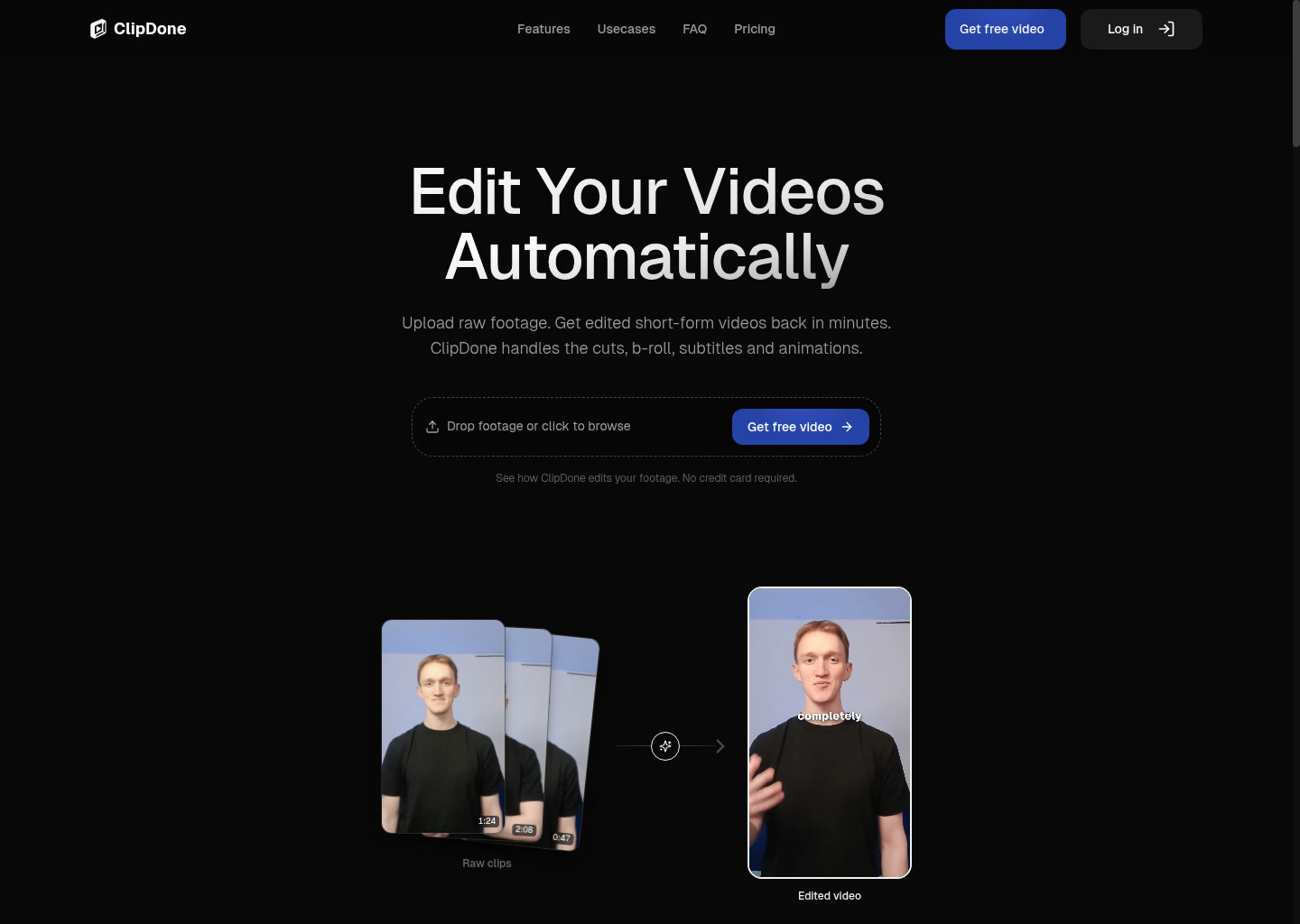
ClipDone: AI Video Editing for Automated editing of talking-head footage into short-form social clips (2026)
ClipDone is an AI video editing tool by ClipDone built for automated editing of talking-head footage into short-form social clips. Its clearest differentiator is that aI short-form video editor that turns raw footage into publish-ready social clips with automatic cuts, captions, b-roll, animations, and text-based revisions.
It is a strong fit for creators, marketing teams, agencies, and paid-social operators producing short clips from existing footage. The product promise is practical rather than flashy: reduce the number of steps between an idea or raw asset and a usable video output.
It is a weaker choice for buyers who need deeply documented technical specs, exact frame-level control, or a broader post-production workflow than the public product surface currently describes.
ClipDone: Key Specs at a Glance
| Feature | ClipDone |
|---|---|
| Primary use case | automated editing of talking-head footage into short-form social clips |
| Best for | creators, marketing teams, agencies, and paid-social operators producing short clips from existing footage |
| Access type | Browser-based web app |
| Input types | Recorded footage, optional b-roll, script, and background music |
| Output formats | Not publicly documented |
| Output resolution | Not publicly documented |
| Max video duration | Not publicly documented |
| Generation speed | A 1-minute video is typically ready in 10 to 20 minutes according to the official FAQ |
| Watermark (free tier) | The free sample project explicitly says no watermark; paid plans also market download-ready exports without watermark restrictions |
| Language support | Not publicly documented |
| API availability | Not publicly documented |
| Integrations | No external integrations are publicly documented; users can upload their own b-roll and music |
| Collaboration | Not publicly documented |
| Pricing model | Freemium plus one-time purchase, monthly subscription, and custom volume pricing |
| Free plan | $0/month with one free sample video, no watermark, and files kept for 30 days |
| Paid plans | $15 once for 350 credits and roughly 1 video plus 2 revisions, or $39/month for 1,000 credits and about 4 video runs before revisions; custom pricing for larger teams |
What ClipDone Does Well
The workflow starts from real footage, not AI-only generation
ClipDone is built for people who already recorded something and now need it turned into a usable short. That is a meaningful distinction because many AI video tools are great at generating scenes from prompts but weak at cleaning up the messy reality of talking-head footage.
Automatic silence, filler, and false-start removal addresses a real bottleneck
The product explicitly focuses on removing dead air and verbal clutter before adding the more visible polish. That is practical because short-form content speed depends as much on cleaning rough footage as on adding flashy subtitles.
Captions, b-roll, animations, and revisions are packaged into one loop
ClipDone does not stop at rough cutting. It also adds subtitles, supporting footage, and motion graphics, then lets the user request changes in plain language. That combination is stronger than a basic clipper that only trims silence and exports a draft.
Pricing is understandable enough for small teams
The site publishes the run and revision credit costs clearly, which makes it easier to estimate the real price of each usable short. For a small team, that transparency is more useful than vague 'AI credits' language with no operational meaning.
Known Limitations
- ClipDone openly says it is not for pixel-perfect control, so editors who care about exact transitions, frame-level timing, or fully custom motion design will outgrow it quickly.
- Technical output specs such as export format, resolution, max file size, and collaboration workflow are not publicly documented, which is a real procurement gap.
- The credit model adds revision pressure: a new run costs 250 credits and each revision costs 50, so experimentation can eat through the monthly plan faster than the headline price suggests.
- Processing is not instant. The official FAQ says a 1-minute video usually takes 10 to 20 minutes, which is acceptable for async batch work but slow for same-minute editing loops.
- No public API or external integration story is documented, so ClipDone currently looks like a browser workflow rather than a programmatic editing layer.
Best For: Who Should Use ClipDone
- Creators turning raw talking-head footage into shorts, reels, or ad variants without opening a full editor every time.
- Marketing teams that need many publish-ready social cuts from a predictable editing recipe.
- Agencies that want to move faster on repetitive client edits while keeping human attention for messaging and positioning.
- UGC and paid-social teams testing multiple hooks where captioning, zooms, and b-roll matter more than cinematic polish.
Who Should Look Elsewhere
- Look elsewhere if your team needs manual timeline precision or a cinematic finishing workflow.
- Pick a different tool if your buyers require documented export specs or a known enterprise collaboration process before approval.
- Use another product if your workflow depends on API automation or deep third-party integrations.
Pricing & Cost at Scale
Plan Overview
- Free plan: $0/month with one free sample video, no watermark, and files kept for 30 days
- Paid options: $15 once for 350 credits and roughly 1 video plus 2 revisions, or $39/month for 1,000 credits and about 4 video runs before revisions; custom pricing for larger teams
Cost at Scale
For a solo creator, the free sample project is unusually practical because it includes one real export with no watermark. That is enough to judge whether the editing taste matches your content.
For occasional use, the $15 single-video pack is straightforward: one fresh run with room for two revision loops. It is better than a subscription if you only need a handful of shorts per month.
For a small marketing team, the $39 plan is the real baseline. At 1,000 credits, the headline capacity is roughly four new runs before revisions, or fewer if the team leans on iterative feedback. That makes ClipDone attractive for focused campaigns but not automatically cheap at scale.
For agencies and high-volume operators, custom pricing is almost certainly the realistic path because the standard monthly plan will burn down quickly once multiple stakeholders request revisions.
Prices can change. Check the official pricing source before you publish or budget around this tool.
Technical Details & Integrations
- Workflow fit: browser-based editor for existing footage, not a desktop NLE replacement.
- Editing model: AI assembles clips from uploaded footage, then accepts written revision requests.
- Media inputs: official FAQ confirms support for optional b-roll, script, and music uploads.
- Processing model: asynchronous cloud rendering with visible progress updates.
Getting Started
- Upload a clean raw clip first and keep the brief specific about the clip's goal.
- Add your own b-roll and music during project setup if your brand needs tighter visual control.
- Review the first draft for caption quality and pacing before spending revision credits on polish.
- Use written notes for discrete changes such as shortening the intro or removing one section instead of asking for a full stylistic rebuild.
Pro tip: ClipDone works best when the raw footage already has a clear message and decent audio. It can remove filler and tighten pacing, but it cannot rescue a weak hook or muddy source recording by itself.
What Users Are Saying
Community discussions about this specific tool were not found in links that passed the URL validation gate during this run.
What users praise: Validated third-party discussion links were not found, so this listing relies on official product information instead of unverified community sentiment.
Common frustrations: The main risk is thin public discussion depth, which means buyers should treat the tool as less externally validated than category leaders.
Have you tried ClipDone? Share your experience in the review section below to help other video creators make the right choice.
FAQ
Is ClipDone free?
Yes. ClipDone offers a free sample project with one free video, no watermark, and 30-day file retention.
What video formats does ClipDone export?
Not publicly documented. The product promises download-ready videos, but the site does not publish a file-format table.
Does ClipDone add a watermark on the free plan?
No. The official pricing page explicitly says the free sample video has no watermark.
How long does ClipDone take to edit a video?
Usually 10 to 20 minutes for a 1-minute video, according to the official FAQ.
Can ClipDone edit existing footage or only AI-generated content?
Yes. Existing footage is the center of the workflow. You upload recorded footage and optionally add b-roll, script, and music.
Does ClipDone have an API?
Not publicly documented. The current public materials describe a browser workflow, not a public developer API.
Sources
Reviews
No reviews yetSimilar tools in category
Adobe Premiere Pro
Argil
A platform that simplifies and enhances the process of creating engaging presentations.
Atlabs
A platform that streamlines data analysis and visualization for enhanced decision-making.