
Immersity AI
Transform your learning experience with personalized, interactive content tailored to your needs.
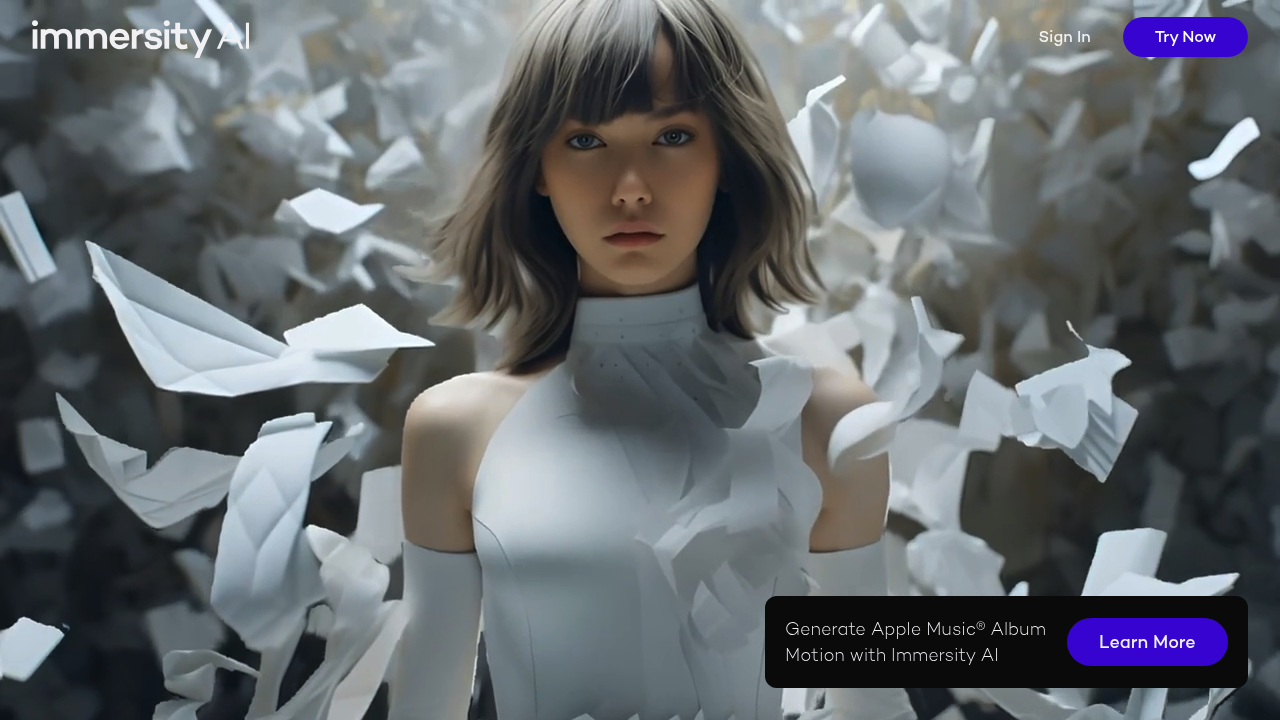
Immersity AI: Revolutionizing 3D Content Creation
Introduction
Overview of Immersity AI
Immersity AI is an AI-powered platform designed to convert 2D images and videos into immersive 3D experiences. This tool leverages advanced technology to generate depth in digital imagery, create 3D motion from still images, and produce 3D videos. It is particularly useful for content creators, marketers, and visual artists looking to craft engaging visual content for XR (Extended Reality) platforms and 3D displays.
Key Benefits and Use Cases
Immersity AI offers several key benefits and use cases:
- 2D Image to 3D Conversion: Transform static images into dynamic 3D models.
- Video Depth Enhancement: Add depth to videos, making them more immersive.
- Immersive Content Creation: Create engaging 3D content for various applications.
- 3D Motion Generation: Convert 2D images into 3D motions with full camera control.
- XR and VR Experiences: Enhance XR and VR experiences with realistic 3D visuals.
Who Uses Immersity AI
Immersity AI is used by a variety of professionals, including:
- Video Editors
- Web Designers
- Art Directors
- Video Game Developers
- Animators
- Film Directors
- Motion Graphics Designers
- User Experience Designers
- Video Producers
- Graphic Designers
- 3D Modelers
- Product Designers
What Makes Immersity AI Unique
Immersity AI stands out with its Neural Depth Engine, which converts flat images into rich 3D experiences using an exclusive dataset of millions of 3D images. This technology is invaluable for filmmakers and advertisers who want to create captivating visual stories without extensive 3D modeling skills. The platform offers full camera control and instant previews, allowing creative professionals to bring their visions to life efficiently.
Pricing Plans
Immersity AI offers a flexible credit-based pricing system. Here are the current pricing plans:
- Free Trial: 100 free credits for new accounts, including a free sample (20 seconds, up to 720p) with watermarking for non-commercial use.
- 500 Credits: $5.00
- 1,200 Credits: $10.00
- Flexible Usage: Credits are valid for 12 months and can be used across all platform features. No subscription plans are required.
Please note that pricing might be subject to change. Always verify the latest pricing information on the official site: Immersity AI Pricing
Core Features
Essential Functions Overview
Immersity AI provides several essential functions:
- 2D to 3D Conversion: Transform your 2D images and videos into immersive 3D experiences, adding depth and dimension to your visual content.
- Neural Depth Engine: Generate precise depth maps with unmatched accuracy and speed, powered by an exclusive dataset of millions of 3D images.
- 3D Motion Creation: Convert 2D images into 3D motions with full control over camera paths and instant previews for efficient creative workflow.
- Multiple Output Formats: Export your 3D content in various formats including side-by-side, top-bottom, anaglyph, and spatial video for diverse viewing experiences.
Common Settings Explained
-
Input Settings:
- Choose the type of input (image or video).
- Select the resolution and frame rate.
-
Output Settings:
- Choose the output format (e.g., MP4, MKV, MOV).
- Set the resolution options up to 35 Megapixel (8K).
- Adjust the FPS options (≤30 FPS included, 30-60 FPS costs 2x).
-
Advanced Settings:
- Use the Neural Depth Engine for precise depth mapping.
- Adjust camera path settings for customized 3D motion.
Tips & Troubleshooting
Tips for Best Results
-
High-Quality Inputs:
- Use high-resolution images and videos for better results.
- Ensure the input is clear and well-lit.
-
Camera Path Control:
- Experiment with different camera paths to achieve the desired effect.
- Use instant previews to fine-tune your settings.
-
Depth Mapping:
- Adjust the depth mapping settings to achieve the desired level of realism.
- Use multi-layered depth maps for enhanced realism.
Troubleshooting Basics
-
Common Issues:
- Check for any errors in the input file.
- Ensure that the output format is compatible with your device.
-
Performance Optimization:
- Optimize your computer's performance by closing unnecessary programs.
- Use a high-performance GPU for faster processing.
Best Practices
Common Mistakes to Avoid
-
Insufficient Input Quality:
- Avoid using low-resolution images or videos, as they may not convert well to 3D.
-
Incorrect Output Settings:
- Ensure that the output format is compatible with your intended use (e.g., XR devices).
-
Overcomplicating Camera Paths:
- Start with simple camera paths and gradually add complexity as needed.
Performance Optimization
-
Hardware Requirements:
- Ensure your computer meets the minimum hardware requirements (GPU, RAM, etc.).
- Consider upgrading your hardware for better performance.
-
Software Updates:
- Regularly update the software to ensure you have the latest features and bug fixes.
Pros and Cons
Pros
-
Advanced Depth Mapping:
- Immersity AI offers advanced depth mapping abilities, making it ideal for creating realistic 3D visuals.
-
Full Camera Control:
- Users have full control over the camera path, allowing for customized 3D motion.
-
Instant Previews:
- Instant previews enable users to fine-tune their settings quickly, saving time and effort.
-
Versatile Output Formats:
- The platform supports various output formats, ensuring compatibility with different devices and platforms.
-
Flexible Pricing:
- The credit-based pricing system allows users to pay only for the services they use, without subscription commitments.
Cons
-
No Free Plan:
- Immersity AI does not offer a free plan, although new users get 100 free credits for a trial period.
-
Limited Conversion Capabilities:
- The tool can only convert but not generate images or videos from scratch.
-
Different Prices for Different Input Qualities:
- Prices vary based on the input quality of the video, which might be a consideration for some users.
Summary
Immersity AI is a powerful tool for converting 2D images and videos into immersive 3D experiences. Its advanced Neural Depth Engine, full camera control, and instant previews make it a favorite among content creators and visual artists. With its flexible credit-based pricing system and various output formats, Immersity AI is an excellent choice for those looking to enhance their visual storytelling capabilities. However, it lacks a free plan and has limitations in generating new content from scratch. Despite these minor drawbacks, Immersity AI remains a top choice for creating captivating 3D visuals.
Reviews
No reviews yetSimilar tools in category
Adobe Premiere Pro
Professional video editing software that allows users to create and refine high-quality videos with advanced features and effects.
Argil
A platform that simplifies and enhances the process of creating engaging presentations.
Atlabs
A platform that streamlines data analysis and visualization for enhanced decision-making.