
Katalist
A platform that connects businesses with top freelance talent for project-based work.
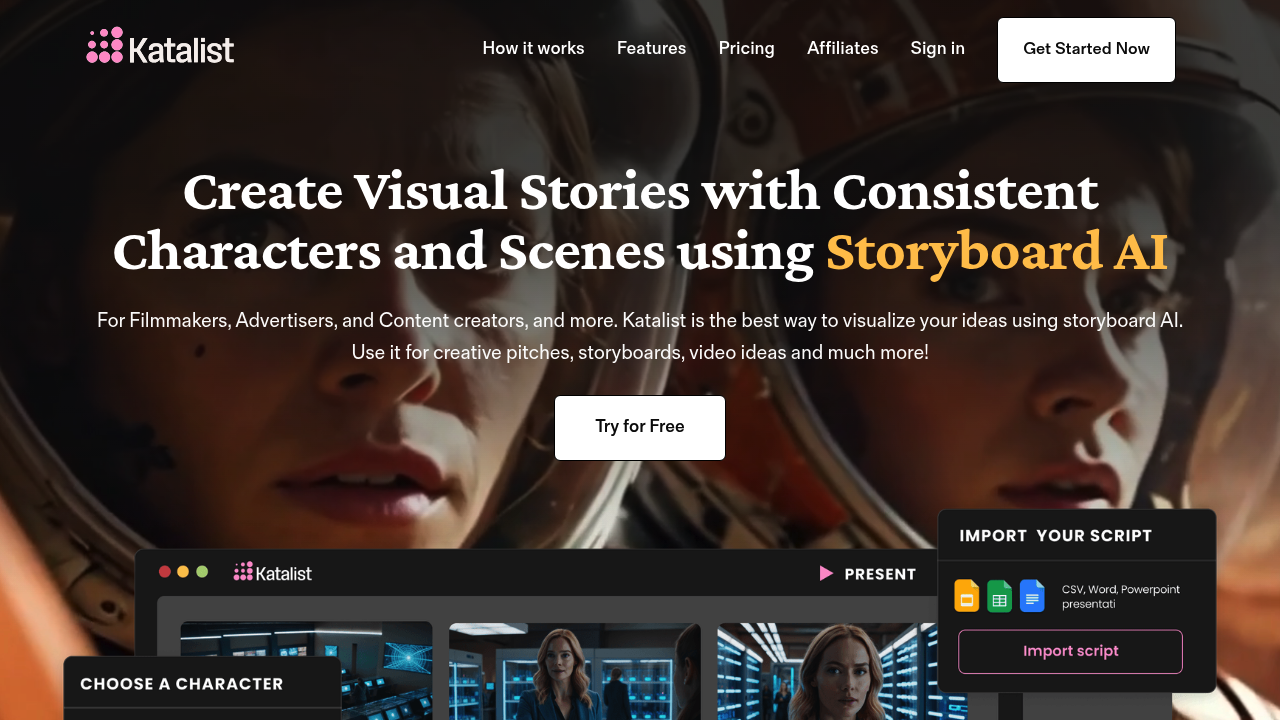
Katalist: Revolutionizing Content Creation with AI
Introduction
Overview of Katalist
Katalist is an AI-powered platform designed to streamline and enhance the content creation process for marketers, writers, and businesses aiming for high-quality digital content. It offers a range of features that automate and optimize content production, making it a valuable tool for anyone looking to improve their content strategy.
Key Benefits and Use Cases
Katalist enhances content productivity, integrates robust SEO tools, and provides a user-friendly interface. It is ideal for creating stories, blog posts, social media content, and short film pitches. The platform is also collaborative, making it suitable for teams and professionals.
Who Uses Katalist
Katalist is used by content creators, marketers, writers, and businesses. Its versatility makes it a go-to tool for anyone looking to create engaging digital content efficiently.
What Makes Katalist Unique
Katalist stands out due to its AI-driven content suggestions, multi-format content creation capabilities, and comprehensive customization options. It automates the graphical data management and monitoring tasks, ensuring easy accessibility and efficient content management.
Pricing Plans
Katalist offers a variety of pricing plans to suit different needs. Here are the current pricing plans:
- Free Plan: Limited features, perfect for getting started. Learn more about Katalist pricing.
- Individual Plan: $39.00 per month. Ideal for anyone to create stories on their own for blog, social media, or short film pitches. Learn more about Katalist pricing.
- Enterprise Plan: Custom pricing for teams and professionals that need access to premium features. Learn more about Katalist pricing.
Disclaimer: Pricing might be changed, so it's always best to check the official site for the latest information.
Core Features
Essential Functions Overview
- AI-driven Content Suggestions: Katalist provides AI-driven suggestions to help users create high-quality content quickly.
- SEO Tools: The platform integrates robust SEO tools to ensure that the created content is user and SEO-friendly.
- Multi-format Content Creation: Katalist supports the creation of content in various formats, including blog posts, social media content, and short films.
- Comprehensive Customization: Users can customize their content extensively, including framing, angles, poses, and compositions.
- Collaborative Features: The platform is designed to facilitate collaboration among team members, making it easier to manage projects.
Common Settings Explained
- Import-Export Option: Users can import and export data in formats like PDF, PNG, and HTML files.
- Image Management: Katalist automates graphical data management and monitoring tasks for easy accessibility.
- Content Management: The platform helps users create and customize their contents to make them user and SEO-friendly.
Tips & Troubleshooting
Tips for Best Results
- Use High-Quality Scripts: The effectiveness of Katalist heavily relies on the detail and clarity of the input script.
- Customize Templates: While Katalist offers predefined templates, customizing them can enhance the creative freedom and personalization.
- Integrate Multimedia: Adding voiceovers, music, and sound effects can transform static storyboards into fully produced videos.
Troubleshooting Basics
- Check Script Quality: Ensure that the input script is detailed and clear to get the best results.
- Address Integration Issues: If you encounter compatibility issues with other video production tools, try troubleshooting by checking the compatibility settings.
- Use Collaboration Tools: Utilize the collaborative features to manage projects efficiently and resolve any issues that arise.
Best Practices
Common Mistakes to Avoid
- Insufficient Script Detail: Avoid using scripts that lack detail or clarity, as this can affect the quality of the generated storyboards.
- Overreliance on Templates: While templates are useful, overrelying on them can restrict creative freedom and personalization.
- Poor Integration: Ensure that you properly integrate Katalist with other video production tools to avoid compatibility issues.
Performance Optimization
- Regularly Update Scripts: Regularly update your scripts to ensure that the generated storyboards reflect the latest changes.
- Optimize Multimedia Integration: Optimize the integration of voiceovers, music, and sound effects to enhance the overall quality of the produced videos.
- Use Advanced Customization Options: Utilize the advanced customization options to tailor framing, angles, poses, and compositions for each shot.
Pros and Cons
Pros
- Enhanced Content Productivity: Katalist significantly reduces the time and effort required to create detailed storyboards.
- Robust SEO Integration: The platform integrates robust SEO tools to ensure that the created content is user and SEO-friendly.
- User-Friendly Interface: Katalist is designed to be accessible for users of all skill levels, simplifying the storyboard creation process.
- Collaboration-Friendly: The platform is equipped with robust collaboration tools, enabling efficient teamwork and project management.
Cons
- Potentially Steep Learning Curve: Some users may find the platform’s advanced features challenging to use, especially for those without prior experience.
- Limited Customization for Advanced Users: While Katalist offers extensive customization options, advanced users might find some limitations in modifying predefined templates.
- Dependence on Script Quality: The effectiveness and quality of the storyboard generation heavily rely on the detail and clarity of the input script.
- Integration Issues: Compatibility challenges might arise when attempting to integrate Katalist with other video production tools, potentially complicating workflows.
Summary
Katalist is a powerful AI tool designed to streamline content creation for various digital media. Its AI-driven content suggestions, robust SEO integration, and user-friendly interface make it an ideal choice for marketers, writers, and businesses. While it offers several benefits, it also has some limitations that users should be aware of. By understanding its core features, best practices, and potential pitfalls, users can maximize the potential of Katalist to create high-quality digital content efficiently.
Reviews
No reviews yetSimilar tools in category
Adobe Premiere Pro
Professional video editing software that allows users to create and refine high-quality videos with advanced features and effects.
Argil
A platform that simplifies and enhances the process of creating engaging presentations.
Atlabs
A platform that streamlines data analysis and visualization for enhanced decision-making.