Klap
A platform that connects users for seamless video collaboration and content creation.
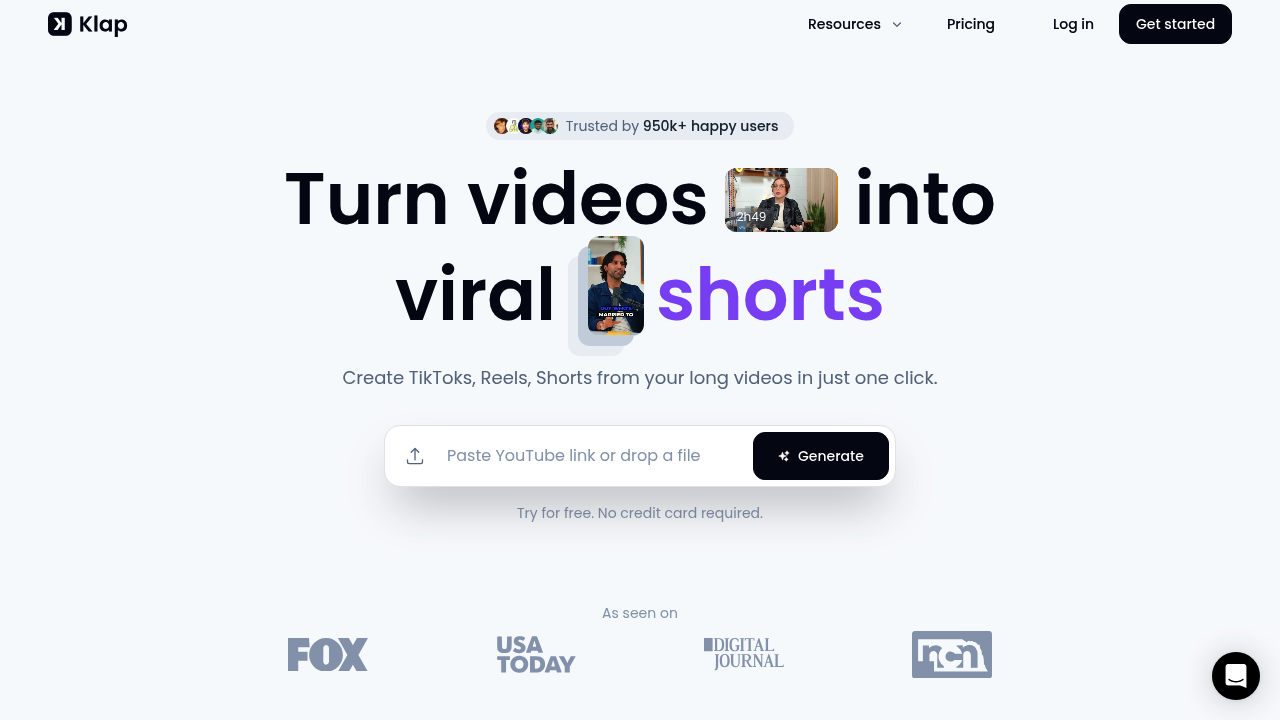
Klap: The Ultimate AI-Powered Video Editing Tool
Introduction
Overview of Klap
Klap is an AI-driven video editing platform designed to simplify the process of transforming lengthy videos into concise, shareable clips. It is ideal for content creators, social media managers, and digital marketers looking to increase their video production efficiency and engagement on platforms like TikTok, Instagram, and YouTube.
Key Benefits and Use Cases
- Time-saving: Klap significantly reduces the time needed to create short video clips.
- AI-driven insights: The tool provides valuable data on video engagement, helping users tailor content for maximum impact.
- Accessibility: With multilingual captioning, Klap ensures your content reaches a global audience.
- Use cases: Klap can be used to convert long-form podcast episodes into short clips, create educational videos, extract interview highlights, and generate product review clips.
Who Uses
Klap is best suited for content creators, social media managers, and digital marketers who regularly produce video content and need to optimize their workflow.
What Makes Klap Unique
Klap stands out for its ease of use, powerful AI capabilities, and advanced features like automatic reframing, dynamic captions, and customization options.
Core Features
Essential Functions Overview
- Video Upload and Processing: Users can upload videos up to 45 minutes long and let Klap’s AI process them.
- Clip Generation: Klap can generate up to 100 clips per month, with options for HD downloads.
- Engagement Analytics: The tool helps identify the most engaging topics and moments within your videos.
- Multilingual Captioning: Klap automatically generates multilingual captions, enhancing accessibility.
Common Settings Explained
- AI-powered Editing: Klap uses artificial intelligence to identify key topics in a video and edit them into engaging short clips.
- Auto Reframing: The platform automatically reframes videos to focus on the most important parts, such as faces.
- Dynamic Captions: Klap generates beautiful, dynamic captions for each clip, enhancing viewer engagement and understanding.
- Customization: Users have the freedom to customize various elements like frame, fonts, and colors to align the clips with their brand.
Tips & Troubleshooting
Tips for Best Results
- Optimize Video Length: For best results, upload videos that are 45 minutes or less.
- Use AI Insights: Leverage Klap’s AI-driven insights to identify the most engaging parts of your video.
- Customize Captions: Tailor captions to your brand’s style for better engagement.
Troubleshooting Basics
- Processing Time: For longer videos, the processing time may be a bit longer, though still efficient.
- Caption Issues: If captions are not displaying correctly, check the video settings and ensure that multilingual support is enabled.
Best Practices
Common Mistakes to Avoid
- Over-Editing: Avoid over-editing as it can reduce the natural flow of the video.
- Inconsistent Branding: Ensure that all clips have consistent branding elements like logos and colors.
Performance Optimization
- Regular Updates: Keep Klap updated to ensure you have access to the latest features and improvements.
- Optimize for Platforms: Tailor your clips for specific social media platforms to maximize engagement.
Pros and Cons
Pros
- Time-saving: Klap significantly reduces the time needed to create short video clips.
- AI-driven insights: The tool provides valuable data on video engagement.
- Accessibility: With multilingual captioning, Klap ensures your content reaches a global audience.
- Customization: Users have the freedom to customize various elements like frame, fonts, and colors.
Cons
- Processing Time: For longer videos, the processing time may be a bit longer.
- Limited Advanced Editing: Some users may find the advanced editing features limited compared to other tools.
Summary
Klap is a robust AI tool that can take your video content strategy to the next level. It’s best suited for those who regularly produce video content and need to optimize their workflow. With its powerful AI capabilities, intuitive interface, and advanced features, Klap is a valuable addition to any content creator’s toolkit.
Pricing Plans
Klap offers several pricing plans tailored to varying user needs:
- Free Plan: 30 credits (available for a free trial)
- Basic Plan: $23.20 per month (10 videos, 100 clips)
- Pro Plan: $63.20 per month (higher limits and additional features)
Visit Klap's Pricing Page for the latest details
Disclaimer: Pricing might be changed, so always check the official site for the latest information.
By using Klap, you can streamline your video editing process, save time, and create engaging content that reaches a global audience. Whether you’re a social media manager, vlogger, or digital marketer, Klap is a game-changer for your video strategy.
Reviews
No reviews yetSimilar tools in category
Adobe Premiere Pro
Professional video editing software that allows users to create and refine high-quality videos with advanced features and effects.
Argil
A platform that simplifies and enhances the process of creating engaging presentations.
Atlabs
A platform that streamlines data analysis and visualization for enhanced decision-making.