Quso AI
Quso AI (formerly vidyo.ai) is an AI video repurposing and social media growth platform that converts long-form video into short clips with AI captions, AI video generation, and direct publishing to 7+ platforms.
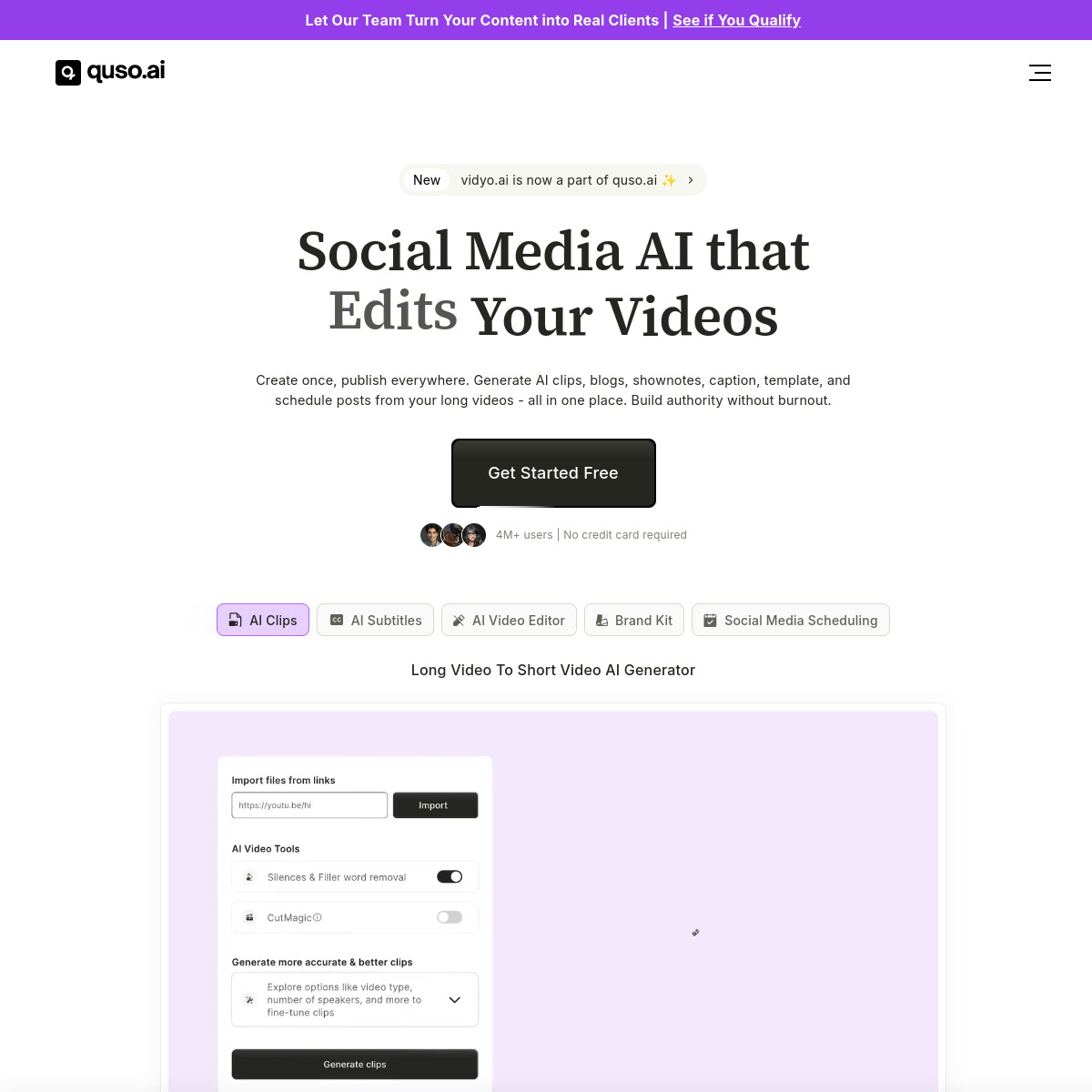
Quso AI: AI Video Repurposing and Social Media Growth Platform (Formerly Vidyo.ai) (2026)
Quso AI, formerly known as vidyo.ai, is an AI-powered video editing and content repurposing platform that converts long-form video (podcasts, YouTube videos, interviews) into short-form clips optimized for TikTok, Instagram Reels, YouTube Shorts, and 5 other social platforms. Beyond clipping, Quso now includes an AI Video Generator, AI Filler & Silence Removal, AI Influencer, 1-click social scheduling, and an AI Content Planner. With a free tier (75 credits/month) and Growth plan at $25/month (annually), it targets content creators, marketing teams, and agencies who need to scale short-form video output from existing long-form content. It is not a text-to-cinematic-video generator — creators who need to generate new AI video scenes from prompts should use Sora, Runway, or Kling.
Quso AI: Key Specs at a Glance
| Attribute | Detail |
|---|---|
| Developer | Quso AI (formerly vidyo.ai) |
| Former Name | vidyo.ai |
| Free Tier | Yes — 75 credits/month, 720p, watermark |
| Lite Plan | Not publicly priced — includes AI Clips & Video Generator |
| Essential Plan | Not publicly priced — includes 10+ AI tools, social scheduling |
| Growth Plan | $25/month (billed annually at 51% off) — 600 mins/month |
| Custom Plan | $42–83/month (billed annually, 45% off) |
| Output quality | 720p (free), 1080p (Lite+) |
| Social platforms | TikTok, Instagram, YouTube, Facebook, LinkedIn, Twitter, Pinterest (7+) |
| AI Video Generator | Yes (Lite plan+) |
| AI Silence Removal | Yes (Essential+) |
| AI Content Planner | Yes (Growth) |
| Video resizing | 16:9, 9:16, 1:1 (Lite+) |
| Languages | Multiple (AI captions with 99%+ accuracy in 48 languages) |
| Platform | Web + mobile |
What Quso AI Does Well
Automated Long-to-Short Video Repurposing
Quso AI's core feature is "Magic Clips" — AI that automatically identifies the most engaging moments in a long-form video, cuts them into short clips, and applies captions. This workflow converts a 60-minute podcast into 5–10 shareable clips in minutes, eliminating the manual scrubbing and editing process that previously required hours of editor time.
99%+ Accurate Captions in 48 Languages
AI-generated captions in 48 languages with 99%+ accuracy are a key differentiator for multilingual content teams. Viral caption styles are automatically applied based on analysis of high-performing content — not just text, but styled animated captions designed to boost retention.
Direct 7-Platform Social Publishing
Quso AI enables 1-click scheduling and publishing to TikTok, Instagram, YouTube Shorts, Facebook, LinkedIn, Twitter, and Pinterest from a single dashboard. This eliminates the need for separate social media scheduling tools for video-first creators.
AI Influencer and AI Writer
Essential plan and above include an "AI Influencer" feature and AI Writer, enabling faceless content creation — generating video content without being on camera. Paired with AI-generated scripts, this enables content at scale without a presenter.
Brand Kit and Custom Templates
Growth plan subscribers get custom brand kit and templates — critical for agencies managing multiple brands who need consistent visual identity across all repurposed content without manual styling per video.
Known Limitations
- Clip quality depends on source material: AI clip extraction performs best on interview, podcast, or structured content — less effective on documentary or unstructured video where key moments are harder to detect algorithmically.
- Not a generative AI video creator: Quso AI repurposes and edits existing video; its AI Video Generator is a supplementary feature, not its primary function.
- Specific Lite and Essential plan pricing not publicly visible: Users need to sign up or see country-specific pricing for exact costs on lower tiers.
- Free tier watermarks and 720p limit: Free plan is restricted to 720p output with Quso watermarks — not suitable for professional publishing without a paid plan.
Best For: Who Should Use Quso AI
- Podcasters, YouTubers, and interview creators who need to repurpose long-form content into short clips at scale
- Social media managers who publish across 7+ platforms and need a single scheduling workflow
- Marketing agencies who need AI-generated captions in 48 languages for multilingual content
- Creators who need a content planner and brand kit alongside video editing
Who Should Look Elsewhere
- Creators who need to generate new AI video from text prompts (cinematic scenes) — Quso AI repurposes existing footage
- Video production teams needing advanced color grading, multicam, or professional NLE features — use DaVinci Resolve or Premiere Pro
- Creators who only need one or two platform posts — the value of Quso AI increases with multi-platform publishing volume
Pricing & Cost at Scale
Free: 75 credits/month, 720p, watermark, AI clips & captions, TikTok direct publishing. Growth ($25/mo annually): 600 minutes/month, 1080p, custom brand kit, AI analytics (coming soon), full video transcripts, clip transcripts, priority support. Custom plans from $42–83/month annually for higher volume. Growth plan at $25/month (annually = $300/year) enables 600 minutes of monthly repurposing — cost-per-minute of content is approximately $0.50.
Technical Details & Integrations
Quso AI is a cloud-based platform that processes video uploads using AI models for transcription, scene detection, and clip extraction. The AI Video Generator feature uses generative models for faceless content creation. Direct API integrations with TikTok, Instagram, YouTube, Facebook, LinkedIn, Twitter, and Pinterest enable native platform publishing. "Viddy AI" content assistant is included on Growth plan. The platform supports web and mobile access. Formerly operated as vidyo.ai; the rebranding to quso.ai reflects an expanded social media growth focus beyond just video clipping.
Getting Started
- Sign up at quso.ai — free tier available with 75 monthly credits
- Upload a long-form video (podcast, YouTube video, interview) or paste a YouTube URL
- Let "Magic Clips" AI identify and extract the most engaging moments automatically
- Apply branded captions and choose your output format (9:16 for Reels/TikTok, 16:9 for YouTube)
- Schedule and publish directly to your connected social platforms from the Quso dashboard
Pro tip: Connect all your social platforms before your first publish session — Quso AI's 1-click scheduling is most efficient when all channels are pre-authorized, letting you deploy an entire week's content in one session.
What Users Are Saying
Abby McPherson (Content Creation Coach) has described Quso AI as speeding up her repurposing workflow with AI editing and repurposing in one place. No verified Reddit community threads were found at the time of publishing.
FAQ
What is the difference between Quso AI and vidyo.ai?
Quso AI is the rebranded version of vidyo.ai. The core video repurposing functionality is the same, but Quso has expanded to include AI Video Generator, AI Influencer, social media analytics, and a broader content management focus beyond just clipping.
Does Quso AI's free plan include video publishing?
Yes — the free tier includes direct TikTok publishing. Access to additional platforms requires paid plans.
How many platforms can I publish to from Quso AI?
Quso AI supports direct publishing to TikTok, Instagram, YouTube, Facebook, LinkedIn, Twitter, and Pinterest — 7+ platforms from a single dashboard.
What is Quso AI's AI Video Generator?
The AI Video Generator is a supplementary feature (Lite plan+) that enables creation of new video content without existing footage — faceless video creation. It is not the platform's primary function, which is repurposing long-form content.
How accurate are Quso AI's AI captions?
Quso AI claims 99%+ caption accuracy across 48 languages. The captions include animated styling options designed to maximize viewer retention on short-form platforms.
Sources
Reviews
No reviews yetSimilar tools in category
Adobe Premiere Pro
Argil
A platform that simplifies and enhances the process of creating engaging presentations.
Atlabs
A platform that streamlines data analysis and visualization for enhanced decision-making.