Riverside
AI-powered recording and editing platform that combines local 4K capture, transcript-based video editing, repurposing, dubbing, and publishing in one workflow.
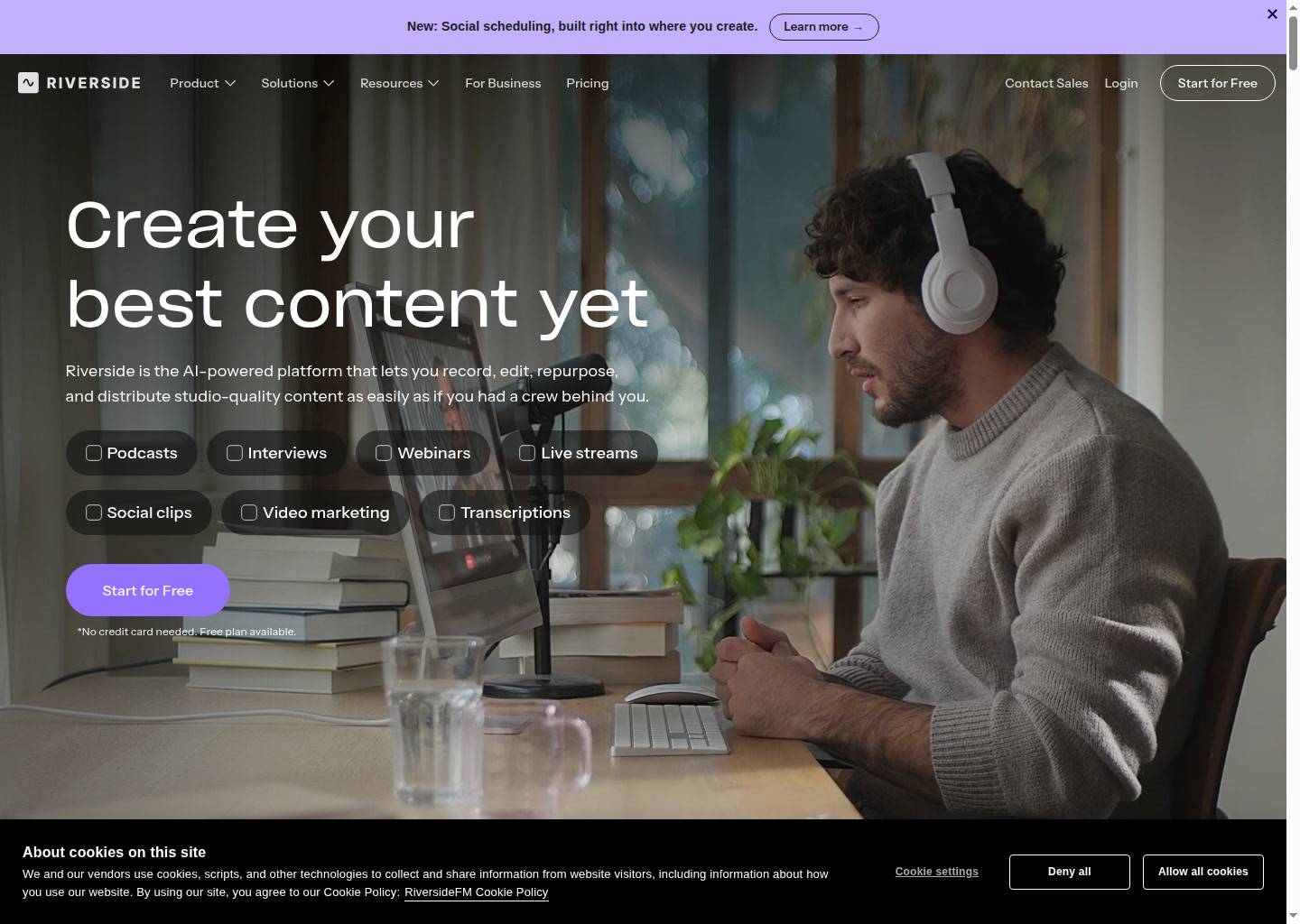
Riverside: AI Video Editing for Recording and editing podcasts, interviews, webinars, and social clips with ai-assisted cleanup and repurposing (2026)
Riverside is an AI video editing tool by Riverside built for recording and editing podcasts, interviews, webinars, and social clips with AI-assisted cleanup and repurposing. Its clearest differentiator is that aI-powered recording and editing platform that combines local 4K capture, transcript-based video editing, repurposing, dubbing, and publishing in one workflow.
It is a strong fit for podcasters, interview-led creators, webinar teams, and marketers who want one system for capture, editing, and distribution. The product promise is practical rather than vague, with the public materials focused on concrete workflow outcomes instead of generic AI-video hype.
It is a weaker choice for buyers who need deeply documented export specs, exact frame-level control, or a public automation interface that is clearly documented today.
Riverside: Key Specs at a Glance
| Feature | Riverside |
|---|---|
| Primary use case | recording and editing podcasts, interviews, webinars, and social clips with AI-assisted cleanup and repurposing |
| Best for | podcasters, interview-led creators, webinar teams, and marketers who want one system for capture, editing, and distribution |
| Access type | Browser-based web app |
| Input types | Local video and audio recordings, guest sessions, transcripts, prompts for B-roll, and existing long-form sessions for clip extraction |
| Output formats | Not publicly documented on the reviewed homepage and pricing page |
| Output resolution | Up to 4K recording is publicly stated; export tiers beyond that were not fully documented on the reviewed pages |
| Max video duration | Recording itself is described as unlimited, but separate-track downloads are capped by plan |
| Generation speed | AI edits and repurposing are positioned as near-instant or seconds-level tasks, but exact render times are not publicly documented |
| Watermark (free tier) | Not publicly documented in the reviewed pricing details |
| Language support | AI transcription is available in 100+ languages; dubbing is offered in 30+ languages |
| API availability | Not publicly documented on the reviewed public pages |
| Integrations | Publishing to YouTube, Spotify, and Apple is public; Webinar plan adds HubSpot; Business mentions Salesforce |
| Collaboration | Business plan includes collaborative editing and custom roles |
| Pricing model | Freemium subscription with Free, Pro, Grow, Webinar, and custom Business tiers |
| Free plan | Free tier with $0 pricing and limited separate-track download hours |
| Paid plans | Pro is $29/month or $24/month billed annually, Grow is $39/month or $34/month annually, Webinar is $99/month or $79/month annually, and Business is custom |
What Riverside Does Well
Local 4K recording removes a major quality bottleneck
Riverside's clearest technical edge is local recording. The official site emphasizes up to 4K video and separate-track capture that is not ruined by unstable live-call quality, which is a real operational advantage for remote interviews and podcasts.
Transcript-based editing keeps routine cuts fast
The product is built around editing by text instead of making every user live on a traditional timeline. For podcasters, webinar teams, and social-clip workflows, that speeds up filler-word cleanup, rough cuts, and short extract creation.
Repurposing is not bolted on as a side feature
Riverside's AI stack includes magic clips, captions, summaries, thumbnails, and publishing paths. That matters because many teams do not need another recorder as much as they need one long session to turn into multiple social assets quickly.
It covers more of the production chain than a pure editor
Recording, editing, live streaming, webinar delivery, hosting, analytics, and distribution all sit inside the same product story. That can reduce workflow sprawl for teams that would otherwise pay separate vendors for each part.
Known Limitations
- It is still not a replacement for high-end non-linear editing when a team needs frame-level control, advanced color, or complex motion graphics.
- Several AI features depend on credits, so the headline subscription price does not tell the full cost of translation, animated clips, or AI B-roll at scale.
- Separate-track download hours are capped on Pro, Grow, and Webinar, which can become restrictive for heavier production teams.
- Watermark and some exact export-detail questions are not clearly documented on the reviewed pricing page, creating some procurement ambiguity.
- The reviewed public pages do not present a public API story, so automated media pipelines should not be assumed.
Best For: Who Should Use Riverside
- Podcasters who need remote recording, transcript editing, clips, and publishing inside one tool.
- Interview-led creators who care about high capture quality but do not want a complex post-production stack for every episode.
- Marketing teams turning webinars and long-form sessions into clips, captions, and promotional assets.
- Small production teams that value workflow compression more than deep finishing control.
Who Should Look Elsewhere
- Choose another tool if timeline precision and advanced finishing are the core job.
- Look elsewhere if your team already has a mature recording stack and only needs a specialist editor.
- Pick a different option if predictable unlimited separate-track downloading is essential on lower paid tiers.
Pricing & Cost at Scale
Plan Overview
- Free plan: Free tier with $0 pricing and limited separate-track download hours
- Paid options: Pro is $29/month or $24/month billed annually, Grow is $39/month or $34/month annually, Webinar is $99/month or $79/month annually, and Business is custom
Cost at Scale
For a solo creator, the free tier is a genuine evaluation path, but the limitations mean serious production usually starts at Pro.
For a small show or creator business, Pro or Grow is the natural baseline. The difference matters because separate-track limits and team needs rise quickly once guests and recurring episodes become normal.
For webinar-led marketers, the Webinar tier is not just a bigger plan but a different product surface with registration, Q&A, reminders, and analytics.
For larger media or B2B teams, Business becomes the real tier once collaborative editing, compliance, or enterprise integrations matter.
Prices can change. Check the official pricing source before you publish or budget around this tool.
Technical Details & Integrations
- Publicly stated recording quality: up to 4K video and uncompressed audio with separate tracks.
- Editing model: transcript-based editing plus AI cleanup, eye-contact correction, filler-word removal, AI B-roll, captions, and clip generation.
- Distribution: direct publishing to YouTube, Spotify, and Apple is part of the public product story.
- Plan nuance: AI Credits are required for translation, AI B-roll, and animated clips, while some other AI features are included.
Getting Started
- Start by recording one representative session and testing whether the transcript editor handles your normal cleanup tasks well enough.
- Measure separate-track download usage before picking a tier, because that limit matters more than the recording headline for many teams.
- Use AI clips and captions on one long session first so you can see if the repurposed assets save real time.
- Treat Riverside as a workflow hub only if the built-in editing quality is already good enough for your publishing standard.
Pro tip: Riverside creates the most leverage when one raw recording needs to become a podcast episode, a video version, short clips, captions, and summaries without leaving the same workspace.
What Users Are Saying
Verified third-party discussion links could not be revalidated with acceptable HTTP status codes during this run, even though search results show a substantial public discussion footprint.
Community links: No compliant external discussion or review URLs were verified during this run.
What users praise: Indexed discussions and review snippets repeatedly point to time saved on transcript editing, clip extraction, and all-in-one production convenience, but those pages were not fetchable in a compliant way here.
Common frustrations: The same indexed discussions often complain about AI polish limits, pricing friction, and the gap between fast rough cuts and high-end final edits.
Have you tried Riverside? Share your experience in the review section below to help other video creators make the right choice.
FAQ
Is Riverside free?
Yes. Riverside has a public Free tier, with paid plans layered on top.
What is Riverside best at?
Riverside is strongest when a team wants local remote recording, transcript-based editing, repurposing, and publishing in one workflow.
Does Riverside record in 4K?
Yes. The official homepage states up to 4K video capture.
Does Riverside include AI dubbing and translation?
Yes. The reviewed official pages mention AI translation and dubbing in 30+ languages.
Is Riverside a full replacement for Premiere or Resolve?
Usually no. It is excellent for fast production workflows, but not for every frame-accurate finishing task.
Does Riverside have a public API?
Not publicly documented on the reviewed pages.
Sources
Reviews
No reviews yetSimilar tools in category
Adobe Premiere Pro
Argil
A platform that simplifies and enhances the process of creating engaging presentations.
Atlabs
A platform that streamlines data analysis and visualization for enhanced decision-making.