
Trupeer
A platform that connects users with verified professionals for personalized advice and support.
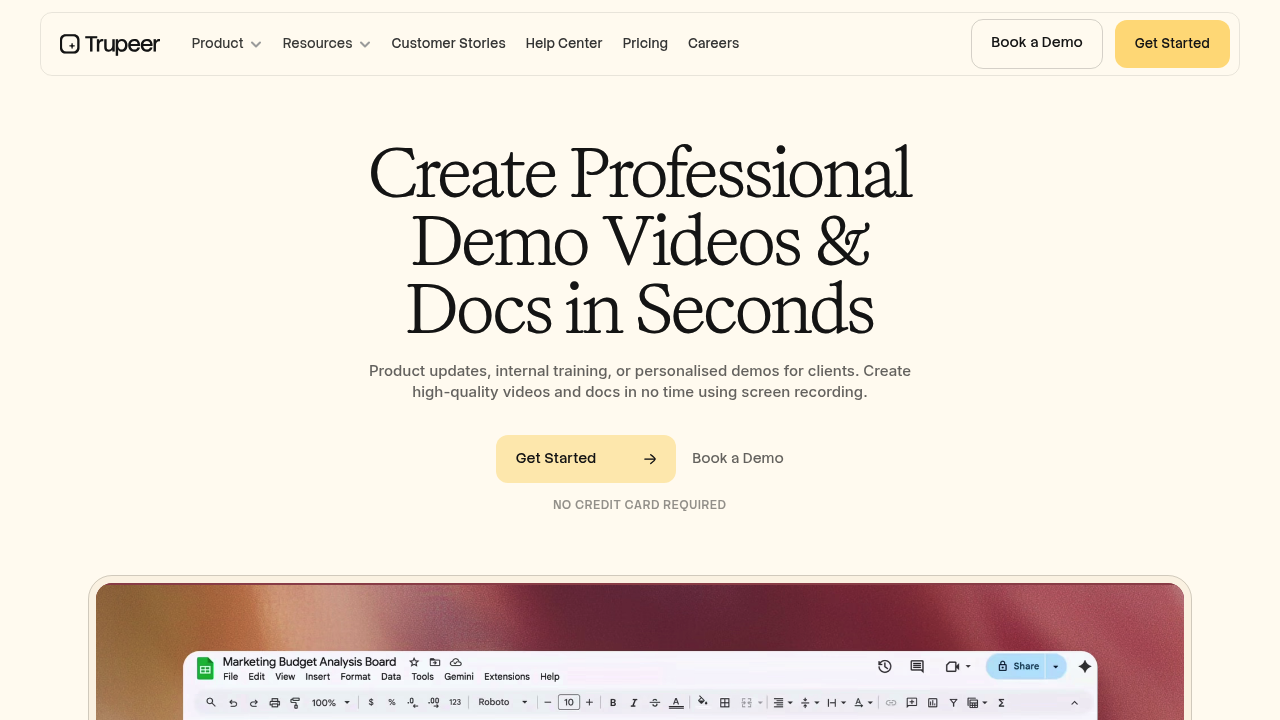
Trupeer: Transforming Screen Recordings into Polished Videos and Documentation
Introduction
Overview of Trupeer
Trupeer is an AI-powered platform designed to effortlessly turn simple screen recordings into polished videos and detailed documentation. It is ideal for product marketers, technical writers, content creators, and teams needing to produce high-quality content without requiring prior experience in video editing or technical writing.
Key Benefits and Use Cases
Trupeer offers several key benefits, including:
- AI-generated voiceovers: Enhance your videos with professional-sounding voiceovers.
- Automated zoom effects: Add dynamic zoom effects to make your videos more engaging.
- Customizable scripts: Easily edit and customize scripts to fit your content needs.
- Multiple export options: Export content as videos (MP4) or documents (PDF, Word, Markdown) for easy sharing and distribution.
- Automated translations: Coming soon, this feature will allow for seamless translation of your content.
Who Uses
Trupeer is used by:
- Product marketers: To create engaging demo videos and sales presentations.
- Technical writers: To produce detailed user guides and instruction manuals.
- Content creators: For generating professional-looking product reviews or how-to videos.
- Employee training teams: To develop comprehensive training videos and documents.
What Makes Trupeer Unique
Trupeer stands out due to its user-friendly interface, which requires no prior video editing or technical writing experience. It also offers customization options for branding and personalization, making it a versatile tool for various content creation needs.
Pricing Plans
Trupeer offers the following pricing plans:
- Free plan: Available for individuals and small teams.
- Hobby plan: $19/month for individuals.
- Pro plan: $49/month for businesses.
- Custom Enterprise pricing: Available for larger organizations.
For the most up-to-date pricing information, please visit Trupeer Pricing Plans.
Core Features
Essential Functions Overview
Trupeer's core features include:
- AI-generated videos: Converts screen recordings into polished videos with AI voiceovers, automated zoom effects, and background music.
- Automated documentation: Creates detailed step-by-step guides with AI-generated screenshots, descriptions, and titles from screen recordings.
- Easy editing: Provides a user-friendly interface to modify scripts, select voiceovers, and customize video elements.
- Chrome extension: Offers a convenient Chrome extension for quick and easy screen recording.
Common Settings Explained
- Screen Recording: Use the Chrome extension to record your screen effortlessly.
- Script Editing: Modify scripts to fit your content needs.
- Voiceover Selection: Choose from various AI-generated voiceovers.
- Customization Options: Personalize your videos with background music and zoom effects.
Tips & Troubleshooting
Tips for Best Results
- Optimize Screen Recording: Ensure the screen recording is clear and focused on the relevant content.
- Fine-Tune AI-Generated Content: Review and fine-tune AI-generated content for perfect results.
- Use Multiple Export Options: Export content in various formats (MP4, PDF, Word, Markdown) for flexibility.
Troubleshooting Basics
- Technical Issues: Check for software updates and ensure all plugins are up-to-date.
- Content Quality: Adjust settings if AI-generated content is not meeting your expectations.
- Export Issues: Verify that the export format is compatible with your intended use.
Best Practices
Common Mistakes to Avoid
- Insufficient Script Editing: Ensure scripts are well-written and edited before finalizing the video.
- Poor Voiceover Selection: Choose voiceovers that match your brand tone and audience.
- Inadequate Customization: Personalize your videos with relevant background music and zoom effects.
Performance Optimization
- Optimize Screen Recording Settings: Adjust recording settings to ensure high-quality video.
- Regularly Update Software: Keep Trupeer software updated to avoid technical issues.
- Use Chrome Extension Efficiently: Utilize the Chrome extension for quick and easy screen recording.
Pros and Cons
Pros
- Significantly Reduces Time and Cost: Creates professional-quality videos and documentation quickly and efficiently.
- User-Friendly Interface: Requires no prior video editing or technical writing experience.
- Customization Options: Offers customization options for branding and personalization.
- Multiple Export Options: Allows exporting content in various formats (MP4, PDF, Word, Markdown).
Cons
- Limited to Screen Recording-Based Content Creation: May not be suitable for non-screen recording-based content.
- May Require Fine-Tuning of AI-Generated Content: Some users may need to fine-tune AI-generated content for perfect results.
- Pricing Structure May Not Suit All Individual Creators or Small Teams: Pricing plans may not be affordable for all users.
Summary
Trupeer is an AI-powered platform that transforms simple screen recordings into professional-quality product videos and detailed documentation. Its user-friendly interface, customization options, and multiple export formats make it an ideal tool for various content creation needs. While it has its limitations, Trupeer remains a powerful tool for those looking to streamline their content creation process.
Disclaimer: Pricing plans may be subject to change. Always check the official website for the most up-to-date pricing information.
Reviews
No reviews yetSimilar tools in category
Adobe Premiere Pro
Argil
A platform that simplifies and enhances the process of creating engaging presentations.
Atlabs
A platform that streamlines data analysis and visualization for enhanced decision-making.