
Typito
Typito is an online video editor trusted by 500,000+ creators and agencies. Add AI-generated captions, apply 500+ motion graphic templates, manage brand kits, and export for 20+ formats and platforms. No design skills required.
The Complete Beginner's Guide to Typito: Online Video Editor with AI Captions and Text Animations
Introduction
Typito is an online video editor specialized in text-based video creation and AI-powered caption generation, trusted by over 500,000 marketers, news agencies, business owners, and social media creators worldwide. By combining drag-and-drop video editing with motion graphics templates, automated AI captions, and brand kit management, Typito enables non-designers to produce professional-quality videos that communicate clearly and visually across all major platforms.
Typito is built for the specific challenge of adding compelling, on-brand text to video content quickly and consistently. For news organizations, social media teams, and marketing departments that produce high volumes of video content, the ability to apply consistent typography, add perfectly synced captions, and maintain brand standards across every output is essential — and Typito delivers this without requiring video editing expertise.
The platform is ideal for news agencies producing breaking news video summaries, social media managers creating text-heavy explainer and announcement videos, small businesses building professional marketing videos with consistent branding, and influencers who want polished, captioned content that performs well for accessibility and engagement on muted-viewing platforms.
Typito differentiates itself through its 500+ motion graphic templates inspired by major brands across 50+ content categories, its real-time live preview that eliminates export-surprise frustrations, and its AI caption generation that produces perfectly synchronized subtitles automatically — making captioned video production significantly faster than manual workflows.
Typito offers a free trial and multiple paid plans. Pricing details are available at the official pricing page. Prices are subject to change.
Getting Started
Typito is fully browser-based and requires no software installation. It works on Chrome, Firefox, and Safari on Windows, macOS, and Linux. Users upload video files directly into the editor or create new projects from scratch. The platform supports 20+ video formats and aspect ratios, including 16:9 widescreen, 1:1 square, and 9:16 vertical for platform-specific exports.
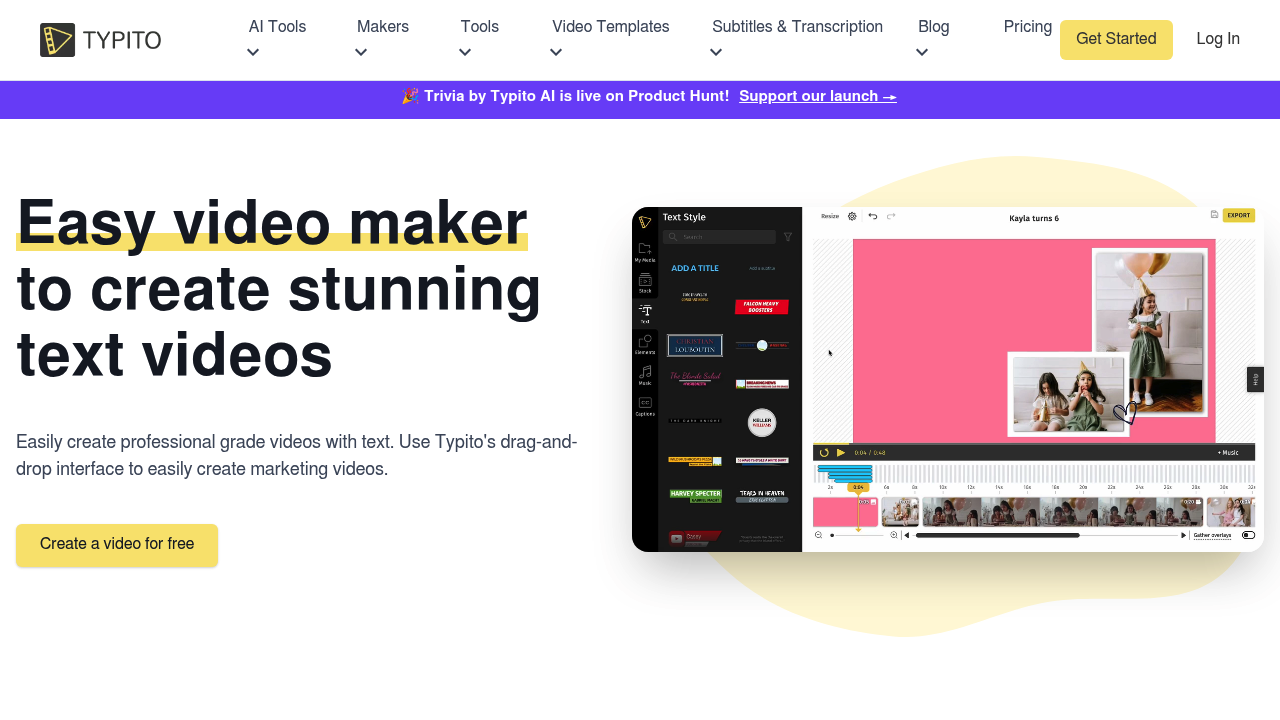
After signing up, users are guided to either start with a template or create a blank project. The interface features a left panel for media, text, and template browsing; a central canvas for live editing; and a bottom timeline for clip management. The real-time live preview ensures that every change is visible instantly without triggering a render, making iteration fast and intuitive.
Core Features
AI Captions
Typito's AI caption engine automatically generates perfectly synchronized subtitles from video audio. Captions are editable in the timeline and support full styling customization — font, size, color, background, position, and animation style. This feature is essential for accessibility compliance and for increasing engagement on platforms where videos are frequently watched without sound.
500+ Motion Graphic Templates
Typito provides over 500 professionally designed motion graphic templates spanning categories including events, news, food vlogging, sports, travel, and business. Templates include lower thirds, intro animations, caption styles, and title cards that can be mixed and matched within a single project for maximum creative flexibility.
Brand Kit
The Brand Kit feature enables users to define their organization's logo, color palette, and font preferences once and apply them consistently across all projects. This eliminates per-project manual styling and ensures every video output reflects the organization's visual identity, regardless of who on the team created it.
20+ Video Formats and Aspect Ratios
Typito supports over 20 video formats and aspect ratios from a single project. Users can create a master video and instantly export versions optimized for Facebook, Instagram, Twitter, YouTube, and LinkedIn at the correct dimensions — significantly reducing the repurposing effort for multi-platform distribution strategies.
First Project Tutorial
Step 1: Upload your video. Create a new project and drag-and-drop your video file into the editor. Select the target aspect ratio for your primary platform (16:9 for YouTube, 9:16 for Instagram Reels, 1:1 for Facebook).
Step 2: Add AI captions. Click "Captions" in the left panel and select "Auto-generate." Typito's AI will analyze the audio and produce synchronized captions within seconds. Review and edit any misrecognized words directly in the caption panel.
Step 3: Apply a template. Browse the template library and select a motion graphic style that matches your brand. Apply lower thirds, intro animations, or title card templates to the appropriate sections of your video using the timeline.
Step 4: Apply your Brand Kit and export. Activate your Brand Kit to apply your logo, colors, and fonts automatically. Select your target resolution, choose the aspect ratio variant you need, and export the finished video for direct upload to your chosen platform.
Best Practices
- Always add AI captions to every video — over 85% of social media videos are watched without sound, and captions dramatically improve watch time and accessibility compliance.
- Build your Brand Kit before creating your first project — this investment pays dividends across every subsequent video by eliminating per-project manual brand application.
- Use the same source project to export for multiple platforms — adjust the aspect ratio and minor text sizing for each variant rather than creating separate projects from scratch.
- Combine Typito's template animations with your own footage rather than relying solely on stock templates — custom footage with professional motion graphics creates a more authentic brand presentation than fully generic template-based videos.
Pros and Cons
Pros
- AI caption generation that is fast, accurate, and fully stylizable within the editor
- 500+ motion graphic templates across 50+ content categories provide extensive creative starting points
- Real-time live preview eliminates surprise outputs and speeds up iteration
- Brand Kit ensures consistent visual identity across all team-produced videos
Cons
- Focused on text-heavy video editing — less suitable for complex multi-track narrative editing
- AI caption accuracy depends on audio quality — heavily accented or noisy audio may require more manual correction
- Free trial has feature and export limitations before requiring a paid plan
- Template library, while extensive, may feel redundant for brands with highly unique design systems
What Users Are Saying
Typito's 500,000+ user community spans news agencies, small businesses, and social media marketers who consistently praise the platform's ease of use and the quality of its motion graphic templates. News organizations highlight the speed of producing branded video summaries for social media. Marketing teams value the Brand Kit and multi-format export for managing multi-platform content strategies efficiently. The AI captions feature is frequently cited as a time-saving standout.
Common user feedback includes the desire for more advanced AI features beyond captions, such as AI-powered clip selection and script-to-video generation. Some users on free or entry-level plans note the watermark restriction as a barrier to testing the platform at full quality.
Have you tried Typito? Share your experience in the review section below to help other creators make the right choice!
Summary
Typito is a specialized, brand-focused online video editor that excels at producing captioned, motion-graphic-enhanced videos consistently and efficiently. With AI caption generation, 500+ templates, Brand Kit management, and 20+ format exports, Typito is an excellent tool for news organizations, marketing teams, and creators who produce high volumes of text-driven video content for social media distribution. For teams prioritizing brand consistency and captioned video accessibility, Typito delivers a fast, polished, and repeatable production workflow.
Reviews
No reviews yetSimilar tools in category
Adobe Premiere Pro
Argil
A platform that simplifies and enhances the process of creating engaging presentations.
Atlabs
A platform that streamlines data analysis and visualization for enhanced decision-making.