
Veed.io
An online platform for editing videos with various features and tools.
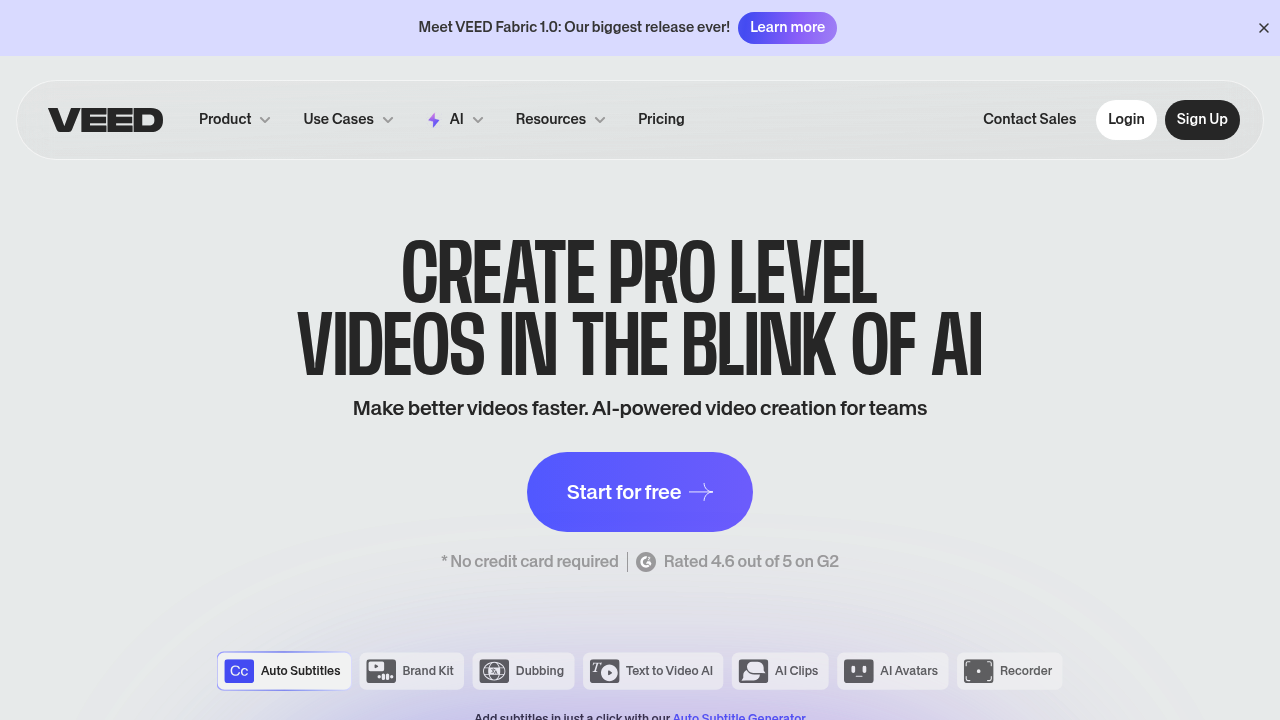
VEED.io: The Ultimate AI-Powered Video Editing Tool
Introduction
Overview of VEED.io
VEED.io is an online video editing platform that simplifies video creation with AI-powered tools, making it accessible for both beginners and professionals to create high-quality videos effortlessly.
Key Benefits and Use Cases
VEED.io offers a range of benefits and use cases, including:
- Social Media Content: Create engaging videos for platforms like Instagram, TikTok, and Facebook.
- YouTube Videos: Edit and enhance YouTube content with subtitles, transitions, and effects.
- Educational Videos: Produce instructional videos with screen recording and annotations.
- Marketing Campaigns: Develop compelling ad units and promotional videos.
- Corporate Communications: Create internal communication videos, presentations, and training materials.
- Podcast Clips: Record and edit podcast episodes, breaking them into shareable clips.
- Event Highlights: Compile and edit footage from events into highlight reels.
- Customer Testimonials: Produce professional-looking testimonial videos with ease.
- Product Demos: Create detailed product demonstration videos for marketing purposes.
- Personal Vlogs: Edit personal vlogs with effects, subtitles, and music.
Who Uses VEED.io
VEED.io is for content creators, marketers, educators, and business professionals looking to produce high-quality videos without the need for advanced technical skills. It’s perfect for those who need to create engaging social media content, educational materials, marketing campaigns, and more.
What Makes VEED.io Unique
VEED.io stands out due to its intuitive interface and accessible pricing. It offers a wide range of AI-powered features such as Magic Cut, AI Translate, Filler Word Removal, Auto Subtitles, Text to Speech, AI Voice Cloning, Clone Yourself, and Eye Contact Correction. Additionally, it provides a stock library of over 2 million royalty-free video and audio assets, collaboration tools, and a brand kit for on-brand content creation.
Core Features
Essential Functions Overview
VEED.io offers the following essential functions:
- Video Editing: Create professional-looking videos with ease.
- AI Avatars: Generate high-quality AI avatars for faster video production.
- Recording: Record yourself or your screen, edit, and share.
- Stock Library: Access over 2 million royalty-free video and audio assets.
- Collaboration: Work seamlessly as a team with smart collaboration tools.
- Publishing: Host videos with VEED’s powerful embeddable player.
Common Settings Explained
- Magic Cut: Automatically remove silences and create clips.
- Auto Subtitles: Generate subtitles for your videos.
- Text to Speech: Convert text into natural-sounding voiceovers.
- AI Voice Cloning: Upload your voice and create an audio clone for automated voiceovers.
- Eye Contact Correction: Automatically direct your eyes toward the camera in the video.
Tips & Troubleshooting
Tips for Best Results
- Use Stock Assets: Utilize the extensive stock library to save time on asset creation.
- Collaborate Effectively: Use smart collaboration tools to streamline team work.
- Customize Branding: Ensure on-brand content creation with the brand kit feature.
- Optimize for Speed: Ensure a stable internet connection to avoid performance issues.
Troubleshooting Basics
- Internet Connection: A stable internet connection is essential for accessing and utilizing VEED.io's features.
- Video Upload Issues: Users have reported issues when uploading their own videos and audio files, which can cause buffering and decrease software cooperation.
Best Practices
Common Mistakes to Avoid
- Insufficient Planning: Plan your video content thoroughly to avoid last-minute edits.
- Overuse of Effects: Balance the use of effects to maintain a professional look.
- Inconsistent Branding: Ensure consistent branding across all videos using the brand kit feature.
Performance Optimization
- Use Cloud-Based Workspace: VEED.io operates in the cloud, eliminating the need for local installations and enabling users to access their projects from anywhere with an internet connection.
- Regular Updates: Keep your browser and software up-to-date to avoid compatibility issues.
Pros and Cons
Pros
- Intuitive Interface: VEED.io boasts an intuitive user interface that makes it easy for beginners to create high-quality video projects.
- Versatile Editing Features: Provides a comprehensive set of editing features, including transitions, animations, subtitles, stickers, and more.
- Extensive Format Support: Supports a wide range of video formats, enabling users to import and export their video files in various formats.
- Cloud-Based Workspace: Operates in the cloud, facilitating collaboration and seamless workflow across devices.
- AI-Powered Tools: Offers advanced AI tools like Magic Cut, AI Translate, and AI Voice Cloning, making video creation faster and more efficient.
Cons
- Limited Advanced Features: While VEED.io offers a robust set of editing features, it may lack certain advanced functionalities found in more specialized video editing software.
- Dependence on Internet Connection: A stable internet connection is essential for accessing and utilizing its features. Limited or unreliable internet connectivity may hinder the user experience.
- Issues With Video Uploads: Users have reported issues when uploading their own videos and audio files, which can cause buffering and decrease software cooperation.
Summary
VEED.io is an AI-powered video editing platform that simplifies video creation with its intuitive interface and accessible pricing. It offers a wide range of AI-powered features, a stock library of over 2 million royalty-free assets, collaboration tools, and a brand kit for on-brand content creation. While it excels in many areas, it may lack certain advanced features and can be dependent on a stable internet connection. For those looking to create high-quality videos without advanced technical skills, VEED.io is an excellent choice.
Pricing Plans
VEED.io offers the following pricing plans:
- Free Plan: €0 (No credit card required).
- Basic Plan: €13 per user, per month (Billed €156 annually).
- Pro Plan: €22 per user, per month (Billed €264 annually).
- Business Plan: €58 per user, per month (Billed €696 annually).
- Enterprise Plan: Custom pricing.
Disclaimer: Pricing might be changed. Please visit the official pricing plan page for the most up-to-date information: VEED.io Pricing Plans.
Note: The pricing information provided is accurate as of December 2024 and may change. Always check the official VEED.io website for the latest pricing details.
Reviews
No reviews yetSimilar tools in category
Adobe Premiere Pro
Argil
A platform that simplifies and enhances the process of creating engaging presentations.
Atlabs
A platform that streamlines data analysis and visualization for enhanced decision-making.