Aiarty Video Enhancer
Aiarty Video Enhancer: AI Video Enhancer for local upscaling and restoration (2026) is an AI video enhancer tool by Aiarty built for upscaling, denoising, and restoring noisy or blurry footage locally on desktop hardware. Its clearest differentiator is that it is a desktop-first enhancer focused on denoise, deblur, detail recovery, frame i
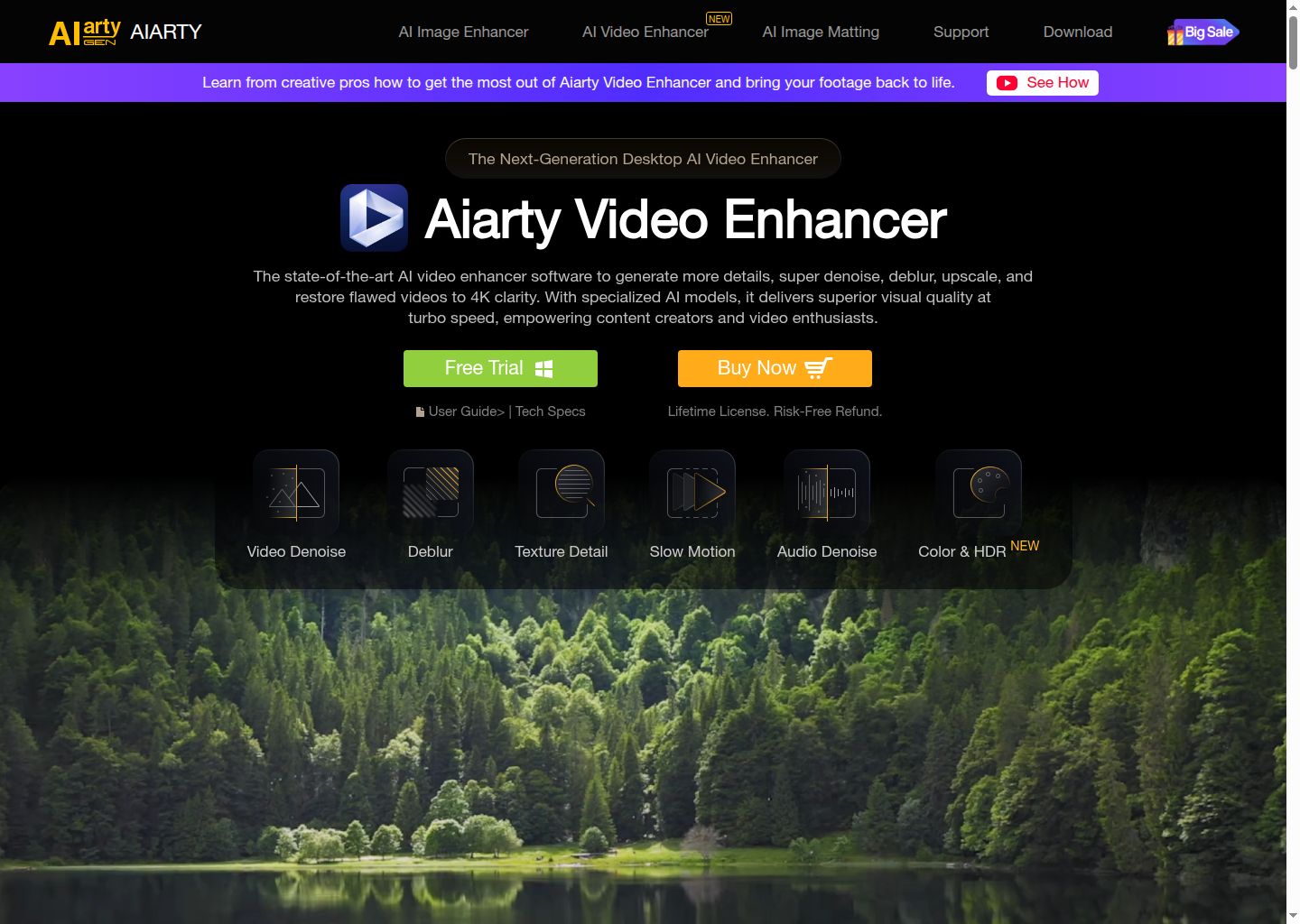
Aiarty Video Enhancer: AI Video Enhancer for local upscaling and restoration (2026)
Aiarty Video Enhancer is an AI video enhancer tool by Aiarty built for upscaling, denoising, and restoring noisy or blurry footage locally on desktop hardware. Its clearest differentiator is that it is a desktop-first enhancer focused on denoise, deblur, detail recovery, frame interpolation, audio denoise, and local 4K restoration instead of a browser-only credit workflow.
It is a strong fit for editors, restoration hobbyists, and creators who prefer local processing, desktop licensing, and stronger privacy than browser-only upscalers. The official materials are clearest about the workflow itself, the pricing structure, and the limits around the free or trial path.
It is a weaker choice for buyers who need fully documented export specs, deeper collaboration controls, or a public developer API.
Aiarty Video Enhancer: Key Specs at a Glance
| Feature | Aiarty Video Enhancer |
|---|---|
| Primary use case | upscaling, denoising, and restoring noisy or blurry footage locally on desktop hardware |
| Best for | editors, restoration hobbyists, and creators who prefer local processing, desktop licensing, and stronger privacy than browser-only upscalers |
| Access type | Desktop app for Windows and Mac |
| Input types | Existing video files for denoise, deblur, upscale, frame interpolation, and audio cleanup |
| Output formats | Not publicly documented |
| Output resolution | Up to 4K enhancement is public; the product page also highlights 2K/QHD and 4K/UHD output paths |
| Max video duration | Trial exports are limited to 120 seconds; the full-license maximum project duration is not publicly documented |
| Generation speed | Aiarty says a 2-minute 1080p video can upscale to 4K in about 2 minutes with Turbo mode |
| Watermark (free tier) | Trial exports include a watermark; paid licenses remove that limitation |
| Language support | Not publicly documented |
| API availability | Not publicly documented |
| Integrations | No third-party integrations are publicly documented |
| Collaboration | Not publicly documented |
| Pricing model | Paid desktop software with free trial, yearly subscription, and lifetime license |
| Free plan | Free trial available; batch export is disabled, processing is limited to 120 seconds, and exports carry a watermark |
| Paid plans | Standard License is $79/year for 1 PC; Lifetime License is $165 one-time for 3 PCs |
What Aiarty Video Enhancer Does Well
Local processing is a real differentiator
Aiarty is explicit about being desktop-first and privacy-oriented. That matters for creators who do not want to upload sensitive footage to cloud services or wait on browser queues.
The public feature set is focused on restoration, not fluff
Denoise, deblur, texture detail, frame interpolation, slow motion, audio denoise, and color/HDR are all clearly named. The product story stays close to actual restoration tasks instead of drifting into generic AI marketing.
The trial and paid-license differences are documented clearly
The buy page explains what the trial withholds, what the yearly license includes, and what the lifetime option changes. That makes it easier to estimate fit than many AI upscalers with vague credit systems.
Aiarty publishes useful performance and model context
The public site names its model families, desktop hardware optimization, and a Turbo mode claim. Even if buyers still need hands-on testing, the product is easier to evaluate technically than many vague online enhancers.
Known Limitations
- The free trial is restrictive: 120-second processing cap, no batch export, and watermark on exports.
- Output formats and hard project-length limits for paid users are not clearly documented on the reviewed public pages.
- Aiarty is desktop software, so it is less convenient than cloud tools for quick browser-only workflows or collaborative teams.
- The public benchmark claims are vendor-published rather than independently standardized, so buyers should test their own footage before committing.
- If you care most about the widest ecosystem, deepest professional reputation, or frame-by-frame finishing, competitors like Topaz Video AI still have stronger mindshare.
Best For: Who Should Use Aiarty Video Enhancer
- Creators who want local AI enhancement with stronger privacy and no dependency on cloud upload queues.
- Users restoring old family footage, noisy low-light clips, or blurry social content where denoise and deblur matter most.
- Editors who want frame interpolation, slow motion, and audio denoise in the same desktop workflow.
- Buyers who prefer a clear trial and a one-time lifetime-license option over ambiguous monthly credit systems.
Who Should Look Elsewhere
- Choose another tool if you need browser-based convenience or team collaboration more than local control.
- Look elsewhere if you require fully documented export-format tables and stricter public specs before purchase.
- Pick a more established flagship rival if ecosystem depth and industry reputation matter more than price and local processing.
Pricing & Cost at Scale
Plan Overview
- Free plan: Free trial available; batch export is disabled, processing is limited to 120 seconds, and exports carry a watermark
- Paid options: Standard License is $79/year for 1 PC; Lifetime License is $165 one-time for 3 PCs
Cost at Scale
For cautious buyers, the free trial is useful but restrictive enough that it mainly proves the interface and restoration direction, not a full production fit.
The yearly $79 plan is reasonable for users who expect model updates but are not ready to pay lifetime pricing immediately.
The $165 lifetime license is more compelling for repeat restoration work because it avoids recurring fees and includes three PCs, but only if the output quality on your footage justifies replacing or complementing existing tools.
Prices can change. Check the official pricing source before you publish or budget around this tool.
Technical Details & Integrations
- Desktop-first architecture with local processing on Windows and Mac.
- Public modules include video denoise, deblur, texture detail recovery, frame interpolation, slow motion, audio denoise, and color/HDR controls.
- The product page claims Turbo mode can upscale a 2-minute 1080p video to 4K in about 2 minutes on supported hardware.
- Trial restriction note is explicit: 120-second limit, no batch export, and watermarked exports.
Getting Started
- Run the free trial on one representative clip before buying anything, especially if your footage is unusually dark or noisy.
- Compare multiple built-in models on the same sample instead of assuming one preset fits every video type.
- Use the trial to measure your real hardware speed, because desktop enhancement performance depends heavily on your GPU.
- If you plan regular restoration work, evaluate the lifetime license sooner rather than stacking annual fees.
Pro tip: Aiarty is best judged on your own footage, not on demo reels. Test one clip with fine texture, one low-light clip, and one fast-motion clip before deciding whether the model behavior matches your expectations.
What Users Are Saying
Aiarty has a visible launch footprint plus niche discussion among upscaling users, which is the right audience for this category.
What users praise: Public snippets emphasize low-light denoising, detail recovery, and the appeal of a local alternative to subscription-heavy upscalers.
Common frustrations: The recurring concern is trial restriction friction and whether the results justify switching from more established restoration software.
Have you tried Aiarty Video Enhancer? Share your experience in the review section below to help other video creators make the right choice.
FAQ
Is Aiarty Video Enhancer free?
No. It offers a free trial, but the full product is paid.
What does the trial limit?
The official buy page says batch export is disabled, processing is limited to 120 seconds, and trial exports include a watermark.
Is Aiarty desktop or web-based?
It is desktop software for Windows and Mac.
What is Aiarty best at?
It is strongest for local denoise, deblur, detail recovery, and frame interpolation on existing footage.
Does Aiarty have a public API?
Not publicly documented.
Sources
Reviews
No reviews yetSimilar tools in category
AutoCut
Effortlessly remove unwanted elements from your photos for a cleaner, more professional look.
Clipchamp
Create videos with royalty-free music and stock footage, use a pre-made video template, and export in up to 4K video resolution. Get started in-browser, download the Windows app, or create on the go with iOS app.
Cognitivemill
An AI-driven platform that automates the analysis of vast amounts of data to generate actionable insights.