AVCLabs Video Enhancer AI
Desktop AI video enhancement software for local processing. Upscale from SD to 8K at 120 FPS, colorize black-and-white footage, stabilize video, interpolate frames, enhance faces, and reduce noise — using CNN, GAN, and ViT Transformer models.
Introduction to AVCLabs Video Enhancer AI
AVCLabs Video Enhancer AI is a desktop-based AI video enhancement software that uses advanced deep learning models — including CNN, RNN, LSTM, GAN, and ViT Transformer — to automatically improve video quality, upscale resolution, colorize black-and-white footage, remove blur, stabilize shaky video, and interpolate frames for smoother playback. It supports upscaling from SD to HD, 720p to 1080p, 1080p to 4K, and all the way up to 8K resolution at 120 FPS.
Unlike cloud-based tools, AVCLabs Video Enhancer AI is a local desktop application (Windows and macOS), meaning processing is done entirely on your own GPU — with no file upload size limits, no privacy concerns from cloud processing, and unlimited batch processing capability.
AVCLabs offers a free trial that allows users to test all features with a watermark on output. The full license is available as a one-time purchase or annual subscription. Prices are subject to change. Check official pricing here.
Primary users include video editors, content creators, film restorers, archivists, photographers, and anyone working with legacy or low-quality video footage that needs to be brought up to modern resolution and quality standards.
Getting Started with AVCLabs Video Enhancer AI
Download and install AVCLabs Video Enhancer AI from avclabs.com. The software supports Windows 10/11 and macOS 10.15+. A dedicated GPU is strongly recommended for reasonable processing speeds (NVIDIA or AMD with sufficient VRAM). CPU-only processing is possible but significantly slower.
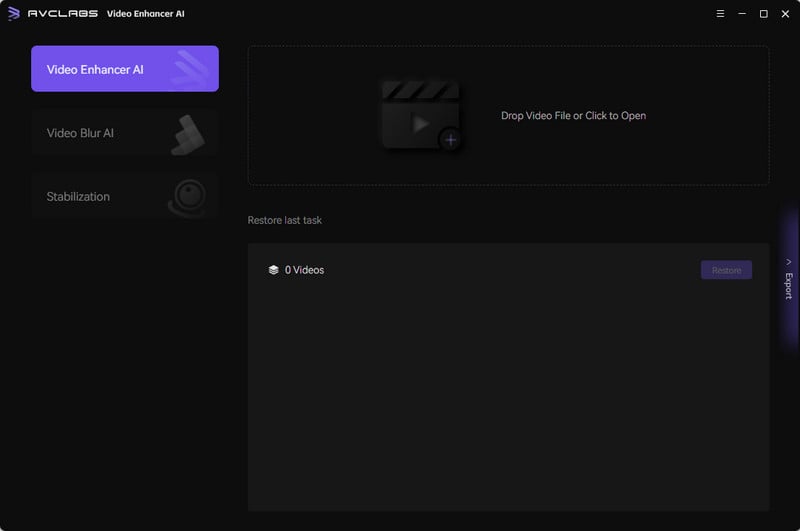
The interface presents a straightforward drag-and-drop workflow: import video, select enhancement mode, configure output settings, and process. A before/after preview lets you compare enhancement quality before committing to full processing.
Core Features
AI Video Upscaling (SD to 8K)
AVCLabs' upscaling engine uses GAN (Generative Adversarial Network) and ViT Transformer technology to intelligently reconstruct missing detail in low-resolution footage. It doesn't simply resize pixels — it synthesizes authentic-looking high-frequency detail, textures, and edges at the target resolution. Supports upscaling paths: 480p→1080p, 720p→4K, 1080p→4K/8K. Output frame rates up to 120 FPS are supported.
AI Video Enhancer
Beyond resolution upscaling, the AI Video Enhancer mode restores clarity to blurry, overexposed, or compression-artifact-heavy footage. The CNN/RNN/LSTM pipeline analyzes spatial and temporal context across frames, applying targeted denoising, deblurring, and contrast enhancement while preserving natural motion.
AI Video Colorizer
Convert grayscale or faded black-and-white footage to natural color using deep learning. The colorizer analyzes scene content, identifies objects and lighting conditions, and applies historically and contextually appropriate colors — making it valuable for film restoration, archival digitization, and artistic repurposing of vintage footage.
Frame Interpolation
AVCLabs' frame interpolation uses AI to generate synthetic intermediate frames, effectively increasing a video's frame rate from 24/30 FPS to 60 or 120 FPS. This produces dramatically smoother motion in slow-motion playback and improves the visual quality of older filmed content.
AI Face Enhancer
A dedicated face enhancement model specifically improves the resolution and sharpness of faces in video footage — particularly useful for surveillance footage, old home videos, or low-bitrate recordings where facial details have degraded.
AI Video Stabilizer
Corrects camera shake and jitter in handheld or action footage using AI motion analysis. Unlike traditional crop-based stabilization, AVCLabs' stabilizer uses motion prediction to minimize the crop area needed while maximizing smoothness.
Batch Processing
Process multiple video files simultaneously in a batch queue — ideal for archive digitization projects or bulk content upgrade workflows.
First Project Tutorial
- Download and install AVCLabs Video Enhancer AI from avclabs.com
- Launch the application and click "Add Video" to import your footage
- Select your enhancement mode from the left panel: Upscaling, Enhancer, Colorizer, or Frame Interpolation
- For upscaling: set target resolution (2x, 4x, or custom)
- Click "Preview" to compare original vs. enhanced quality on a sample frame
- Set your output path and format (MP4, MOV, AVI)
- Click "Start Processing" — processing time depends on video length and GPU capability
- Find your enhanced video in the specified output folder
Best Practices
- Use a dedicated GPU with at least 4 GB VRAM for practical processing speeds
- Preview before full processing to validate enhancement quality on your specific footage type
- Combine upscaling + enhancer for older footage that needs both resolution increase and quality restoration
- Use batch mode for projects with multiple clips to maximize GPU utilization during off-hours
- Close other GPU-intensive applications during processing to prevent VRAM conflicts
Pros & Cons
Pros
- Local processing — no file size limits, full privacy
- Upscaling all the way to 8K at 120 FPS
- Comprehensive AI toolkit: upscale, enhance, colorize, stabilize, interpolate, face enhance
- Before/after preview before committing to full processing
- Batch processing for multiple files
- Free trial available
Cons
- Desktop software — no mobile or browser-based version
- Processing speed heavily dependent on GPU capability
- High-end GPU required for 4K/8K processing in reasonable time
- One-time or annual license pricing can be significant for casual users
What Users Are Saying
AVCLabs Video Enhancer AI is frequently discussed among video restoration and enhancement communities. Search for user experiences:
- Reddit discussions on AVCLabs Video Enhancer AI
- Official AVCLabs product page with user testimonials
Summary
AVCLabs Video Enhancer AI is a comprehensive local AI video processing powerhouse for users who need serious video quality improvement without cloud dependency. From SD-to-8K upscaling and old footage colorization to face enhancement and frame interpolation, it covers the full spectrum of AI-powered video restoration and enhancement. Its privacy-preserving local processing model and unlimited batch capability make it particularly valuable for archivists, restoration professionals, and content creators working with legacy video assets.
Reviews
No reviews yetSimilar tools in category
AutoCut
Effortlessly remove unwanted elements from your photos for a cleaner, more professional look.
Clipchamp
Create videos with royalty-free music and stock footage, use a pre-made video template, and export in up to 4K video resolution. Get started in-browser, download the Windows app, or create on the go with iOS app.
Cognitivemill
An AI-driven platform that automates the analysis of vast amounts of data to generate actionable insights.