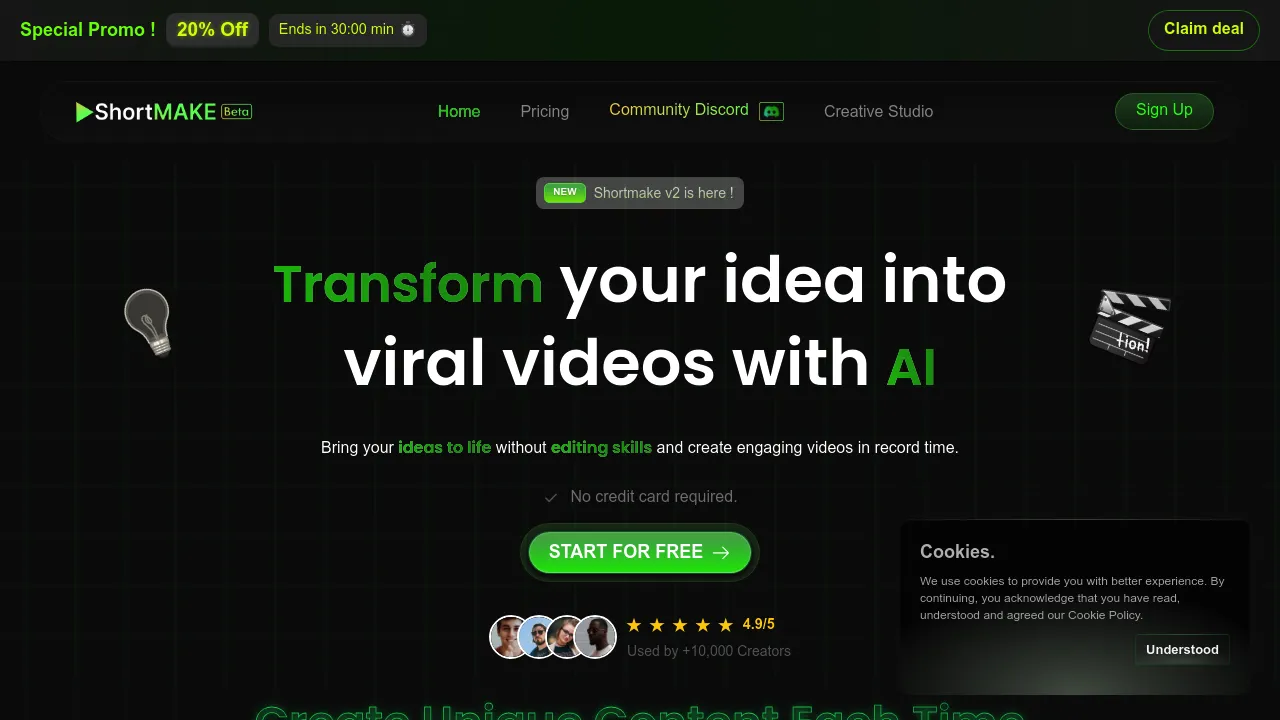
ShortMake: Revolutionizing Video Creation with AI
Introduction
Overview of ShortMake
ShortMake is an AI-powered video creation tool designed to transform your ideas into complete, engaging videos for social media platforms like TikTok, YouTube Shorts, Instagram Reels, and Snapchat. It automates the entire video production process, from scripting to editing, making it a valuable tool for content creators and social media managers.
Key Benefits and Use Cases
ShortMake offers several key benefits, including:
- AI-Powered Video Creation: Transform your ideas into high-quality videos quickly and efficiently.
- Automated Script Generation: Convert your initial thoughts into professional scripts tailored for short-form video content.
- Realistic AI Voiceovers: Choose from a range of AI-generated voices to narrate your videos with natural-sounding speech.
- High-Quality Image Generation: Enhance your videos with AI-generated, high-quality visuals that captivate your audience.
- Customizable Subtitle Styles: Select from 23 unique subtitle styles to make your message stand out and improve viewer engagement.
Who Uses ShortMake
ShortMake is used by various professionals, including:
- Marketing Managers
- Demand Generation Leads
- Social Media Managers
- Video Editors
- Advertising Managers
- Campaign Managers
- Content Strategists
- Content Creators
- Digital Marketers
What Makes ShortMake Unique
ShortMake sets itself apart with its AI-powered video creation system that turns a single idea into platform-specific content for multiple social media channels. This multi-platform approach proves invaluable for maintaining a consistent brand message across different platforms.
Core Features
Essential Functions Overview
ShortMake offers the following essential functions:
- AI-Powered Video Creation: Automatically converts ideas into complete videos.
- Automated Script Generation: Generates professional scripts based on your idea.
- Realistic AI Voiceovers: Provides four different AI-generated voices for narration.
- High-Quality Image Generation: Selects or generates high-quality visuals.
- Customizable Subtitle Styles: Offers 23 unique subtitle styles for customization.
Common Settings Explained
- AI Script Generation: Input your video concept, and the AI will generate a script optimized for short-form videos.
- Voice-over Selection: Choose from four AI voice options (two hyper-realistic and two standard quality) for narration.
- Visual Content Selection: Allow the AI to select images or video illustrations or customize by selecting your own visuals.
- Subtitle Customization: Select from 23 different subtitle styles to add to your video and customize their appearance.
- Final Customization: Personalize the voiceover, choose background music, edit the AI-generated script, and select illustrations for the final video montage.
Tips & Troubleshooting
Tips for Best Results
- Clearly Define Your Idea: The clearer your idea, the better the AI can generate content.
- Use High-Quality Images: Ensure the images you use are high-resolution to maintain video quality.
- Customize Subtitles: Tailor subtitles to your audience for better engagement.
- Experiment with Voices: Try different voice options to find the best fit for your video.
Troubleshooting Basics
- Check AI Suggestions: If the generated content doesn’t meet your expectations, adjust your idea or settings.
- Review Script and Voiceover: Ensure the script and voiceover align with your vision.
- Adjust Visuals: If the visuals don’t match your script, customize them accordingly.
Best Practices
Common Mistakes to Avoid
- Lack of Clear Idea: Fuzzy ideas can lead to subpar content. Clarify your concept before starting.
- Insufficient Customization: Don’t rely solely on AI suggestions; customize as much as possible.
- Poor Image Quality: Use high-quality images to maintain video quality.
Performance Optimization
- Optimize Script Length: Keep scripts concise for better engagement.
- Use Relevant Background Music: Choose music that complements your video’s theme.
- Edit AI-Generated Content: Review and edit the generated content to ensure it meets your standards.
Pros and Cons
Pros
- Fast Video Production: Creates complete videos in under 8 minutes.
- Versatile Content Suitability: Suitable for various video formats and popular social platforms.
- User-Friendly Interface: Easy to use, regardless of technical expertise.
- Professional-Quality Outputs: Ensures polished visuals and high-grade sound elements.
Cons
- Limited Voice Options: Currently provides a limited number of voice options.
- Dependent on AI Suggestions: Relies heavily on AI-generated suggestions, which may limit creative input.
- Customization Still in Beta: Customization options are still in development, limiting full customization potential.
- Platform Focus Limitations: Primarily targets short-form content, which might not suit users seeking long-form video solutions.
Summary
ShortMake is an innovative AI-powered video creation tool that simplifies the video production process. It offers a range of features, including AI-driven video creation, realistic voice synthesis, high-quality visual output, and customizable content. While it excels in creating short-form content for platforms like TikTok and YouTube Shorts, it has limitations in voice options and customization. With its user-friendly interface and professional-quality outputs, ShortMake is a valuable tool for content creators and social media managers looking to produce engaging short-form videos quickly and efficiently.
Pricing Plans
ShortMake operates on a credit-based system with the following plans:
- 1000 Credits /month (~10 videos): Includes text-to-video, TikTok format 9:15, +1000 Stock Images (soon), normal voices over, +4 Realistic voices over, removed watermark, HD Videos quality, generate illustration with AI, and +1000 Stock Videos (soon).
- 2000 Credits /month (~20 videos): Includes text-to-video, TikTok format 9:15, +1000 Stock Images (soon), normal voices over, +10 Realistic voices over, removed watermark, HD Videos quality, generate illustration with AI, and +1000 Stock Videos (soon).
- 5000 Credits /month: Includes text-to-video, TikTok format 9:15, +1000 Stock Images (soon), normal voices over, +20 Realistic voices over, removed watermark, HD Videos quality, generate illustration with AI, and +1000 Stock Videos (soon).
Disclaimer: Pricing plans are subject to change. For the most up-to-date pricing information, please visit ShortMake Pricing Plan.
Reviews
No reviews yetSimilar tools in category
AutoCut
Effortlessly remove unwanted elements from your photos for a cleaner, more professional look.
Clipchamp
Create videos with royalty-free music and stock footage, use a pre-made video template, and export in up to 4K video resolution. Get started in-browser, download the Windows app, or create on the go with iOS app.

Cognitivemill
An AI-driven platform that automates the analysis of vast amounts of data to generate actionable insights.