
UniFab Video Enhancer
Enhance the quality of your videos with advanced AI-driven technology for improved clarity and detail.
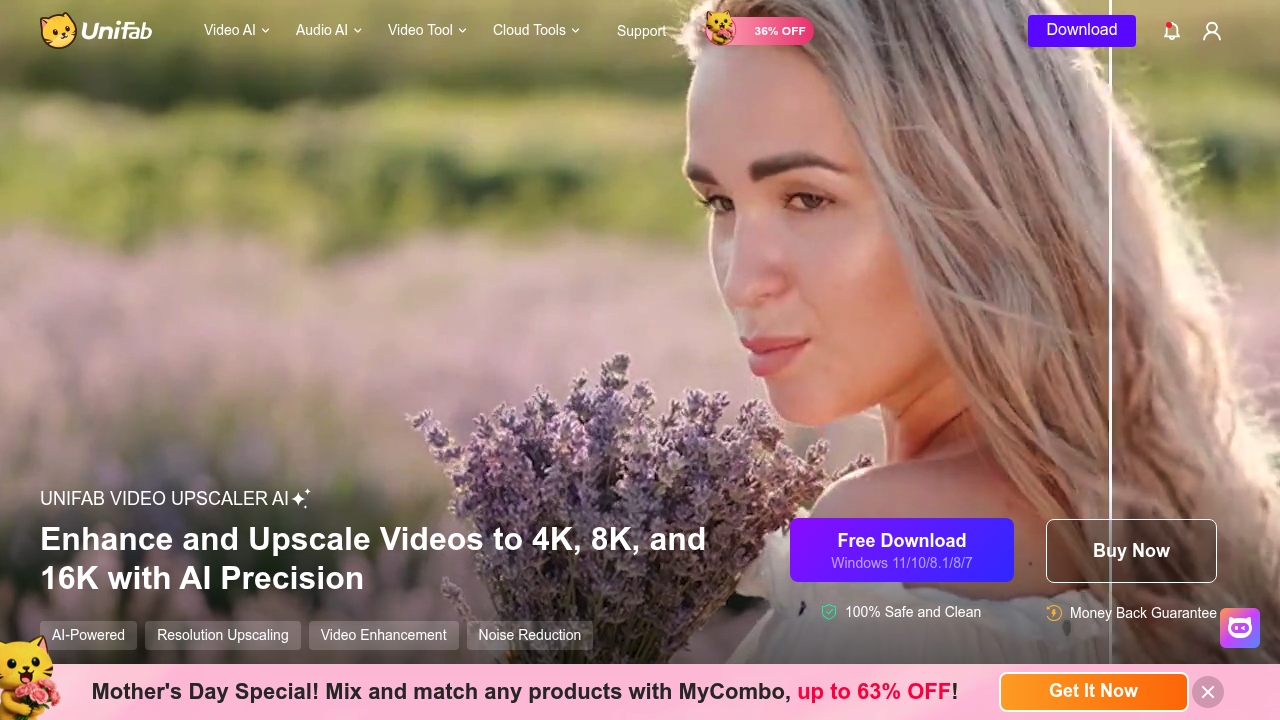
UniFab Video Enhancer: Elevate Your Video Quality with AI
Introduction
Overview of UniFab Video Enhancer
UniFab Video Enhancer is a comprehensive AI-powered video enhancement suite designed to upscale and refine video content to next-level quality. It offers 9-in-1 tools for advanced video processing, including upscaling to 8K resolution, SDR to HDR/Dolby Vision conversion, noise reduction, and audio enhancement to DTS 7.1 surround sound.
Key Benefits and Use Cases
- Video Upscaling: Upscales videos from low resolution to 720p, 1080p, 4K, or 8K while maintaining quality and enhancing details.
- HDR Conversion: Converts SDR content to HDR10 or Dolby Vision with enhanced color accuracy, brightness, and contrast.
- Audio Enhancement: Upmixes standard audio to EAC3 5.1 or DTS 7.1 surround sound while maintaining audio quality through passthrough.
- Film Restoration: Restores and enhances old or low-quality films, including black and white movies, to modern high-definition standards.
- Content Creation: Helps content creators enhance and upscale their video content for professional-grade output on various platforms.
- Home Video Improvement: Enhances personal recordings and home videos to higher quality for better preservation and viewing experience.
Who Uses
- Content Creators: Professionals and enthusiasts looking to enhance their video content for platforms like YouTube, Vimeo, and social media.
- Film Enthusiasts: Individuals interested in restoring and enhancing old films for personal viewing or sharing.
- Home Users: People who want to improve the quality of their personal recordings and home videos.
What Makes UniFab Video Enhancer Unique
- AI-Powered Technology: Utilizes deep learning algorithms for advanced video processing.
- GPU Acceleration: Leverages NVIDIA CUDA, AMD, and Intel Quick Sync technologies to process videos up to 50 times faster.
- Comprehensive Features: Includes both universal and animation-specific enhancement models, making it suitable for various types of video content.
Core Features
Essential Functions Overview
- AI Video Upscaling: Upscales video resolution to 720p, 1080p, 4K, or 8K.
- HDR Conversion: Converts SDR content to HDR10 or Dolby Vision.
- Noise Reduction: Enhances video clarity by reducing noise.
- Audio Enhancement: Upmixes standard audio to EAC3 5.1 or DTS 7.1 surround sound.
- Format Conversion: Supports over 1,000 video formats.
Common Settings Explained
- Resolution Settings: Users can choose from various resolutions including 720p, 1080p, 4K, and 8K.
- HDR Settings: Users can select between HDR10 and Dolby Vision for enhanced color accuracy and brightness.
- Audio Settings: Users can choose between EAC3 5.1 and DTS 7.1 surround sound for better audio quality.
Tips & Troubleshooting
Tips for Best Results
- Choose the Right Model: Select the appropriate enhancement model based on the type of video content you are working with (universal or animation-specific).
- Use GPU Acceleration: Enable GPU acceleration for faster processing times.
- Adjust Settings Gradually: Start with default settings and adjust as needed to achieve the best results.
Troubleshooting Basics
- Check System Requirements: Ensure your system meets the minimum requirements for running UniFab Video Enhancer.
- Update Software: Regularly update the software to ensure you have the latest features and bug fixes.
- Optimize Settings: If processing time is lengthy, try optimizing settings or reducing the resolution temporarily.
Best Practices
Common Mistakes to Avoid
- Insufficient System Resources: Avoid running the software on underpowered systems, as it may lead to slow processing times.
- Incorrect Settings: Avoid over-adjusting settings, as it can lead to poor quality output.
- Inadequate Storage: Ensure you have sufficient storage space for large video files.
Performance Optimization
- Use High-Quality Hardware: Invest in high-quality hardware with strong GPU capabilities.
- Close Other Applications: Close other resource-intensive applications while using UniFab Video Enhancer.
- Regular Maintenance: Regularly clean up temporary files and update the software to maintain optimal performance.
Pros and Cons
Pros
- Comprehensive All-in-One Solution: Offers a wide range of features in one package.
- Powerful GPU Acceleration: Leverages GPU acceleration for faster processing times.
- User-Friendly Interface: Suitable for both beginners and professionals with an intuitive interface.
- Supports Wide Range of Formats: Supports over 1,000 video formats.
Cons
- Processing Time Can Be Lengthy: Processing longer videos may take significant time.
- Requires Significant Computing Power: Optimal performance requires high-performance computing hardware.
- Higher Price Point: Compared to basic video editors, UniFab Video Enhancer has a higher price point.
Summary
UniFab Video Enhancer is a powerful AI-powered tool designed to enhance and upscale video content. With its comprehensive features, user-friendly interface, and powerful GPU acceleration, it is ideal for content creators, film enthusiasts, and home users. While it offers many benefits, it also requires significant computing power and may have a higher price point compared to basic video editors. Always check the official pricing plan for the most up-to-date information, as prices may change.
Pricing Plans
- Free Trial: Experience UniFab Video Enhancer with a 30-day free trial.
- Lifetime License: Purchase once for lifetime access to all features and updates.
- Pricing Details: For the most current pricing plans, please visit the official pricing page.
Disclaimer: Pricing may be subject to change. Always check the official website for the most current pricing information.
Reviews
No reviews yetSimilar tools in category
AutoCut
Effortlessly remove unwanted elements from your photos for a cleaner, more professional look.
Clipchamp
Create videos with royalty-free music and stock footage, use a pre-made video template, and export in up to 4K video resolution. Get started in-browser, download the Windows app, or create on the go with iOS app.
Cognitivemill
An AI-driven platform that automates the analysis of vast amounts of data to generate actionable insights.