
LiveReacting AI
An interactive platform for creating engaging live-streaming experiences.
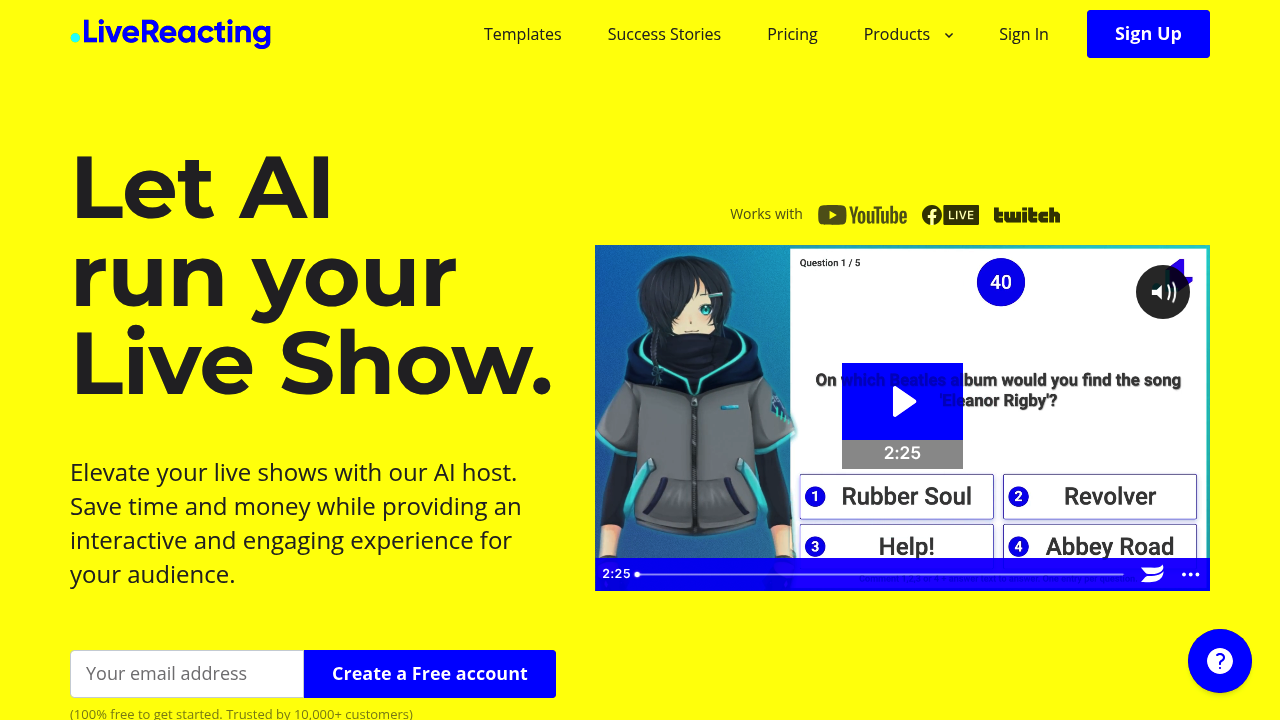
LiveReacting AI: Revolutionizing Live Streaming Experiences
Introduction
Overview of LiveReacting AI
LiveReacting AI is an advanced AI-powered live streaming platform designed to enhance live shows with interactive and engaging features. It uses artificial intelligence to understand the context of your live show and act accordingly, making it ideal for various live streaming scenarios.
Key Benefits and Use Cases
LiveReacting AI offers a range of benefits and use cases, including:
- Interactive Engagement: The AI host introduces quizzes, reads questions, talks about topics, and announces winners, all in real-time.
- Ease of Use: No need to worry about being on camera; the AI host autonomously makes your live show engaging and fun.
- Versatility: Suitable for educational institutions, influencers, and small businesses looking to host interactive quizzes.
Who Uses LiveReacting AI
LiveReacting AI is beneficial for:
- Startups
- Freelancers
- Small Businesses
- Medium Businesses
- Large Enterprises
- Non-profit Organizations
- Personal Use
What Makes LiveReacting AI Unique
What sets LiveReacting AI apart:
- AI Technology: The AI host understands the context of your live show in seconds and acts accordingly.
- Customization: Users can design a custom avatar that aligns with their brand or serves as a virtual stand-in.
- Multilanguage Support: The AI host can speak in multiple languages, including English, Spanish, French, Ukrainian, and more.
- 24/7 Live Channel: The service is open 24/7, and users can multistream up to 20 destinations.
Core Features
Essential Functions Overview
Key features of LiveReacting AI include:
- AI Host: The AI host understands the context of your live show and interacts with players in real-time.
- Real-Time Interaction: The AI host can shout out players who answered correctly and interact with players in real-time.
- Customization: Users can personalize the AI host with different avatars and languages.
- Multistreaming: The platform enables streaming to up to 20 different destinations simultaneously.
- Interactive Polls and Votes: Engage your audience with live polls and voting, making the stream interactive and increasing viewer participation and retention.
Common Settings Explained
Common settings on LiveReacting AI include:
- Streaming Quality: Users can choose between 720p and 1080p streaming depending on their plan.
- Templates: The platform provides templates that support 24/7 live channels and continuous video looping.
- Camera Integration: Users can add their camera feed into live streams for a more dynamic and personal interaction with the audience.
Tips & Troubleshooting
Tips for Best Results
To get the best results from LiveReacting AI:
- Plan Ahead: Schedule your live streams in advance to ensure consistent content delivery.
- Test Your Setup: Conduct a test run before the actual live show to ensure everything is working smoothly.
- Use Real-Time Analytics: Monitor viewer engagement and performance metrics in real-time to make immediate adjustments.
Troubleshooting Basics
Common issues and their solutions:
- Technical Glitches: If you encounter software glitches, check the platform's knowledge base or contact live chat support for assistance.
- Data Privacy Concerns: Ensure that you have stringent data protection measures in place when using interactive features.
Best Practices
Common Mistakes to Avoid
Mistakes to avoid when using LiveReacting AI:
- Overreliance on Technology: While AI hosts are powerful, they cannot fully replicate the nuanced responses and empathy of a human host.
- Complex Setup Process: Setting up the AI-driven interaction and customizable avatars may require a steep learning curve for users unfamiliar with advanced technology.
Performance Optimization
Optimizing performance:
- Resource Intensive: Running continuous live streams and multistreaming to multiple destinations can demand significant computational resources and bandwidth. Ensure your system can handle these demands.
- Regular Updates: Keep your software up-to-date to avoid compatibility issues and ensure smooth operation.
Pros and Cons
Pros
Pros of using LiveReacting AI:
- Interactive Engagement: The AI host enhances viewer participation and satisfaction.
- Customization Options: Users can personalize the AI host with different avatars and languages.
- Multistreaming Capabilities: Stream to up to 20 different destinations simultaneously.
- Comprehensive Support Options: Live chat support and a robust knowledge base are available to assist users.
Cons
Cons of using LiveReacting AI:
- Complex Setup Process: Setting up the AI-driven interaction and customizable avatars may require a steep learning curve.
- Dependence on Technology: Heavy reliance on AI and continuous streaming technology might lead to challenges if there are software glitches or updates needed.
- Limited Human Touch: While AI hosts can enhance interaction, they cannot fully replicate the nuanced responses and empathy of a human host.
- Resource Intensive: Running continuous live streams and multistreaming to multiple destinations can demand significant computational resources and bandwidth.
Summary
LiveReacting AI is a powerful tool for hosting live shows, offering a range of interactive and engaging features. Its AI host understands the context of your live show in seconds, making it ideal for educational institutions, influencers, and small businesses. With customizable avatars, multilanguage support, and 24/7 live channel capabilities, LiveReacting AI provides a comprehensive solution for live streaming needs. However, it requires careful setup and optimization to ensure smooth operation.
Pricing Plans
LiveReacting AI offers several pricing plans:
- Small Plan: $19.99 per month (6 credits, 720p streaming, templates)
- Medium Plan: $39.99 per month (15 credits, 1080p streaming, AI Host)
- Large Plan: $99.99 per month (50 credits, more storage)
- Enterprise Plan: $249.99 per month (custom pricing for larger-scale publishing)
- 24/7 Streaming Plan: $349.99 per month (ideal for continuous streaming)
- Free Plan: Limited features, pay-as-you-go option ($3.99 per credit)
Disclaimer: Pricing may be subject to change. For the most accurate and up-to-date information, please visit the official pricing page: LiveReacting Pricing.
Reviews
No reviews yetSimilar tools in category
2short.ai
Generate concise and engaging summaries for any text.
AI Studios
Generate high-quality videos and images tailored to your needs.
Argil
A platform that simplifies and enhances the process of creating engaging presentations.