
Pollo AI
All-in-one AI video & image creation platform with access to multiple AI models (Kling, Wan, MiniMax). Free plan + paid from $10/mo.
Introduction
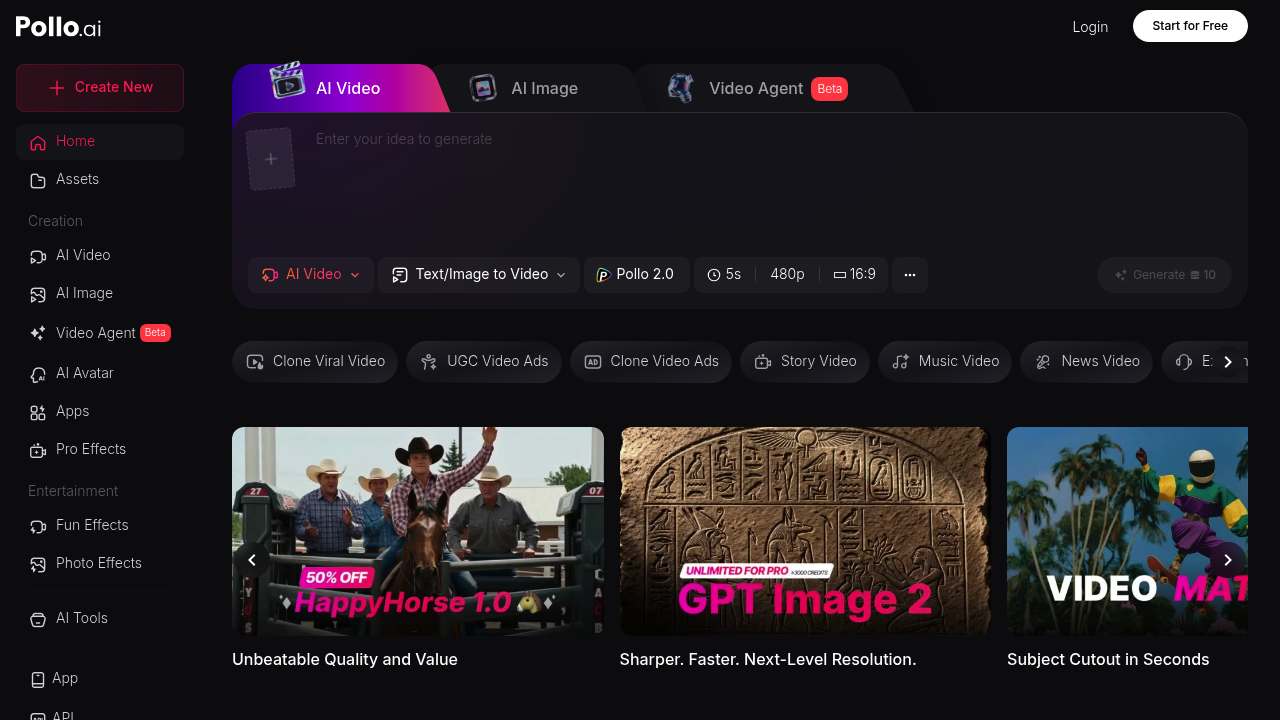
Pollo AI is an all-in-one AI video and image creation platform that aggregates multiple state-of-the-art AI generation models under a single interface. With Pollo AI, you can access models like Kling, Wan, MiniMax, and others without switching between tools. It caters to content creators, social media managers, and digital artists looking for fast, multi-model AI generation. A free plan is available, with paid tiers starting from $10/mo for higher generation limits.
Getting Started
Visit pollo.ai and sign up with your email or Google account. The dashboard presents a clean model selector where you can choose between different AI video and image models. No technical setup is required — everything runs in the browser. Free plan users can try all models with limited monthly credits; paid plans unlock higher monthly limits and priority generation.
Core Features
- Multi-Model Access: Access multiple AI video generators (Kling, Wan, MiniMax, and more) from one dashboard — no need to maintain separate accounts.
- Text-to-Video: Generate videos from text prompts using your choice of AI model, comparing outputs across different engines.
- Image-to-Video: Animate static images into video using any of the supported AI models for different motion styles.
- AI Image Generation: Beyond video, Pollo supports image generation with models like Flux and Stable Diffusion variants.
- Credit System: A unified credit system lets you spend credits across any model — maximum flexibility for mixed workloads.
First Project Tutorial
- Go to pollo.ai and create an account.
- On the dashboard, select Video Generation and choose a model (e.g., Kling 1.6).
- Enter a prompt — e.g., "Time-lapse of clouds rolling over mountain peaks, golden hour".
- Adjust aspect ratio and duration settings.
- Click Generate — your video will render and appear in your library.
- Switch to a different model and compare the same prompt for different visual styles.
Best Practices
- Use Pollo's model comparison feature to find the best model for each specific creative style.
- Different models excel at different types of content — Wan for realistic motion, Kling for cinematic style.
- Combine image generation with image-to-video for a controlled visual pipeline.
- Monitor credit consumption — video generation uses more credits than image generation.
Pros and Cons
Pros: Multi-model access from one platform, affordable entry pricing, image and video in one tool, no need for multiple accounts.
Cons: Free credits deplete quickly across multiple models, output quality is dependent on the underlying AI model chosen.
What Users Are Saying
Pollo AI is regularly discussed on r/AIVideoCreation and r/artificial, where creators appreciate having multiple AI models accessible without switching platforms. Ready to compare AI models in one place? Try Pollo AI free.
Reviews
No reviews yetSimilar tools in category
2short.ai
Generate concise and engaging summaries for any text.
AI Studios
Generate high-quality videos and images tailored to your needs.
Argil
A platform that simplifies and enhances the process of creating engaging presentations.