Prism Videos
Prism Videos is a browser-based AI video generator that combines multiple leading models, lip sync, templates, and timeline editing in one workspace for short-form creators and marketing teams.
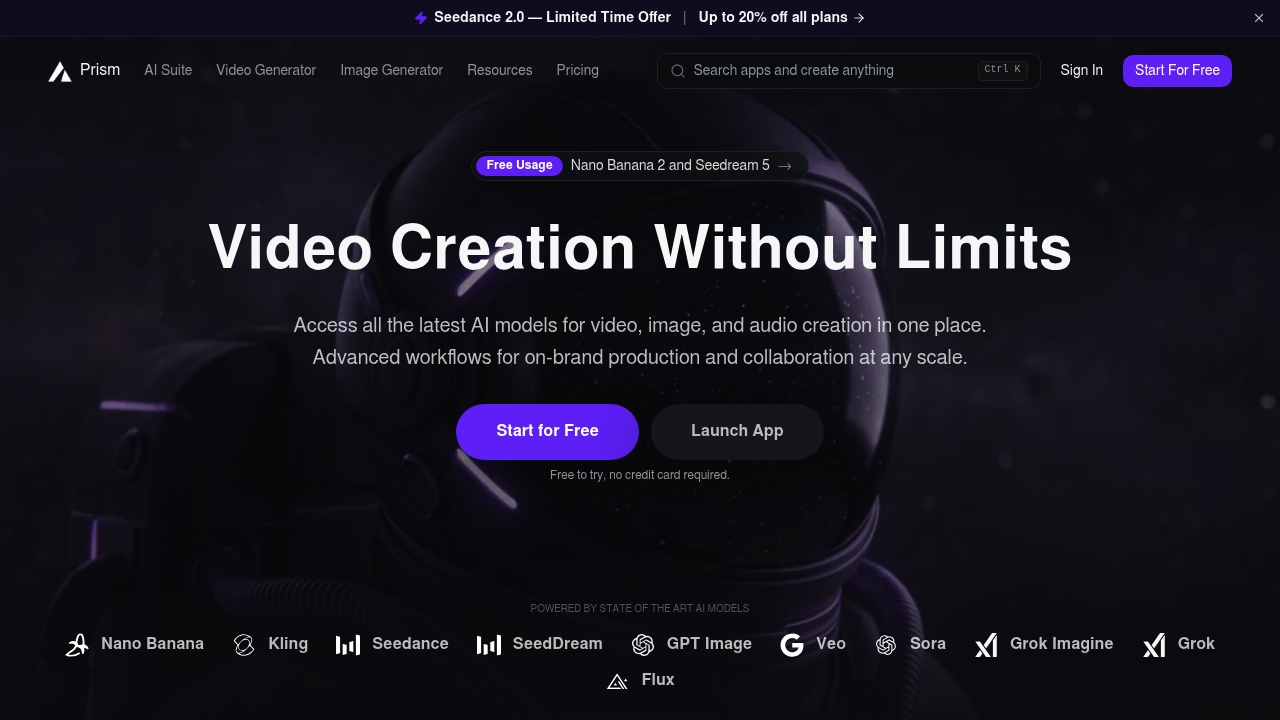
Prism Videos: AI Video Generator for Short-Form Creative Workflows (2026)
Prism Videos is a browser-based AI video generator by Prism Technologies that lets you switch between leading models, then refine everything with templates, lip sync, and timeline-based editing in the same workspace.
It is strongest for short-form teams that want one place to generate assets, compare outputs from Veo, Kling, Sora, and related models, and publish ad, UGC, or social clips without moving files through several tools.
It is a weaker fit if you need fixed long-form video specs, highly transparent export documentation, or a full traditional non-linear editor with the kind of track-level control you would expect from Premiere or Resolve.
Prism Videos: Key Specs at a Glance
| Feature | Prism Videos |
|---|---|
| Primary use case | Generate short-form AI video clips and assemble them into social-ready campaigns inside one browser workspace. |
| Best for | Creators and marketers who want multi-model generation plus lightweight editing in one place. |
| Access type | Browser-based web app with an API link in the main navigation. |
| Input types | Text prompts, images, and reference clips. |
| Output formats | Not publicly documented. |
| Output resolution | Varies by model; official pricing examples range from 360p to 720p before upscaling. |
| Max video duration | Per-generation clips shown on the pricing page are 2 to 5 seconds, while longer edited projects are not publicly documented. |
| Generation speed | Not publicly documented beyond Prism saying creators can produce videos in minutes, not hours. |
| Watermark (free tier) | Not publicly documented on the live pricing page. |
| Language support | Not publicly documented. |
| API availability | Yes. Prism links to public API docs from the main site navigation. |
| Integrations | Google Veo, Kling, Sora, Flux, Hailuo, Seedance, GPT Image, lip sync, upscaling, and related apps inside the Prism workspace. |
| Collaboration | Official site promises on-brand production and collaboration at any scale, but feature-level collaboration details are not publicly documented. |
| Pricing model | Freemium, credit-based subscription with custom enterprise sales. |
| Free plan | Yes. Free tier with 10 monthly credits and limited generations per day. |
| Paid plans | Starter $7.20/mo annually, Pro $23.20/mo annually, Scale $79.20/mo annually, plus custom enterprise support. |
What Prism Videos Does Well
Multi-model generation without tool-hopping
Model breadth is the clearest Prism advantage. The official site and pricing page show access to Veo, Kling, Sora, Seedance, Flux, GPT Image, and more, which lets a creative team test different motion styles before committing to one look.
One workflow for generation and polish
Unified editing matters here. Prism explicitly bundles lip sync, templates, timeline-based creation, background swaps, face swaps, upscaling, and asset refinement so teams can keep iteration inside one browser workspace.
Commercial-friendly output for client work
Commercial use is clearly stated in Prism's FAQ. That makes it easier for agencies and in-house teams to use generated assets for ads, social campaigns, and client deliverables without guessing whether business use is allowed.
Known Limitations
- Credit burn on premium models: High-end models consume credits quickly. Official examples show Veo 3.1 at 84 credits for 4 seconds and Sora 2 Pro at 126 credits for 4 seconds, so heavy experimentation gets expensive fast.
- Clip length starts small: The pricing page exposes per-generation clips that are often 2 to 5 seconds long, which means longer videos usually depend on stitching together multiple generations and edits.
- Export details are thin: Prism is transparent about model-level credit costs, but it does not publish a clean public matrix for export formats, watermark policy, or fixed resolution ceilings across the entire product.
- Best when you already know your workflow: Prism offers many apps, models, and knobs. That flexibility is useful for power users, but newer creators may still prefer a narrower product with one opinionated workflow.
Best For: Who Should Use Prism Videos?
- Short-form creators making TikTok, Reels, Shorts, or UGC-style ads from prompts, images, and reference clips.
- Marketing teams that need on-brand variants, product visuals, and resized cutdowns across multiple channels.
- Agencies that want to compare several leading video models before deciding which style best fits a campaign.
- Teams that want commercial-use coverage and browser-based workflows instead of desktop rendering pipelines.
Who Should Look Elsewhere
- Choose a more traditional editor if your team already cuts long-form footage in a timeline-first NLE every day.
- Choose a simpler single-model generator if you want fewer pricing variables and more predictable creative defaults.
- Choose a tool with public output-spec documentation if exact codec, export, or delivery requirements are a procurement blocker.
Pricing & Cost at Scale
Plan Overview
- Free: 10 credits per month, basic video and image models, limited generations per day, upscale models, and story mode access.
- Starter: 900 credits per month at $7.20/month billed annually, access to all video and image models, unlimited generations per day, and top-ups via upgrade path.
- Pro: 2,900 credits per month at $23.20/month billed annually, plus direct credit top-ups and better value for multi-model experimentation.
- Scale: 12,000 credits per month at $79.20/month billed annually, aimed at teams that generate high volumes of creative every month.
- Enterprise: Custom pricing for white-glove ad production, dedicated support, and larger-team needs.
Cost at Scale
For a solo creator, Prism is easiest to justify when you need repeated short-form experiments and can live inside the included models instead of overusing expensive premium generations. The Free plan is enough for evaluation, while Starter is the first real working tier.
For a marketing team or agency, Pro is the practical floor because the official FAQ only allows direct credit top-ups on Pro and Scale. That matters when a campaign burns credits unpredictably across Veo, Kling, and Sora tests.
Prices are subject to change. Check the official pricing page for current details.
Technical Details & Integrations
- AI stack: Prism publicly names Veo, Kling, Sora, Hailuo, Flux, Seedance, GPT Image, lip sync, and upscaling apps inside the product.
- API: Yes. Public API docs are linked from the main navigation, though pricing-page API throughput details are not publicly documented.
- Integrations: Model integrations are the main story here rather than external SaaS integrations. Prism is built around bringing multiple AI media tools into one interface.
- Workflow fit: Best as a browser-based creative studio for short-form generation, comparison, and post-generation polish.
Getting Started
- Create a free account and start with a small prompt, image, or reference clip instead of a full campaign brief.
- Generate the same scene in two or three models so you can compare motion style before spending a large block of credits.
- Use templates, lip sync, or timeline tools to turn the best clip into a social-ready asset rather than restarting from scratch.
- Upgrade only after you know which models you rely on most, because credit economics change a lot by model.
Pro tip: Treat Prism like a model-comparison studio first and a publishing tool second. Testing several low-cost clips before moving into Veo or Sora tiers usually keeps costs under control.
What Users Are Saying
Community links: not found.
We looked for relevant public discussion about this tool on Reddit first, then checked G2, Capterra, Trustpilot, and Product Hunt. At the time of this review, we did not find any links that both matched the allowed source policy and passed the required URL validation step.
That means this section is intentionally limited rather than padded with third-party directory or review-farm pages. If you have hands-on experience with this tool, use the review section below to help future visitors.
FAQ
Is Prism Videos free?
Yes. Prism offers a real free tier with 10 monthly credits, but meaningful production work usually starts once you move to a paid credit plan.
Does Prism Videos add a watermark on the free plan?
Not publicly documented. Prism's live pricing page does not publish a clear watermark policy, so teams that need certainty should test the free tier before client work.
What video formats does Prism Videos export?
Not publicly documented. Prism explains models, credits, and workflows far better than final export format details on its public site.
How long does it take to generate a video?
Not publicly documented as a benchmark. Prism markets the workflow as minutes rather than hours, but generation time still depends on the selected model and clip setup.
Can I use generated videos commercially?
Yes. Prism's FAQ says content created in the platform can be used commercially for marketing, social media, and client projects.
Does Prism Videos have an API?
Yes. Prism links to public API documentation from the main website navigation.
Is Prism Videos good for long-form YouTube production?
Usually not as a primary editor. Prism is more convincing for short-form, multi-model ideation than for deep long-form editorial finishing.
Sources
Reviews
No reviews yetSimilar tools in category
2short.ai
Generate concise and engaging summaries for any text.
AI Studios
Generate high-quality videos and images tailored to your needs.
Argil
A platform that simplifies and enhances the process of creating engaging presentations.