
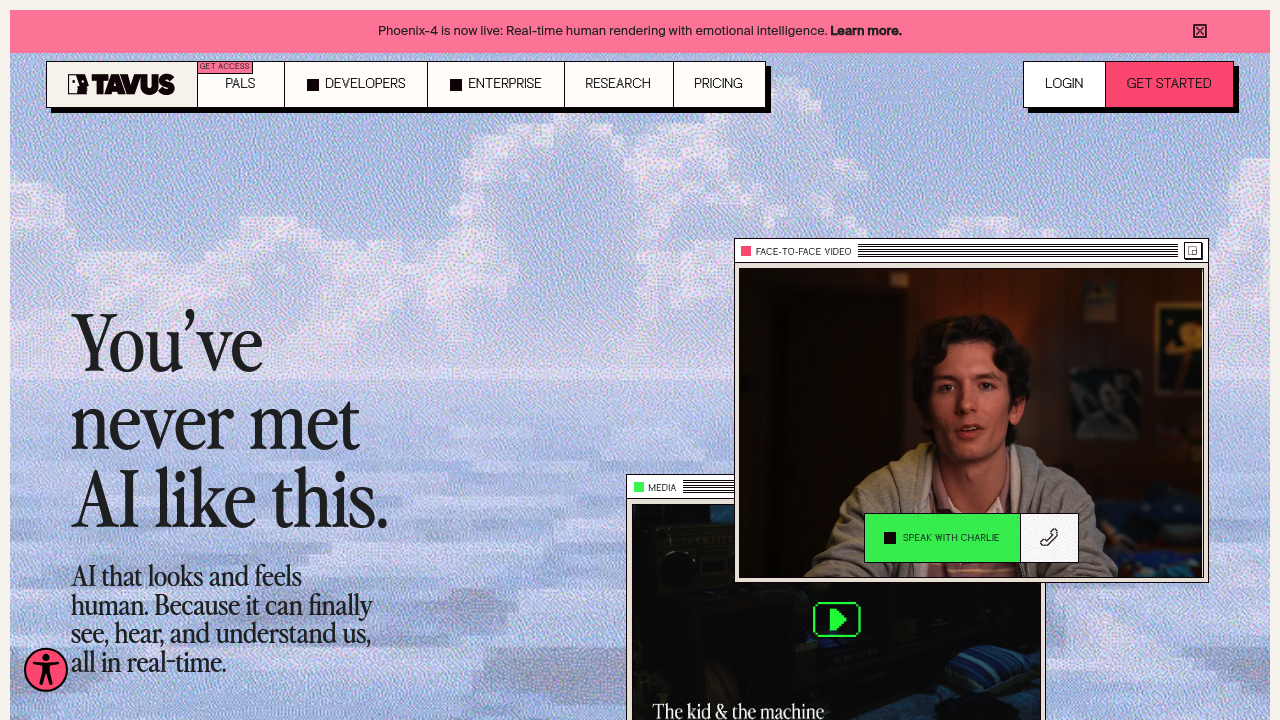
Tavus: The AI-Powered Video Generation Tool for Personalized Communication
Introduction
Overview of Tavus
Tavus is an AI-powered video generation tool designed to create personalized digital replicas for various marketing and sales applications. It allows marketers and sales teams to produce customized videos in multiple languages, saving time while maintaining natural facial expressions and movements.
Key Benefits and Use Cases
Tavus offers several key benefits, including:
- Personalized Video Creation: Generate highly realistic videos from scripts using AI digital twins for scaled content creation.
- Conversational Video Interface: Enable real-time conversations with AI digital twins that can speak, see, and hear.
- Multilingual Support: Generate videos in over 30 languages using the same digital replica.
- Developer API: Integrate AI video generation capabilities into applications with a flexible API.
Who Uses Tavus
Tavus is used by a variety of professionals, including:
- Marketing Managers
- Sales Development Representatives (SDRs)
- Social Media Managers
- eCommerce Managers
- Account Executives
- Content Creators
- Customer Service Representatives
- Talent Acquisition Leads
- Business Development Representatives
- Video Producers
- YouTubers
- Real Estate Agents
- Digital Marketers
- Sales Managers.
What Makes Tavus Unique
Tavus distinguishes itself with its AI-driven conversational video interface, allowing sales teams to create interactive digital representatives for real-time customer engagement. This technology proves particularly valuable for businesses aiming to provide personalized product demos or conduct virtual consultations without increasing staff.
Core Features
Essential Functions Overview
Tavus offers several essential functions:
- Video Generation: Generate realistic videos from scripts using AI digital twins.
- Conversational Video Interface: Enable real-time conversations with AI digital twins.
- Phoenix Model: Create hyper-realistic digital replicas from short video clips using advanced AI techniques.
- Multilingual Support: Generate videos in over 30 languages using the same digital replica.
- Developer API: Integrate AI video generation capabilities into applications with a flexible API.
Common Settings Explained
- Video Generation: This feature allows you to create realistic videos from scripts.
- Conversational Video Interface: This feature enables real-time conversations with AI digital twins.
- Phoenix Model: This model creates hyper-realistic digital replicas from short video clips.
- Multilingual Support: This feature allows you to generate videos in over 30 languages.
- Developer API: This API enables seamless integration of AI video generation capabilities into applications.
Tips & Troubleshooting
Tips for Best Results
- Data Input: Ensure that you have sufficient data input for the best results.
- API Integration: Use the flexible API for seamless integration into your applications.
- Multilingual Support: Utilize the multilingual support feature to reach a broader audience.
- Real-Time Conversations: Leverage the conversational video interface for real-time customer engagement.
Troubleshooting Basics
- Technical Issues: If you encounter technical issues, check the API documentation for troubleshooting tips.
- Data Quality: Ensure that your data is of high quality to avoid any discrepancies in the generated videos.
- Integration Problems: If you face integration problems, refer to the developer API documentation for solutions.
Best Practices
Common Mistakes to Avoid
- Insufficient Data: Avoid using insufficient data, as it may lead to poor video quality.
- Poor API Integration: Ensure that the API is integrated correctly to avoid any technical issues.
- Language Limitations: Be aware of the language limitations and use the multilingual support feature accordingly.
Performance Optimization
- Optimize Data Input: Optimize your data input to ensure the best possible results.
- Regular Updates: Regularly update your software to ensure you have the latest features and bug fixes.
- Training the Algorithm: Train the algorithm on real customer buying behaviors and competitive intelligence to improve performance.
Pros and Cons
Pros
- Highly Realistic Digital Twins: Tavus creates highly realistic digital twin video experiences.
- Easy-to-Use APIs: The APIs are easy to use for seamless integration.
- Boosts Response Rates: It boosts response rates in email campaigns.
- Personalized Video Creation: Enables personalized video creation at scale.
- Multilingual Support: Supports over 30 languages.
Cons
- Limited User Reviews: There are limited user reviews available online.
- Potential Learning Curve: There may be a potential learning curve for new users.
- Significant Data Input: May require significant data input for best results.
- Pricing Information Not Readily Accessible: Pricing information is not readily accessible.
Summary
Tavus is an AI-powered video generation tool that offers a range of features and benefits for personalized communication. It is used by various professionals and stands out with its AI-driven conversational video interface. The tool provides essential functions like video generation, conversational video interface, and multilingual support. It also offers a flexible API for integration into applications. While it has several pros, including highly realistic digital twins and easy-to-use APIs, it also has some cons, such as limited user reviews and a potential learning curve.
Pricing Plans
Tavus offers the following pricing plans:
-
Free: $0/mo
- Access to Conversational Video & Video Generation
- 5 Stock Replicas
- 3 mins free credit (Video Generation)
- 3 mins free credit (Conversational Video)
- No Personal Replicas
- No overage.
-
Starter: $39/mo
- Pay as you go
- 3 free Personal Replicas
- 25 new Personal Replicas/mo maximum
- Up to 3 concurrent conversations
- Video Generation cost: $1.25/min
- Base conversational stream: $0.28/min
- Personal Replica generation cost: $75/replica.
-
Growth: $375/mo
- Discounted pay as you go
- 10 free Personal Replicas
- 100 new Personal Replicas/mo maximum
- Up to 15 concurrent conversations
- Conversation recording & transcripts
- Video Generation cost: $0.95/min
- Base conversational stream: $0.24/min
- Personal Replica generation cost: $60/replica.
-
Enterprise: Custom pricing available, including volume discounts, unlimited Personal Replicas/mo, custom concurrent conversations, white-labeled Replica consent clause, premium conversational replicas, enterprise compliance, and dedicated Slack support.
Disclaimer
Pricing might be changed, so please refer to the official pricing plan site for the most up-to-date information: Tavus Pricing.
Reviews
No reviews yetSimilar tools in category
2short.ai
Generate concise and engaging summaries for any text.
AI Studios
Generate high-quality videos and images tailored to your needs.
Argil
A platform that simplifies and enhances the process of creating engaging presentations.