Vyond
Vyond is an AI-powered animated video creation platform for business teams, offering text-to-video from documents, 1,100+ avatars, 80+ language translation, and brand management tools for corporate training and communications.
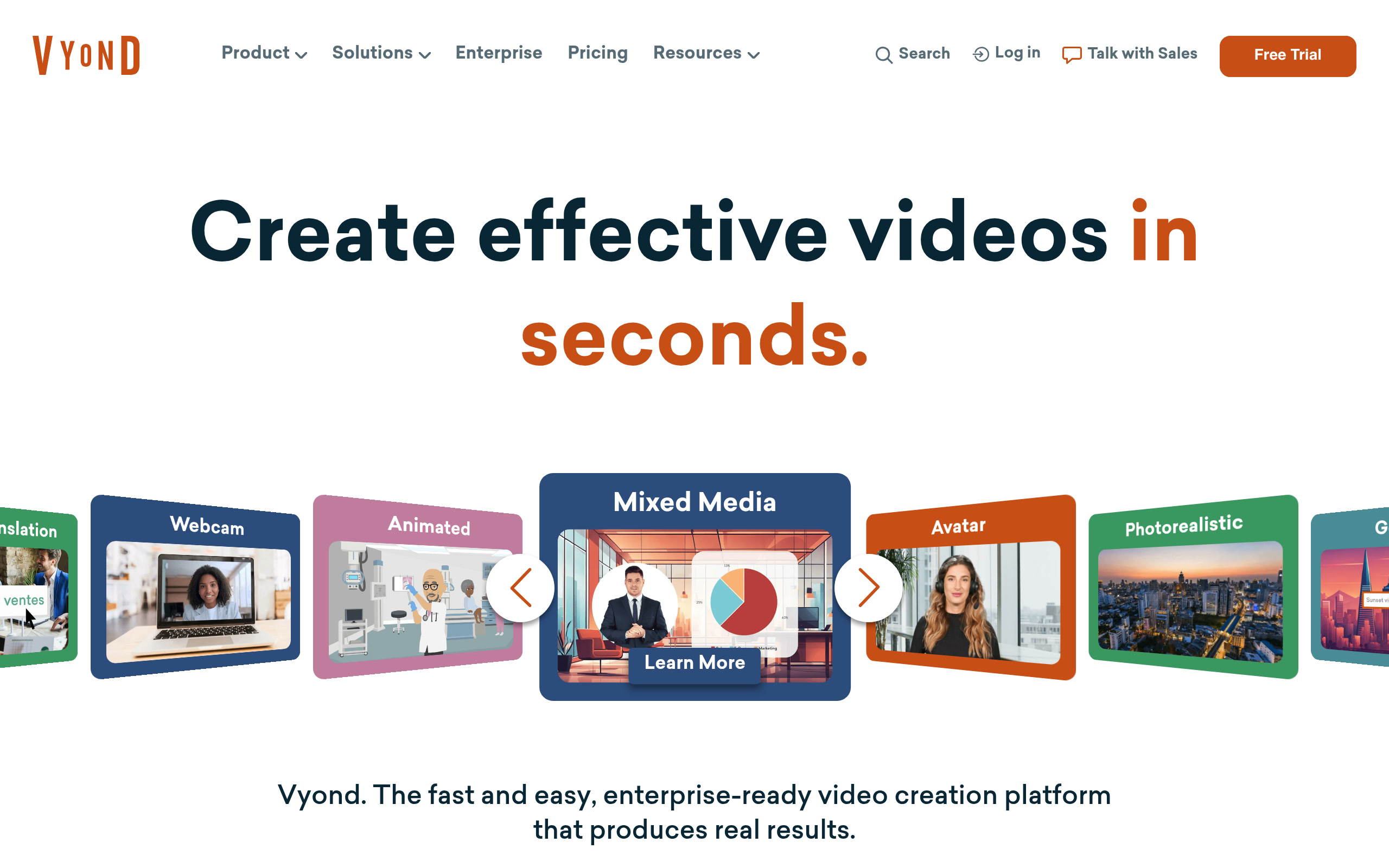
Vyond: AI-Powered Animated Video Creator for Business and Enterprise (2026)
Vyond is a browser-based animated video creation platform by GoAnimate Inc. designed for business teams to produce training, internal communications, and corporate marketing videos using customizable animated avatars and AI-powered text-to-video tools. It serves L&D teams, HR departments, marketing professionals, and corporate communicators who need on-brand animated video without video production expertise. Vyond is not suitable for users seeking photorealistic video generation or social media UGC content — it is purpose-built for business communication use cases.
Quick Fact Sheet
| Feature | Details |
|---|---|
| Primary use case | Animated business video creation (training, HR, marketing, internal comms) |
| Best for | L&D teams, HR departments, corporate marketers, instructional designers |
| Access type | Web app (browser-based) |
| Input types | Text prompts, documents (.doc, .pdf, .ppt, .txt), URLs, scripts |
| Output formats | MP4, GIF |
| Output resolution | Not publicly specified (web-based rendering) |
| Max video duration | 25 min (Business); 40 min (Professional); 90 min (Enterprise/Agency) |
| Generation speed | Near-instant for AI-assisted generation from text/document |
| Watermark (free tier) | No free tier; paid plans start at $58/month |
| Language support | 80+ languages for instant translation (Professional and above) |
| API availability | Not publicly documented for external integrations |
| Integrations | Shutterstock asset library (4M+ assets, Professional+); screen/webcam recording |
| Collaboration | Team collaboration tools on Professional+; Brand Management Suite on Agency |
| Pricing model | Paid only (no free plan) |
| Free plan | None |
| Paid plans | Business: $58/mo (annual) / $99/mo (monthly); Professional: $100/mo (annual) / $199/mo; Enterprise: $137/mo (annual only); Agency: $167/mo (annual only) |
What Vyond Does Well
AI Text-to-Video from Documents and URLs
Vyond Go — Vyond's AI video generation feature — can generate a full animated video from a text prompt, uploaded document (PDF, PPT, DOCX, TXT), or a URL. This means an L&D team can paste a policy document URL and receive a draft training video within minutes, dramatically compressing the initial production cycle.
1,100+ Customizable Avatars
Vyond provides over 1,100 unique high-quality avatar options that can be used in video scenes. Professional plans add generative avatars created from a text description. Avatars are designed to represent diverse business contexts and personas, making them practical for corporate training content that requires consistent character representation.
80+ Language Translation
Professional and above plans include instant translation of videos into 80+ languages — a critical feature for global enterprises that need to localize training content or internal communications without re-recording or manual subtitle work.
Brand Management Suite (Agency Plan)
The Agency plan includes a Brand Management Suite that enforces brand consistency across video outputs — controlling fonts, colors, logo placement, and animation style at the organizational level. This makes Vyond viable for agencies producing client-facing content at scale without inconsistency risks.
Credits-Based AI Tool Access
Vyond uses a credits system for AI features (avatars, text-to-image, text-to-speech, text-to-video). Business plans provide 10,000 credits/month; Professional provides 20,000; Agency provides 400,000. This structured allocation lets teams plan AI feature usage predictably across a billing period.
Known Limitations
- No free plan: Vyond has no free tier — the lowest entry point is $58/month (billed annually) or $99/month on a monthly basis. This eliminates the platform for individual creators or small teams with limited budgets.
- Cartoon-style aesthetic only: Vyond produces animated cartoon-style videos, not photorealistic footage. Organizations needing live-action or photorealistic AI video must use Synthesia, HeyGen, or generative models like Runway.
- Enterprise and Agency plans require annual commitment: The top two tiers ($137/mo and $167/mo) are only available on annual billing — no monthly option exists for these plans.
- Credits consumed by all AI features: Credits are shared across avatar use, text-to-image, text-to-speech, and text-to-video. Heavy use of one AI feature can deplete credits faster than anticipated.
- Limited external integrations: Vyond does not publicly document API access or integrations with common LMS platforms (Canvas, Cornerstone) beyond exporting MP4 files manually.
Best For
- L&D teams producing employee onboarding, compliance training, and skills development videos at scale
- HR departments creating internal communication videos (policy updates, benefits explainers) in multiple languages
- Corporate marketers producing animated explainer videos and product demo content without a video production team
- Agencies managing brand-consistent video content for multiple enterprise clients
Who Should Look Elsewhere
- Individual creators and freelancers who need a low-cost or free option (Canva, InVideo)
- Teams needing photorealistic AI avatars and presenter-led video (Synthesia, HeyGen)
- Social media creators producing UGC-style short-form content (VMake, CapCut)
Pricing & Cost at Scale
Vyond's Business plan at $58/month (annual) provides one user, 10,000 AI credits/month, and up to 25-minute videos. The Professional plan at $100/month (annual) adds team collaboration, Shutterstock assets, instant translation, and generative avatars. The Agency plan at $167/month (annual) adds unlimited downloads, Brand Management Suite, and 400,000 credits/month — suited for multi-client agencies. All plans are per-user, so team costs scale linearly with headcount.
Technical Details & Integrations
Vyond is fully browser-based with no desktop installation required. It supports MP4 and GIF export. AI features include text-to-video, generative avatars, text-to-image, and text-to-speech (650+ voices). Professional plans include 4M+ Shutterstock stock assets. Screen and webcam recording are available on all paid plans. The platform includes a Government/FedRAMP-compliant version (Vyond for Government) for US federal agency use.
Getting Started
- Visit vyond.com and start a paid plan (no free trial is publicly listed)
- Use Vyond Go to generate a draft video from a text prompt, document, or URL
- Customize the generated video: adjust avatars, backgrounds, and text-to-speech narration
- Apply brand assets and translate to required languages using the translation feature
- Export as MP4 or GIF and distribute through your LMS, intranet, or video platform
What Users Are Saying
Vyond is well-regarded in L&D and corporate training communities. G2 and Capterra reviews frequently cite the avatar variety and text-to-video generation speed as standouts. Common criticism includes the cost for small teams and the learning curve for character scene setup.
- Reviews: G2 Reviews
- Reviews: Capterra
FAQ
Does Vyond have a free plan?
No. Vyond does not offer a free tier. Plans start at $58/month (billed annually) for the Business plan. No free trial is currently listed on the public pricing page.
What is Vyond Go?
Vyond Go is Vyond's AI text-to-video feature. It generates animated video drafts from text prompts, uploaded documents (PDF, DOCX, PPT, TXT), or URLs in minutes.
Can Vyond produce videos in multiple languages?
Yes. Professional and above plans include instant translation into 80+ languages, converting both narration and on-screen text.
Is Vyond suitable for social media video?
Vyond is optimized for business and corporate communication contexts. While the outputs can be used for LinkedIn and company social channels, it is not designed for TikTok/Reels UGC or photorealistic social content.
What is the Agency plan Brand Management Suite?
The Brand Management Suite in the Agency plan lets organizations enforce brand consistency — controlling fonts, colors, logos, and animation styles across all videos produced by the team, ensuring every video meets brand standards without manual review.
Sources
Reviews
No reviews yetSimilar tools in category
2short.ai
Generate concise and engaging summaries for any text.
AI Studios
Generate high-quality videos and images tailored to your needs.
Argil
A platform that simplifies and enhances the process of creating engaging presentations.